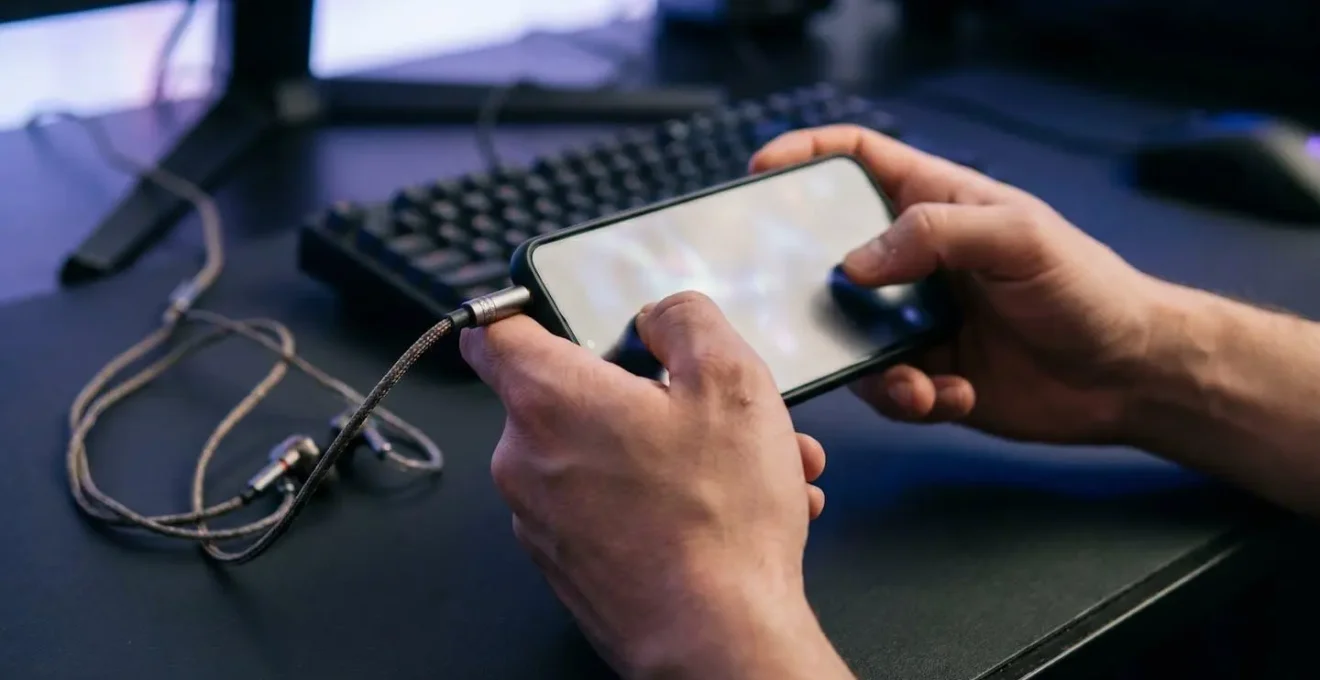
The frustrating gap between hearing an enemy and knowing their exact location isn’t about volume; it’s a failure in your audio signal chain.
- True spatial awareness requires configuring your game for HRTF processing, not generic “7.1 surround.”
- Wireless latency and phone overheating are silent killers of directional audio, often negating expensive hardware.
Recommendation: Treat your audio as a complete system. You must optimize every link—from software settings to hardware choice and thermal management—to achieve the surgical precision needed to win.
Listen up, player. You’ve been there. You hear the faint scuff of a boot in PUBG Mobile, the clink of gear in COD Mobile. The sound is clear, but the direction is a vague blob. Are they above you? Below? In the next building over? By the time you guess, you’re already watching a killcam. The common advice you’ve heard—”buy a better headset” or “turn on 7.1 surround”—misses the point entirely. These are surface-level fixes for a deep, technical problem. They are platitudes that ignore the complex journey sound takes from the game engine to your brain.
The truth is, achieving a convincing 360-degree soundstage on a mobile device is about mastering what I call the audio signal chain. This chain has multiple links: the game’s audio engine, your phone’s operating system, your hardware (and its connection), and even your phone’s temperature. A single weak link in this chain can make your thousand-dollar headset perform like a ten-dollar pair of earbuds. The key isn’t just hearing the sound; it’s about preserving the integrity of the directional data encoded within that sound.
This guide isn’t another list of generic tips. As your coach, I’m going to break down each link in that chain. We’ll dismantle the myths, explain the science behind spatial audio, and give you a concrete, actionable framework to build an audio setup that delivers a true competitive advantage. Forget hearing sounds; you’re about to start seeing with your ears.
To give you a clear path to audio mastery, this guide is structured to tackle each critical component of your sound system. From the fundamental science of vertical audio to pre-match calibration and performance management, you’ll find everything you need to gain an edge.
Summary: Your Path to Total Audio Dominance
- Why stereo separation isn’t enough to pinpoint vertical sounds?
- How to configure audio settings in FPS games to maximize directional clarity?
- Dual Speakers or Headset: which gives better directional accuracy?
- The Bluetooth delay that makes spatial audio useless for reaction times
- What order to check audio channels before starting a ranked match?
- Why does the sound stay in place when you turn your head?
- Why your game suddenly slows down after 30 minutes of play?
- Adaptive Gaming Performance: How to Play High-End Games on a 4-Hour Train Journey?
Why stereo separation isn’t enough to pinpoint vertical sounds?
The most common failure point for gamers is trusting standard stereo to locate vertical threats. Stereo is brilliant at horizontal placement—left and right. It achieves this by playing a sound louder in one ear than the other (interaural level difference) or slightly earlier (interaural time difference). But when an enemy is directly above or below you, the sound arrives at both ears at roughly the same time and intensity. Your brain gets a “center” signal, but it has no data to determine elevation. This is why you can hear someone running on the floor above you in a building, but you can’t be sure if they’re on the second or third story.
The solution to this is a complex audio processing technique called a Head-Related Transfer Function (HRTF). Essentially, HRTF is a digital filter that mimics how your outer ear (the pinna) naturally colors sound based on its direction. Sounds coming from above are subtly altered in a different way than sounds from below before they even enter your ear canal. Your brain has learned since birth to decode these tiny frequency changes into a 3D map. Modern games use HRTF to apply these same subtle changes to the in-game audio, giving you the vertical cues that standard stereo lacks.
This isn’t just theory; it’s a measurable advantage. In fact, research on head-related transfer functions demonstrates that sounds processed with personalized HRTFs are significantly easier to localize and are perceived as far more realistic. Without HRTF enabled and configured correctly, you’re essentially playing with one hand tied behind your back, relying on guesswork for any threat that isn’t on the same horizontal plane as you. Your headset isn’t the problem; your data is.
How to configure audio settings in FPS games to maximize directional clarity?
Knowing that HRTF is the key is one thing; activating it correctly is another. This is where most players sabotage their own audio without realizing it. They enable multiple, conflicting “virtual surround” effects from their phone’s OS, their headset’s software, and the game itself. This creates a muddy, processed mess where directional data is destroyed. The goal is to create a clean audio signal chain where only one HRTF processor is active: ideally, the one built into the game or a high-quality system-level one like Dolby Atmos.
The core principle is simplification. You must disable all third-party equalizers and virtual 7.1 surround sound effects that come with headset companion apps. These are marketing gimmicks that often just add reverb and distort the precise cues the game developers intended for you to hear. Your target setting in-game should almost always be “Headphones” or “Stereo.” This sounds counter-intuitive, but this setting provides the clean, two-channel signal that a dedicated HRTF processor (like the one in the game or Windows Sonic/Dolby Atmos) needs to work its magic. Choosing “5.1/7.1” in the game when you’re wearing headphones feeds the processor a garbled signal it can’t interpret correctly.
This diagram visualizes the concept of the audio signal chain, where each layer of processing affects the final output. Your job is to ensure these layers work together, not against each other.
As the image suggests, the signal passes through multiple stages. A conflict at any stage, such as two active virtualization engines, compromises the integrity of the final sound you hear. Follow this protocol to ensure a clean signal path:
- Right-click the speaker icon in your taskbar, go to Spatial Sound, and enable Windows Sonic for Headphones (free) or Dolby Atmos for Headphones.
- Disable any virtual surround processing in your headset’s companion software (like Razer Surround or HyperX NGENUITY) to avoid stacking two HRTF processors.
- In your game’s audio settings, select ‘Stereo’ or ‘Headphones’ output mode—do not choose 5.1 or 7.1 when using headphones.
- Use a spatial audio test tool regularly to develop your ability to localize sounds and adapt your brain to your specific headset’s HRTF.
Dual Speakers or Headset: which gives better directional accuracy?
Let’s settle this once and for all: for competitive mobile gaming, using your phone’s speakers is not an option. Not even the best dual speakers can compete with a decent pair of headphones. The reason is simple: channel separation and isolation. Speakers create “crosstalk,” where your left ear hears sound from the right speaker and vice versa. This contaminates the directional data before it even reaches your brain, making precise HRTF processing impossible.
Headphones solve this by creating a perfectly isolated channel for each ear. This is the foundation of accurate spatial audio. But not all headphones are created equal. While large, over-ear “gaming headsets” are popular, a growing number of pro players are switching to In-Ear Monitors (IEMs). The advantage of IEMs lies in their superior passive noise isolation. By fitting directly into the ear canal, they create a seal that blocks out external noise far more effectively than the cups of an over-ear headset. In fact, audio isolation testing reveals that IEMs provide 15-25dB of passive noise isolation from the ear tip seal alone, while even closed-back gaming headsets typically offer only 5-15dB.
This isolation means you can play at a lower, safer volume while hearing faint audio cues like a distant reload or a player going prone with greater clarity. The sound is delivered directly and without interference. The EPZ Audio Engineering Team, in their guide on choosing setups for competitive play, puts it best:
Because the audio driver sits directly inside the ear canal, the directional accuracy is highly focused. When an opponent reloads behind a wall, or steps on a metal grate above you, the sound does not just feel loud—it feels surgically precise.
– EPZ Audio Engineering Team, Best IEMs for Gaming: How to Choose the Right Setup for Competitive Play
The choice is clear. While any headset is better than speakers, for maximum directional accuracy and focus, a quality pair of wired IEMs is the superior tool for the job.
The Bluetooth delay that makes spatial audio useless for reaction times
You can have the best headset and perfect settings, but if you’re using a standard Bluetooth connection, you are fighting a losing battle. The culprit is latency—the delay between when an event happens in the game and when you hear the corresponding sound. For a competitive FPS player, this delay is devastating. The average human reaction time is around 200-250 milliseconds (ms). If your audio latency is 100-150ms, which is typical for a standard SBC Bluetooth codec, the sound of an enemy’s footstep is already old news by the time you hear it. The enemy has moved on.
The performance impact is not trivial. In fact, empirical testing in rhythm-based shooters demonstrates a 37% performance difference between a wired connection and a standard Bluetooth one. A player’s hit rate can plummet from nearly perfect to just over 60% simply due to audio lag. Spatial audio becomes useless if the information it provides is too old to act on. This makes most “true wireless” earbuds designed for music or casual use a liability in a ranked match.
The only wireless technologies suitable for competitive gaming are those using proprietary 2.4GHz connections or Bluetooth codecs specifically designed for low latency, like aptX LL. These can bring latency down to an acceptable 15-40ms range. Anything else is a compromise. This table, based on extensive testing of Bluetooth connection latency, breaks down the reality of different codecs.
| Codec Type | Typical Latency Range | Gaming Suitability | Common Use |
|---|---|---|---|
| SBC (Standard) | 100-150ms | Unsuitable | Default Bluetooth codec |
| aptX | 50-150ms | Marginal | Quality improvement over SBC |
| aptX Low Latency | ~40ms | Acceptable | Gaming-focused codec |
| aptX Adaptive (High Quality) | 200-300ms | Unsuitable | Music streaming |
| 2.4GHz Proprietary | 15-20ms | Optimal | Dedicated gaming headsets |
| Wired (3.5mm/USB) | <2ms | Best | Professional/competitive gaming |
For the ultimate competitive edge, the answer is undeniable: a wired connection (3.5mm or USB-C) offers near-zero latency, ensuring the audio data you receive is instantaneous and actionable. If you must go wireless, invest in a headset with a dedicated 2.4GHz dongle.
What order to check audio channels before starting a ranked match?
A pro doesn’t go into a match hoping their equipment works; they verify it. Your audio setup is no different. You need a quick, repeatable pre-match ritual to ensure your audio signal chain is clean and accurate. This takes less than 60 seconds in the training ground and can be the difference between a win and a frustrating loss due to a technical glitch, like swapped left/right channels—a surprisingly common issue with adapters and some drivers.
This ritual is your final “sanity check” before you commit to a ranked game. It confirms that your hardware is plugged in correctly, your virtual surround is mapping directions as expected, and your volume is set to capture the most critical, quietest sounds without blowing out your eardrums on explosions. It’s about building muscle memory not just for your aim, but for your ears, calibrating them to your specific setup before the pressure is on.
The focus and preparation before a match are as important as the match itself. This simple calibration becomes a moment of concentration, ensuring every tool is ready.
Treat this not as a chore, but as a professional’s warm-up. It builds confidence that your gear won’t fail you when it matters most. Use the following checklist to create your own bulletproof pre-match audio audit.
Your Pre-Match Audio Audit Protocol
- Channel Integrity: First, confirm your physical channels. Use a “Left/Right Stereo Test” on YouTube to ensure your left and right audio aren’t physically swapped. This is your baseline.
- Virtualization Mapping: Enter the training ground. Have a teammate fire single shots at 90° left, 90° right, and directly behind you to verify that your HRTF processing is mapping directions correctly.
- Dynamic Range Check: Stay in the training ground. Listen to both distant footsteps and the sound of your own footsteps to ensure your volume is high enough to make the quietest critical cues audible but not painfully loud.
- Verticality Drill: Find a multi-story building. Have a teammate run on the floors above and below you. Close your eyes and focus on the frequency changes. Train your brain to recognize the specific muffled sound of “above” versus “below” with your setup.
- Final System Check: Glance at your phone’s audio settings. Confirm no new OS updates have re-enabled conflicting equalizers or sound “enhancements.” Ensure you are on a clean signal path.
Why does the sound stay in place when you turn your head?
Here’s a concept that separates the pros from the amateurs: understanding the fundamental limitation of almost all gaming audio. Have you ever noticed that when you hear a sound in-game and turn your real head (not your character), the sound’s position relative to you doesn’t change? If a gunshot is in your “left ear,” it stays in your left ear even if you turn your head 90 degrees to the left. This is called “Head-Locked” audio.
The entire 3D soundstage is essentially glued to your in-game camera, not to the real world. This is a massive break from reality, where a sound’s source remains fixed in space as you move your head. As the team at GamesRadar+ explains, the alternative requires much more advanced technology:
99% of gaming audio is ‘Head-Locked’—the entire soundstage is fixed to your virtual camera and rotates with it. ‘World-Locked’ audio, which requires head-tracking sensors in the headset, keeps the sound source stationary as you move your real head.
– GamesRadar+ Editorial Team, What is spatial audio and why is 3D sound important for your gaming headset?
While “World-Locked” audio is the holy grail for immersion, it’s not yet a factor in competitive mobile gaming due to the added latency and hardware requirements (gyroscopes and accelerometers in the headset). This is a key piece of knowledge for a competitive player. It means you must learn to trust your in-game camera’s direction as the “center” of your audio world and resist the natural urge to use small head movements to pinpoint sounds.
Case Study: Apple’s “World-Locked” Spatial Audio
To understand the difference, look at Apple’s Spatial Audio implementation with dynamic head tracking in AirPods Pro and Max. Using built-in sensors, they can detect your head movements and adjust the soundstage in real-time. If you are watching a movie on your iPhone and turn your head to the right, the sound of dialogue will shift to your left ear, remaining “anchored” to the phone’s screen. This is true “World-Locked” audio. While it’s revolutionary for media consumption, the technology is not yet optimized for the near-zero latency demands of competitive FPS gaming.
Why your game suddenly slows down after 30 minutes of play?
You’re in a late-game scenario. The match has been running for 30 minutes, and your phone is getting warm. Suddenly, you notice it: frame drops, stuttering, and—most critically—choppy or delayed audio. This isn’t a network issue. This is thermal throttling, and it’s a silent killer of your audio performance. Your phone’s System on a Chip (SoC) generates immense heat during intense gaming. To prevent damage, the operating system will automatically reduce its performance once it crosses a certain temperature threshold.
For most phones, this process begins when the device’s internal temperature crosses 35°C (95°F). When this happens, the system needs to shed computational load, and fast. The GPU is the primary target, leading to frame drops from a smooth 60fps to a choppy 30fps. But what many players don’t realize is that complex audio processing is next on the chopping block. Real-time HRTF calculations are computationally expensive, handled by a dedicated part of the chip called the Digital Signal Processor (DSP).
To preserve power for the GPU to at least render the game, the OS will often deprioritize or even disable these advanced audio tasks. The result? Your pristine spatial audio collapses back into basic, muddy stereo, or you experience audio dropouts and delays at the worst possible moment. The intricate design of your phone’s thermal management system directly impacts your ability to compete.
Case Study: Android’s Thermal API and DSP Deprioritization
Android’s Thermal API is a clear example of this process. It allows the system to actively monitor temperature levels and make decisions about what processes to scale back. When a “critical” temperature is reached, the system will start throttling non-essential services. In the context of a game, preserving a visible frame rate (even a low one) is deemed more essential than processing high-fidelity virtual surround sound. The DSP’s workload is reduced, and your directional audio fidelity is the first casualty, directly impacting your awareness during those crucial final circles.
Key Takeaways
- Positional audio is a system; a single weak link (settings, latency, heat) breaks the entire chain.
- Enable in-game HRTF by selecting “Headphones/Stereo” and disabling all other virtual surround effects.
- Wired IEMs provide the best combination of noise isolation and zero-latency performance for competitive play.
- Thermal throttling directly degrades audio processing, making heat management a critical part of your audio strategy.
Adaptive Gaming Performance: How to Play High-End Games on a 4-Hour Train Journey?
Mastering your audio signal chain isn’t just about achieving peak performance; it’s also about maintaining it under different conditions. A 15-minute ranked match from your air-conditioned room has very different demands from a 4-hour gaming session on a train with no access to a charger. A true pro knows how to adapt their system for either a sprint or a marathon.
For marathon sessions, battery life and thermal headroom become your primary concerns. Running your phone at max settings with high-brightness and complex audio processing is a recipe for a dead battery and a throttled device within an hour. High-quality Bluetooth codecs and DSP effects, while great for short bursts, consume significant power. To last the journey, you must be strategic. This means creating a “Marathon” performance profile with lowered settings, a locked (but stable) frame rate, and simplified audio output.
Switching to simple stereo audio and using efficient wired headphones during these long sessions dramatically reduces the load on both the battery and the SoC. This preserves thermal headroom, ensuring that even if the audio is less spatially complex, it remains consistent and reliable for the entire duration. You trade peak fidelity for endurance, a smart choice when the alternative is a dead phone halfway through your trip. The following strategy will help you build your own adaptive profiles:
- Create a ‘Sprint’ Profile: For ranked matches at home. Use maximum graphics settings, high screen brightness, and your fully configured spatial audio setup (e.g., wired IEMs, HRTF enabled).
- Create a ‘Marathon’ Profile: For travel or long sessions. Lock the framerate at a stable 40FPS, use medium graphics, and switch the in-game audio to a basic stereo output.
- Disable OS Enhancers in Marathon Mode: Turn off any system-level Dolby Atmos or other DSP effects to minimize power drain.
- Go Wired for Endurance: Use efficient wired headphones to completely eliminate the power consumption of Bluetooth codecs.
- Manage Thermals and Power: Lower screen brightness to 50-60% and close all background apps to give your phone the best chance of staying cool and maintaining performance.
By mastering this adaptive approach, you take full control over your device’s performance, ensuring you have the right setup for any competitive scenario. Your journey to audio dominance is about making intelligent, informed decisions at every link in the chain. Apply these principles, build your pre-game ritual, and start translating sound into victory.