Entertainment & Multimedia
Your smartphone has evolved into a remarkably capable entertainment and multimedia device. What once required dedicated cameras, gaming consoles, high-end displays, and professional audio equipment now fits comfortably in your pocket. Yet most users barely scratch the surface of what their device can actually do. Understanding the technology behind mobile photography, display quality, audio immersion, gaming performance, and video creation transforms your phone from a simple communication tool into a genuine creative powerhouse.
This comprehensive resource demystifies the key technologies that define modern mobile entertainment. Whether you’re struggling with blurry photos on overcast days, wondering why your mobile gaming sessions drain your battery so quickly, or curious about the real benefits of spatial audio, you’ll find practical explanations and actionable techniques. The goal isn’t to overwhelm you with technical jargon, but to give you the confidence to make informed decisions and unlock capabilities you didn’t know existed.
Mobile Photography: Capturing Professional Images in Any Condition
Mobile photography has reached a point where sensor technology matters far more than megapixel count. Think of a camera sensor like a bucket collecting rainwater: a larger bucket captures more water even if it has fewer measurement markings. Similarly, a larger sensor captures more light information, which is crucial for challenging conditions like cloudy skies or dimly lit interiors.
Understanding Optical Systems and Sensor Precision
Modern smartphones feature precision optical sensors with specialized coatings that maximize light capture. These coatings are surprisingly delicate—the common habit of cleaning your lens with a shirt sleeve can create microscopic scratches that permanently degrade image sharpness. Instead, use a microfiber cloth designed for optical surfaces. When shooting on grey, overcast days, your sensor’s ability to capture subtle tonal differences becomes critical, which is why phones with larger sensors consistently outperform high-megapixel alternatives in real-world conditions.
Mastering Manual Controls for Challenging Light
Adjusting ISO manually gives you direct control over your camera’s light sensitivity. Higher ISO values brighten images but introduce grain (visual noise), while lower values produce cleaner images but require more light. For indoor shots, start with ISO 400-800 and adjust based on results. The key is finding the balance between brightness and image cleanliness. Similarly, understanding the difference between optical and digital zoom prevents disappointing holiday photos—optical zoom uses physical lens movement to magnify without quality loss, while digital zoom simply crops and enlarges pixels, creating blurry results.
Low-Light and Night Photography Techniques
Capturing clear images after dark without a tripod requires understanding your environment as a stabilization tool. Leaning against walls, resting your phone on railings, or bracing your elbows against your body dramatically reduces motion blur during the longer exposures night mode requires. The blue hour—the period shortly after sunset when the sky retains a deep blue glow—provides enough ambient light to illuminate subjects naturally while creating atmospheric backgrounds. This narrow window offers far better results than shooting in complete darkness, where harsh artificial lighting creates unflattering orange skin tones or the startled “deer in headlights” look from direct flash.
Wide-Angle Photography: Perspective and Distortion
Ultra-wide lenses excel at capturing expansive scenes like architectural landmarks, but they introduce barrel distortion that stretches subjects near frame edges. This is why people standing at the sides of group photos appear oddly elongated. To minimize this effect, position important subjects toward the center and hold your phone level—tilting creates converging vertical lines that make buildings appear to lean. Strategic use of foreground interest (rocks, flowers, or architectural elements in the bottom third of the frame) adds depth and scale to wide landscape shots, transforming flat images into compelling compositions.
Display Technology: Understanding Screen Quality for Entertainment
Your screen is the window through which you experience all mobile entertainment, yet display technology remains one of the most misunderstood aspects of smartphone specifications. The difference between panel types fundamentally affects how you consume content, from streaming movies during your commute to editing photos before sharing them.
OLED vs IPS LCD: Panel Technology Explained
OLED panels offer true black levels by completely turning off individual pixels, creating infinite contrast ratios. This capability proves invaluable for mobile graphic design work, where spotting subtle editing errors before printing requires accurate color and shadow representation. However, OLED screens are susceptible to burn-in when static interface elements remain in the same position for extended periods. Enabling system-wide dark mode not only protects screen longevity but also saves approximately 15% battery life by reducing the number of illuminated pixels.
IPS LCD screens, conversely, use a constant backlight that never fully turns off, producing slightly elevated black levels but offering superior outdoor visibility in direct sunlight. The choice between panel types depends on your primary use case—content creators and frequent night-time users benefit from OLED’s contrast, while outdoor enthusiasts might prefer IPS LCD’s brightness capabilities.
HDR Content: Enhanced Dynamic Range for Mobile Viewing
High Dynamic Range transforms how movies and shows appear on small screens, particularly in challenging viewing environments. HDR content displays a wider range of brightness levels, making dark movie scenes visible even under bright train lights without washing out highlights. However, streaming HDR content on mobile data can consume 3GB in a single commute if quality settings aren’t properly configured. Downloading HDR content over Wi-Fi before traveling ensures high-quality playback without data overages, though the battery consumption increase of 20-30% compared to standard dynamic range (SDR) means this visual upgrade demands a trade-off.
HDR Video Creation: Recording Content with Professional Quality
Recording in HDR doesn’t just affect how bright or dark your footage appears—it fundamentally changes the color information your phone captures. Understanding when and how to use these capabilities prevents common mistakes that make your carefully shot videos look washed out or amateurish.
10-bit color recording captures over one billion color variations compared to the 16.7 million colors of standard 8-bit video. This expanded palette prevents banding—those ugly stepped gradients that appear in sunset skies or smooth color transitions. When shooting vlogs in mixed lighting conditions (like interiors with windows), locking exposure prevents the jarring brightness jumps that occur when your camera automatically adjusts as you move. The HLG (Hybrid Log-Gamma) format offers better compatibility across devices compared to HDR10, though neither displays correctly on older phones lacking HDR screens—they’ll appear flat and desaturated, which is why checking playback compatibility matters before shooting important content.
Immersive Audio: Spatial Sound and 3D Audio Experiences
Audio technology has evolved beyond simple stereo separation to create convincing three-dimensional soundscapes. Spatial audio uses computational processing and head tracking to position sounds in virtual space around you, creating the uncanny effect of audio sources remaining stationary even as you turn your head.
How Spatial Audio Works
The technology combines accelerometer data tracking your head position with specialized audio processing that adjusts sound channels in real-time. Some implementations even scan your ear shape using your phone’s camera to personalize the effect based on how your unique ear geometry naturally filters sound. This creates remarkably convincing cinema sound experiences through regular headphones, though certain streaming service restrictions block spatial audio features on Android devices depending on licensing agreements.
Gaming Audio: Directional Accuracy for Competitive Advantage
In competitive gaming, hearing enemy footsteps before visual contact provides crucial advantages. However, traditional stereo separation only indicates left-right positioning—it can’t pinpoint vertical sounds like footsteps on floors above or below you. Modern spatial audio in FPS games creates full 360-degree soundscapes with vertical positioning, though Bluetooth delay (typically 100-200 milliseconds) makes wireless spatial audio impractical for reaction-based gameplay. Wired headsets eliminate this delay while providing superior directional accuracy compared to dual speakers, which reflect off surfaces and create confusing audio positioning.
Mobile Gaming: Performance Optimization for Extended Play Sessions
Nothing frustrates gamers more than smooth gameplay suddenly degrading into choppy stuttering after thirty minutes. This phenomenon, called thermal throttling, occurs when your processor generates more heat than your phone can dissipate, forcing it to slow down to prevent damage.
Using your phone’s game dashboard to cap frame rates at 30 or 45 fps instead of maximum settings can reduce heat generation and save 20% battery life with minimal visual impact on small screens. The difference between Performance Mode and Balanced mode often proves imperceptible on phone displays, yet the power consumption difference significantly affects how long you can play during extended journeys. Phone cases that trap heat against the device dramatically accelerate throttling—removing protective cases during intensive gaming sessions allows better heat dissipation. Clearing RAM automatically when launching games prevents background applications from consuming memory that could otherwise prevent stuttering.
4K Content Creation: When Resolution Really Matters
The 4K versus 1080p debate isn’t as simple as “higher is always better.” Understanding when resolution truly matters prevents you from filling storage with unnecessarily large files while knowing when to prioritize frame rate over pixel count.
Interestingly, 4K videos appear sharper even on 1080p screens due to a process called downsampling—the extra resolution information improves edge definition and reduces compression artifacts when scaled down. However, the processing demands of editing 4K footage on a phone can make the experience painfully slow, particularly when applying effects or transitions. For fast-moving subjects like children at play, 1080p at 60fps often produces more pleasing results than 4K at 30fps, as the higher frame rate captures motion more smoothly.
Moving 4K files to external storage without a computer requires either wireless transfer apps or USB-C drives with on-the-go capabilities. Before sending videos to relatives via messaging apps, compress files to reduce size—WhatsApp and similar services automatically compress large videos anyway, so sending the original 4K file wastes time and data without improving the received quality.
Mastering entertainment and multimedia capabilities on your mobile device isn’t about memorizing every technical specification—it’s about understanding which technologies matter for your specific needs and how to apply practical techniques that produce tangible results. Whether you’re capturing memories, consuming content, or creating your own, the tools already exist in your pocket. The difference between average and exceptional results lies in knowing when and how to use them.
4K Content: When Should You Actually Record in 4K vs 1080p?
Recording in 4K isn’t about what you can see on today’s screens; it’s about creating the highest quality digital master file to preserve your family’s memories for the future. 4K footage provides significantly more detail and richer color, even when…
Read more
Adaptive Gaming Performance: How to Play High-End Games on a 4-Hour Train Journey?
The secret to a 4-hour gaming session on a train isn’t a bigger battery; it’s proactively managing your phone’s “performance budget” to avoid the dreaded 30-minute performance cliff. Thermal throttling, not battery capacity, is the primary reason your high-end game…
Read more
Convincing 360-Degree Effect: How to Hear Enemy Footsteps Before You See Them
The frustrating gap between hearing an enemy and knowing their exact location isn’t about volume; it’s a failure in your audio signal chain. True spatial awareness requires configuring your game for HRTF processing, not generic “7.1 surround.” Wireless latency and…
Read more
Immersive Spatial Audio Tech: How to Enjoy Cinema Sound Without Disturbing Flatmates?
Spatial audio isn’t magic; it’s a set of psychoacoustic tools you can master to create a private cinema, even with thin walls. Personalizing your Head-Related Transfer Function (HRTF) via ear scanning is non-negotiable for true immersion. Active Noise Cancellation (ANC)…
Read more
High Dynamic Range: How to Film Vlogs That Look Professional in Mixed Lighting
In summary: Stop “blown-out” skies by understanding that HDR is a full workflow, not just a single setting. Use 10-bit color to capture over a billion colors, preventing ugly “banding” in gradients like sunsets. Lock your exposure (AE/AF Lock) on…
Read more
OLED Panels: Why True Black Levels Matter for Mobile Graphic Design?
An OLED phone isn’t just a convenient proofing device; it’s a calibrated extension of your studio, ensuring your creative vision remains intact from screen to print. Infinite contrast allows you to spot subtle shadow and gradient errors that LCDs hide,…
Read more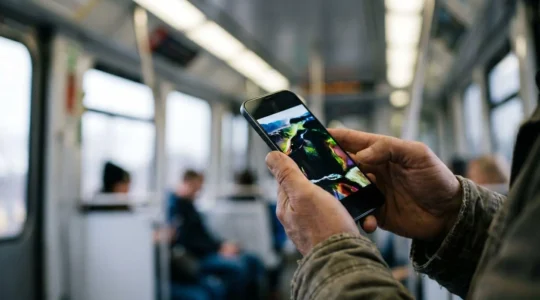
Cinematic Commuting: How to Watch HDR Movies on the Train Without Eye Strain
True cinematic viewing on your commute isn’t about screen brightness; it’s about mastering your device’s HDR capabilities to conquer ambient light and preserve the filmmaker’s intent. High Dynamic Range (HDR) isn’t just brighter, it’s smarter, rendering detail in the darkest…
Read more
Ultra-Wide Lenses: How to Photograph UK Castles Without Cutting Off the Towers?
The secret to epic castle photos isn’t avoiding wide-angle distortion, but learning to control it as a creative tool right from your phone. Perspective distortion—that ‘stretching’ at the edges—is a predictable optical effect you can use for dramatic storytelling. Keeping…
Read more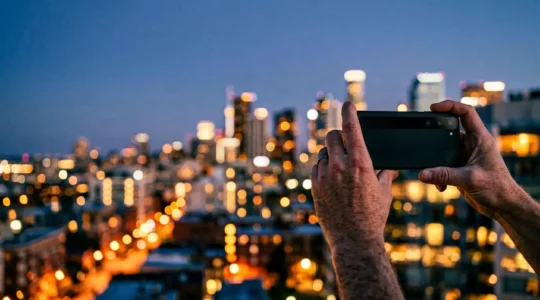
Night Out Photography: How to Get Killer Shots After Dark With Just Your Phone
In summary: Correct the orange glow from streetlights by understanding and adjusting your White Balance. Use walls, tables, and even your own body as a “human tripod” to eliminate camera shake. Soften your phone’s flash with simple tricks to avoid…
Read more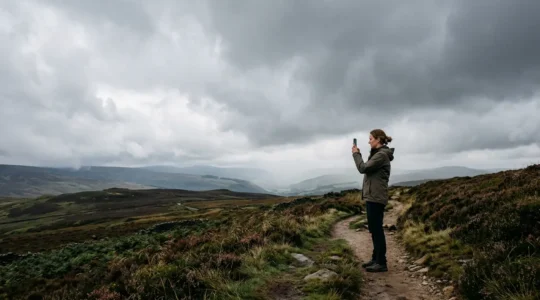
Advanced Optical Sensors: How to Capture Tack-Sharp Photos on Grey UK Days
In summary: Your phone’s sensor size is far more important than megapixels for dealing with the UK’s typical flat, grey light. Mastering manual ISO controls is the key to eliminating grain in interior shots, especially with Dual Native ISO technology….
Read more