Blog
Your mobile phone is designed for everyday convenience, but what happens when you venture beyond the ordinary? Whether you’re hiking in remote highlands, managing a construction site, traveling internationally, or working remotely from changing locations, your phone faces challenges that standard usage never prepares you for. Battery drain accelerates, signals disappear, costs spiral unexpectedly, and standard communication methods fail precisely when you need them most.
This comprehensive resource addresses the real-world mobile challenges faced by professionals, travelers, and outdoor enthusiasts. You’ll discover why your fully charged phone shuts down in cold tents, how to avoid costly roaming traps, which network bands penetrate thick walls, and how to maintain reliable connectivity when your livelihood depends on it. These aren’t abstract theories—they’re practical solutions born from understanding how mobile technology actually behaves in demanding environments.
From multi-day expeditions without power sources to basement construction sites with zero signal, from international border crossings to remote work across time zones, we’ll explore the technical knowledge and strategic approaches that transform your phone from a fragile convenience into a dependable tool.
Power Management for Extended Mobile Usage
Battery anxiety becomes critical when you’re far from electrical outlets. Understanding what drains your battery—and how to prevent it—can mean the difference between staying connected and being stranded without communication.
Understanding Battery Drain in Extreme Conditions
Temperature plays a more significant role in battery performance than most users realize. Lithium-ion batteries lose approximately 20% of their capacity when exposed to freezing temperatures, which explains why a phone showing 60% charge at bedtime might shut down overnight in a cold tent. The chemical reactions that generate electrical current simply slow down in cold conditions.
Think of your battery like honey: at room temperature it flows freely, but refrigerate it and the viscosity increases dramatically. Your battery’s electrons face similar resistance in cold environments. Keeping your phone close to your body during cold nights—inside your sleeping bag rather than in a jacket pocket—maintains the warmth needed for normal operation.
The radio components in your phone consume vastly more power when searching for signal than when connected to a strong tower. In remote areas with weak coverage, your phone exhausts itself constantly scanning for networks. This single factor can reduce battery life by 40-50% compared to urban usage.
Practical Strategies to Extend Battery Life
Several concrete approaches can dramatically extend your available power when every percentage point matters:
- Download offline maps and guides before leaving coverage areas—streaming navigation can consume 60% more battery than using pre-loaded content
- Disable automatic brightness outdoors; the sensor constantly adjusts to changing light conditions, burning up to 30% extra power compared to a fixed medium setting
- Batch your communications by collecting messages and sending them during scheduled intervals rather than maintaining constant connectivity
- Choose airplane mode over complete shutdown for energy conservation—powering down and restarting actually consumes more energy than several hours in airplane mode
The debate between airplane mode and power-off centers on boot cycle costs. Restarting your phone requires loading the entire operating system, initializing all services, and reconnecting to networks—a process that demands significant power. For emergency reserves, airplane mode with manual connectivity checks provides better energy efficiency.
Optimizing Mobile Signal in Difficult Locations
Signal strength isn’t simply about distance from towers. The physics of radio waves, the specific frequencies your phone uses, and physical obstacles all interact in complex ways that determine whether you get five bars or no service.
How Antenna Bands Affect Your Connection
Mobile networks operate across multiple frequency bands, each with distinct characteristics. Low-frequency bands like Band 20 (800MHz) travel farther and penetrate obstacles better—they’re the radio equivalent of bass notes that you can hear through walls. High-frequency bands carry more data but struggle with obstacles, like treble notes that require line-of-sight.
In the Scottish Highlands or rural areas, low-frequency bands become critical. A phone lacking 800MHz support might show no service while a device with proper band support maintains connectivity. Similarly, inside buildings with thick stone walls or steel-reinforced basements, only lower frequencies penetrate effectively.
Your phone includes Field Test Mode—a hidden diagnostic menu that reveals exactly which band and frequency your current tower uses. This information helps you understand whether you’re on an optimal band or if manual adjustments might improve performance. The specific access method varies by manufacturer, but this tool transforms signal optimization from guesswork into precise engineering.
Choosing the Right Network Provider and Phone Placement
Different providers own different spectrum allocations. In the UK, for example, some operators hold extensive low-frequency licenses while others rely primarily on higher bands. Researching which provider controls the low-frequency spectrum in your region directly impacts your experience in challenging locations.
Physical placement matters more than most realize. Radio waves behave predictably: hills and valleys create shadow zones, metal structures reflect signals, and even positioning your phone near a window versus the center of a room can mean the difference between one bar and four. In homes with poor coverage, systematic testing of phone placement near different windows often reveals a “sweet spot” where signal strength doubles.
Landscape features affect different frequencies distinctively. A ridge might completely block high-frequency bands while allowing low-frequency signals through. Understanding this principle helps you position yourself strategically when signal strength matters.
International Roaming and Network Compatibility
International travel introduces network complexities that can result in shocking bills or complete connectivity loss. The global patchwork of network technologies and pricing structures requires strategic planning.
Avoiding Unexpected Roaming Charges
Roaming charges vary wildly depending on partnerships between your home network and foreign operators. Within the EU, regulations cap roaming costs, but venture outside these zones and costs can reach £5 per megabyte—enough to generate a £500 bill from a single day of normal usage.
The most dangerous scenario involves automatic network selection connecting you to premium-rate networks. Ferry crossings present particular risk: your phone might latch onto satellite-based maritime networks charging extraordinary rates while you assume you’re on standard cellular service. Manually disabling roaming or carefully selecting approved networks prevents these traps.
The decision between local SIM cards versus roaming bundles depends on trip duration and data requirements. For trips exceeding one week with significant data needs, local SIMs almost always prove more economical. For shorter trips or voice-focused usage, roaming bundles offer convenience without the cost penalty.
Network Selection and Technology Compatibility
Not all 4G networks are created equal. A UK phone might technically support 4G but lack the specific frequency bands used in rural America, resulting in 3G-only service or no connection at all. LTE band compatibility varies significantly between regions—what works perfectly in Europe may perform poorly in Asia or the Americas.
VoLTE roaming adds another layer of complexity. Voice over LTE requires explicit support from both your home network and the foreign partner network. Without it, your phone drops to 3G for calls even while maintaining 4G data—or fails to connect for voice entirely in regions phasing out older technologies.
Manually selecting partner networks that actually work requires understanding which foreign operators have robust agreements with your home provider. Auto-selection chooses based on signal strength, not performance quality or cost-efficiency. Taking control of this selection process frequently improves both reliability and pricing.
Professional Mobile Communication in Harsh Environments
Construction sites, industrial facilities, and outdoor work environments create communication challenges that conventional phone usage cannot address. Noise, physical constraints, and safety requirements demand adapted approaches.
Alternative Communication Methods
Haptic feedback (vibration alerts) proves far more reliable than ringtones when working near generators, heavy machinery, or in other high-noise environments. Many professionals miss critical communications simply because audible alerts disappear into ambient noise, while a vibration against the body remains perceptible.
Push-to-talk applications transform smartphones into walkie-talkie substitutes, offering advantages for multi-story construction sites or facility management. Unlike traditional two-way radios limited by line-of-sight and building penetration, push-to-talk apps leverage cellular networks to maintain connectivity across greater distances and through obstacles. However, network dependency becomes their weakness—traditional radios continue functioning when cellular infrastructure fails.
The choice between technologies depends on your specific environment. For sites with reliable cellular coverage and the need to communicate across large areas or multiple floors, push-to-talk apps excel. For locations with uncertain network availability or requiring instant communication without data delays, traditional radios remain superior.
Accessibility Features for Working Conditions
Dirty hands, heavy gloves, and safety equipment create practical barriers to standard phone interaction. Voice assistants enable hands-free message reading and composition, allowing workers to maintain communication without removing protective equipment or cleaning hands first.
Emergency situations demand immediate response capability. Configuring one-touch emergency dialing allows gloved hands to trigger critical calls without navigating menus or entering PINs. This simple setup—often buried in accessibility settings—can save crucial seconds when emergencies occur.
Structural steel and reinforced concrete create signal dead zones in basements and interior spaces. Understanding that these materials don’t just weaken signal but can completely block it helps explain why communication fails in specific locations. Solutions range from signal repeaters to establishing designated communication zones near windows or stairwells where signals penetrate more effectively.
Connectivity Strategies for Remote Workers and Travelers
Digital nomads and remote professionals face a unique challenge: their livelihood depends on connectivity, yet they operate from ever-changing locations with varying infrastructure quality. For this audience, reliability matters more than speed—a consistent 10 Mbps connection proves more valuable than inconsistent 100 Mbps service.
The single most effective strategy involves redundancy through dual SIMs from different network providers. When one network experiences issues, the second provides failover protection. This approach guarantees uptime in ways that single-provider solutions cannot match. Selecting providers that use different underlying infrastructure maximizes redundancy benefits.
USB tethering serves as essential backup when hotel WiFi fails or proves unreliable. While most remote workers rely on wireless connectivity, USB tethering offers lower latency, better stability, and continued operation when WiFi networks become congested. Configuring this capability in advance—before you desperately need it—prevents frantic troubleshooting during critical work situations.
The coworking space versus cafe WiFi debate ultimately centers on security and reliability rather than cost alone. Cafe networks often lack basic security measures, leaving devices vulnerable to interception. The few seconds of inattention required to order coffee can provide enough time for physical device compromise in busy public spaces. Professional coworking spaces typically implement network security, offer dedicated bandwidth, and provide physical security that justifies their monthly fees for serious remote work.
Calendar management across time zones requires systematic organization rather than mental calculation. Handling UK clients from Asia means scheduling tools that automatically display multiple time zones, preventing the embarrassing mistakes that erode professional credibility. This organizational layer transforms potential confusion into seamless international collaboration.
Your mobile phone contains far more capability than typical usage reveals. Understanding how it actually functions—how temperature affects batteries, how radio frequencies penetrate obstacles, how networks interconnect internationally, and how features can be adapted to harsh conditions—transforms it from a consumer device into a professional tool. Whether you’re preparing for a highland weekend, managing an international project, or working from remote locations, these principles provide the foundation for reliable mobile connectivity when it matters most.

Digital Nomads: Why Reliability Matters More Than Speed for Remote Work?
The greatest myth of remote work is that a fast internet connection equals a productive one. The reality is that for a professional, one minute of downtime is more damaging than an entire day of slow speeds. Your primary goal…
Read more
A Campaigner’s Guide to Mobile Signal: How to Get Connected in the Scottish Highlands
Getting a reliable mobile signal in a Highland home often feels like a lottery. But the solution isn’t magic, it’s physics. This guide explains why low-frequency signals like Band 20 are essential for penetrating thick stone walls, how to use…
Read more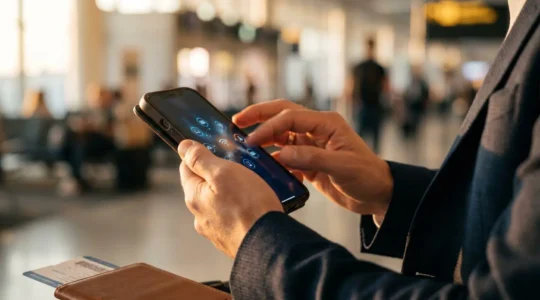
Global LTE Roaming Support: How to Avoid a £500 Bill When Traveling Outside the EU
The secret to avoiding massive roaming bills isn’t just turning data off or buying a simple add-on; it’s proactively understanding and disarming the technical tripwires that catch most travellers out. Your UK phone may be physically incompatible with rural US…
Read more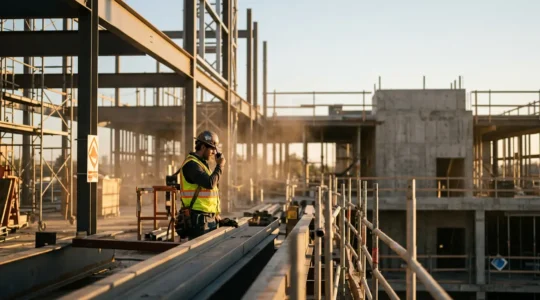
Beyond the Noise: A Foreman’s Guide to Flawless Communication on UK Construction Sites
Fixing communication on a loud site isn’t about buying better radios; it’s about shifting away from the overwhelmed auditory channel altogether. Auditory-only tools (voice, ringtones) are fundamentally unreliable in high-decibel environments, leading to missed instructions and safety risks. The solution…
Read more
Multi-Day Operation: How to Manage Mobile Power During a Weekend in the Highlands?
In summary: Treat your phone’s battery not as a percentage, but as a finite, mission-critical resource. Understand the physics: cold is your battery’s biggest enemy, and a searching radio is its fastest drain. Adopt a proactive power budget, using saver…
Read more