Nokia Smartphones
When choosing a smartphone, most people focus on camera megapixels or processor speed. Yet the devices that truly deliver value are those that survive the realities of daily life: accidental drops, battery anxiety during long commutes, and the relentless wear that makes premium phones look dated within months. Nokia smartphones have built their modern identity around a different philosophy entirely—one that prioritises structural integrity, battery endurance, and total cost of ownership over fleeting specifications.
This approach challenges the industry norm of planned obsolescence. Rather than encouraging upgrades every two years, Nokia’s engineering decisions—from material selection to military-grade testing protocols—aim to extend device lifespan to four or five years of active use. Understanding what makes these phones different requires looking beyond marketing claims to examine the engineering choices, the testing standards, and the practical benefits that emerge when durability becomes the primary design constraint.
This guide explores the core pillars that define Nokia’s smartphone strategy: how materials are selected to absorb impact energy, why battery management extends beyond raw capacity, what military testing actually means for everyday scenarios, and how these factors translate into measurable financial savings over the device lifecycle.
Why Structural Integrity Matters More Than Slim Aesthetics
The smartphone industry’s obsession with thinness has created a fundamental weakness: devices that flex under pressure. When a phone bends even slightly in a tight pocket, the internal consequence is severe. The flexing doesn’t just risk cracking the screen—it warps the frame geometry that maintains waterproofing seals and keeps the motherboard free from stress fractures.
Nokia addresses this through frame engineering that prioritises rigidity over millimetres. The difference becomes apparent in practical scenarios most manufacturers ignore during design. A phone in a construction worker’s tool belt experiences constant vibration and compression. A device in a parent’s pocket endures the leverage forces of crouching, lifting, and sudden movements. These aren’t edge cases—they represent how millions of people actually carry phones.
Frame Material Selection: Metal Versus Polymer Composites
The debate between metal and polymer frames isn’t about premium feel—it’s about energy dispersion physics. Metal frames are rigid, which sounds positive until you understand what happens during impact. When a metal-framed phone hits concrete, the energy transfers directly to the internal components. Glass cracks, solder joints fracture, and screens separate from digitisers.
Reinforced polymer composites behave differently. They flex microscopically on impact, absorbing and dispersing energy across the frame structure. This is why phones with polymer construction can survive drops that would shatter metal-framed equivalents. The trade-off in perceived luxury is real, but the functional advantage is measurable: repair costs following identical drops can differ by a factor of three.
In-Store Testing: How to Assess Frame Strength
You can evaluate frame rigidity without damaging display models. Hold the phone at opposite corners and apply gentle twisting pressure—not enough to cause damage, but sufficient to feel resistance. A well-engineered frame will feel completely solid, with no give whatsoever. Budget devices often exhibit slight flex, indicating insufficient internal bracing. This simple test reveals more about long-term durability than any specification sheet.
Battery Performance: Engineering Endurance Beyond Capacity Numbers
A 5000mAh battery sounds impressive until you realise that software efficiency determines real-world endurance more than raw capacity. Nokia’s approach combines generous battery sizing with aggressive background process management, creating devices that routinely achieve three-day usage between charges under moderate use patterns.
The practical benefit becomes crucial during business travel or outdoor activities where charging opportunities are limited. Knowing your phone will maintain basic functionality even when reaching 15% charge—potentially stretching that final portion for four additional hours of standby—eliminates the constant anxiety that plagued earlier smartphone generations.
Why Transit Drains Batteries Faster
Travelling by train or vehicle accelerates battery consumption because your phone constantly switches between cell towers. Each handoff requires a brief power spike as the device negotiates with new network equipment. In static locations, your phone maintains a stable connection with minimal power draw. During a two-hour train journey, this difference can consume an additional 20-30% charge compared to remaining stationary.
Understanding this phenomenon allows you to make informed choices: enabling airplane mode during long commutes when connectivity isn’t essential, or ensuring you start journeys with sufficient charge to accommodate the increased consumption.
Optimal Charging Practices for Long-Term Health
Battery chemistry degrades fastest at extreme charge levels. Consistently charging to 100% and depleting to 0% accelerates the formation of metallic lithium deposits that reduce capacity over time. The optimal strategy involves maintaining charge levels between 20% and 80% for daily use, only performing full cycles monthly to recalibrate the battery management system.
Modern Nokia devices include battery protection features that slow charging speed as you approach full capacity, reducing heat generation during the most chemically stressful phase. This automatic thermal management contributes significantly to maintaining 80% of original capacity even after 800 charge cycles—equivalent to more than two years of daily charging.
Material Engineering: The Polymer Versus Glass Shell Decision
Glass-backed smartphones dominate the premium segment, yet they introduce a repairability nightmare. When glass shatters on the rear panel, replacement costs often exceed £100 because the repair requires complete disassembly. The aesthetic choice costs three times more to maintain than functionally equivalent polymer alternatives.
Beyond repair economics, the materials perform differently in the scenarios where most damage occurs. Glass becomes slippery when wet—a significant liability when using your phone with damp hands or in humid environments. Textured polymer shells increase grip precisely when conditions are most hazardous, reducing the likelihood of drops in the first place.
The Micro-Scratch Problem
Premium glass backs appear flawless initially, but daily contact with keys, coins, and abrasive surfaces in pockets creates microscopic scratches. Within three months of typical use, these accumulate to create a visible haze that dulls the original finish. Polymer shells either use textures that hide minor scratches or employ materials that resist surface damage more effectively than glass.
This durability difference compounds over time. A two-year-old polymer phone often maintains its original appearance, while glass-backed equivalents show obvious wear. The perception of quality inverts: the material chosen for premium feel becomes the liability that makes devices look prematurely aged.
Maintenance: Cleaning Textured Surfaces
Textured polymer shells require different cleaning approaches than smooth glass. Avoid alcohol-based cleaners that can dull the finish over time. Instead, use slightly damp microfiber cloths with mild soap for weekly cleaning. For accumulated grime in texture valleys, a soft-bristled toothbrush dampened with soapy water effectively removes debris without scratching the surface.
Military-Grade Protection: Decoding MIL-STD-810H Standards
The term “military-grade” has been diluted by marketing overuse, but the actual MIL-STD-810H testing protocol is rigorous and specific. It’s not a single test but a collection of environmental and physical stress scenarios including temperature extremes, humidity exposure, vibration endurance, and shock resistance. Phones that genuinely pass these tests have been subjected to conditions far exceeding normal consumer use.
For daily users, certain tests matter more than others. The vibration endurance test simulates the constant low-level shaking experienced by commuters on buses or trains—scenarios that gradually loosen internal connections in poorly assembled devices. The humidity test verifies that a phone can function in a steamy bathroom without condensation forming inside the camera lens or beneath the screen.
IP68 Versus MIL-STD-810H: Different Protection Philosophies
IP68 ratings specifically address water and dust ingress, guaranteeing submersion protection to specified depths. MIL-STD-810H encompasses broader environmental factors but doesn’t mandate specific water resistance. A phone can have one certification without the other, and ideally you want both: IP68 to survive accidental toilet drops or rain exposure, and MIL-STD-810H to ensure the device withstands the accumulated stress of years of daily handling.
Making Rugged Phones Actually Last Five Years
Even military-tested devices require appropriate care to reach their longevity potential. This means using tempered glass screen protectors despite built-in screen strengthening—the protector sacrifices itself during impacts that would otherwise crack the display. It means periodically checking port covers if your phone has them, ensuring seals remain intact. And it means avoiding the trap of overconfidence: rugged doesn’t mean indestructible, and respecting the device’s limits prevents the catastrophic damage that warranties exclude.
Display Technology: Balancing Refresh Rates With Battery Reality
High refresh rate displays—90Hz or 120Hz versus the traditional 60Hz—create noticeably smoother scrolling and interface animations. For users who spend hours daily managing social media accounts or reading content-heavy websites, the difference reduces eye fatigue measurably. Text remains sharp and readable while scrolling rather than blurring, reducing the micro-strain that accumulates during extended screen time.
The technology works by refreshing the screen image 90 or 120 times per second instead of 60, creating the perception of continuous motion rather than a series of discrete frames. Your visual system processes this smoothness with less effort, similar to how high frame rate video appears more natural than choppy low-frame content.
Adaptive Versus Static Refresh Rates
Many phones implement adaptive refresh rates that dynamically adjust based on content: dropping to 60Hz for static images to conserve power, ramping up to 90Hz during scrolling. This sounds ideal, but the switching can introduce stuttering during the transition between refresh rates. Some users prefer locking the display at static 90Hz despite slightly higher battery consumption because the consistency feels smoother than the adaptive switching.
The battery impact varies significantly based on usage patterns. If you primarily use your phone for reading static content with occasional scrolling, adaptive refresh delivers optimal battery life. If you’re constantly interacting with dynamic content, the power difference between static 90Hz and adaptive mode becomes negligible while the experience improves noticeably.
Configuring Display Settings for Optimal Balance
Achieving the best compromise between visual performance and battery endurance requires adjusting settings in the correct sequence. First, enable high refresh rate mode to establish your baseline experience. Second, reduce screen brightness to the minimum comfortable level—brightness consumes far more power than refresh rate. Third, enable dark mode in apps that support it, as OLED screens draw less power displaying black pixels. Only after optimising these higher-impact factors should you consider reducing refresh rate if battery life remains insufficient.
Total Cost of Ownership: The Economics of Durability
The true cost of smartphone ownership extends far beyond the initial purchase price. Screen repairs averaging £150, battery replacements near £80, and the hidden costs of two-year upgrade cycles create a financial burden that durability-focused design directly addresses. A Nokia G-Series device that survives four years without major repairs versus a fragile flagship requiring one screen replacement and earlier obsolescence represents a difference of several hundred pounds in total expenditure.
This economic reality becomes even more significant when setting up first phones for children or teenagers. The probability of drops, water exposure, and rough handling spikes dramatically with younger users. Choosing a device engineered to survive these scenarios rather than requiring expensive insurance policies or frequent repairs reduces both financial stress and the parental frustration of repeated device failures.
The upgrade cycle itself carries hidden costs: data migration time, accessory replacement when form factors change, and the learning curve of new interface paradigms. Extending device lifespan by choosing durability over marginal specification improvements preserves both money and the familiarity that makes phones genuinely useful tools rather than objects of constant adaptation.
Understanding Nokia smartphones means recognising that specifications tell an incomplete story. The engineering decisions that matter most—frame rigidity, material selection, battery management philosophy, and testing protocols—rarely appear on comparison charts. Yet these are the factors that determine whether your phone becomes a reliable tool that fades into the background or a source of constant worry and unexpected expense. The value proposition isn’t about having the thinnest device or the highest benchmark scores; it’s about creating technology that serves you reliably across the messy realities of actual daily life.

The Ergonomics of Scrolling: How 90Hz Displays Reduce Digital Eye Strain for Social Media Professionals
Viewing your phone’s 90Hz refresh rate as an occupational health setting—not just a feature—is the key to reducing daily digital eye strain. Higher refresh rates create clearer text during motion, significantly lowering the cognitive load required to read while scrolling….
Read more
Military-Grade Protection: What Does MIL-STD-810H Actually Mean for Your Daily Phone Use?
Despite the marketing, “Military-Grade” is not a guarantee of invincibility; it’s a menu of lab tests, and its value depends entirely on which specific tests a phone passed. The standard tests for specific threats like vibration, thermal shock, and controlled…
Read more
Nokia Extended Battery Life Performance: How to Go 3 Days Without a Charger on a Business Trip?
True multi-day phone autonomy isn’t achieved by carrying a heavy power bank; it’s mastered by understanding the hidden forces draining your battery. Environmental factors like train travel and weak signal areas impose a significant “signal tax” on your battery. Software…
Read more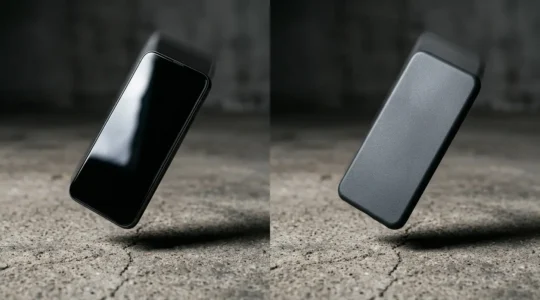
Polymer vs Glass Shells: Which Material Survives a 2-Metre Drop onto Concrete?
Despite the ‘premium’ marketing, glass-backed phones impose a hidden “clumsiness tax” through extreme repair costs; modern polymer composites offer superior functional resilience and are the smarter economic choice. Glass repairs can cost over three times more than polymer equivalents due…
Read more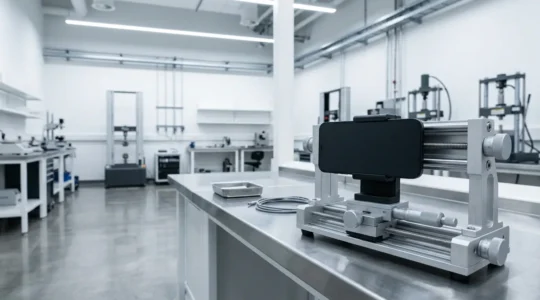
A Foreman’s Guide: How to Spot a Phone That Won’t Bend on the Job
The secret to a tough phone isn’t a brand name or a military sticker; it’s the physical engineering you can test yourself, right in the shop. Focus on torsional rigidity—the ‘twist test’—to feel the frame’s real strength. Favour polymer (plastic)…
Read more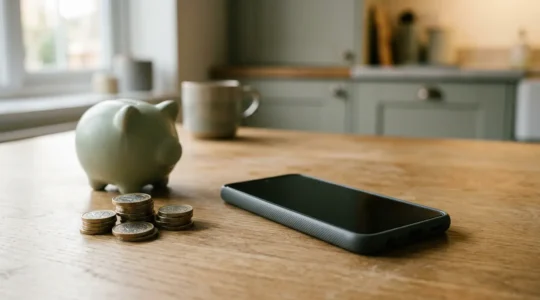
Why the Nokia G-Series Saves You £150 a Year on Replacement Costs
The true cost of a smartphone is not its sticker price, but the hidden taxes on repairs and forced upgrades that come later. Polymer-backed phones like the Nokia G-Series are up to 3x cheaper to repair than fragile glass-backed flagship…
Read more