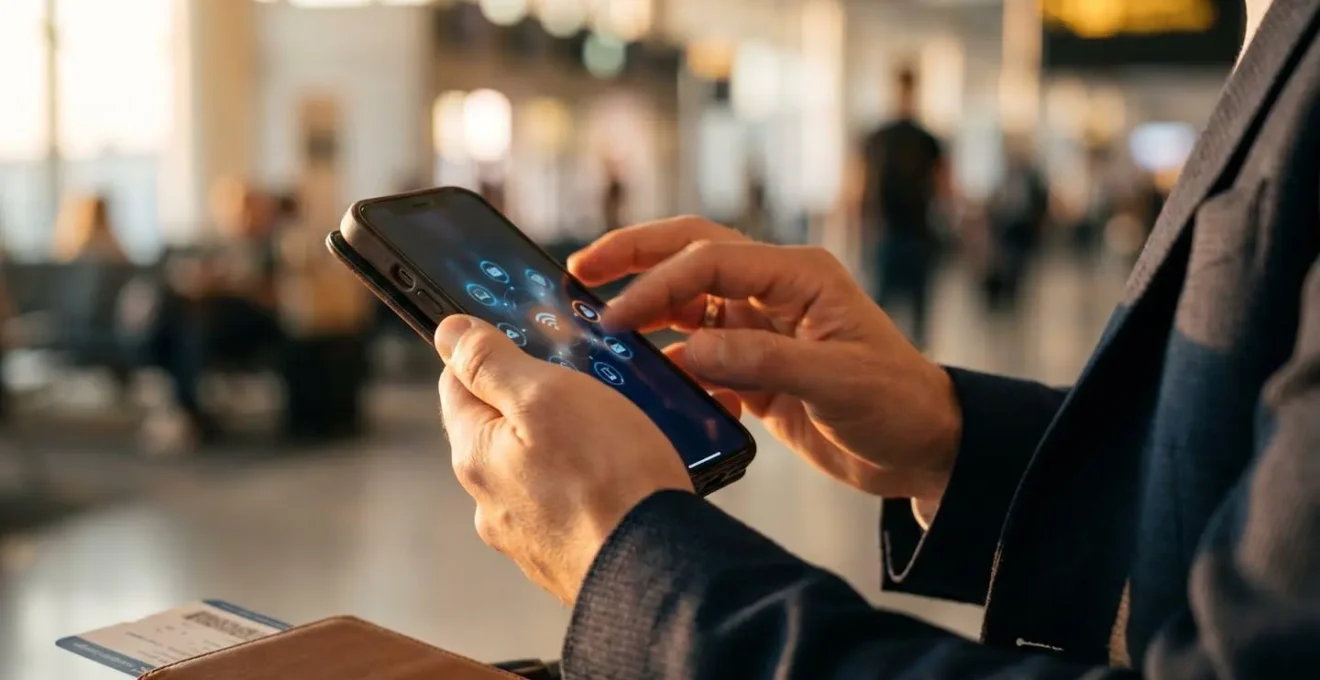
The secret to avoiding massive roaming bills isn’t just turning data off or buying a simple add-on; it’s proactively understanding and disarming the technical tripwires that catch most travellers out.
- Your UK phone may be physically incompatible with rural US 4G networks, leaving you with no signal despite having a roaming plan.
- Automatic network selection is your biggest financial risk, especially on ferries or near borders, where it can connect to hyper-expensive satellite networks.
- A single misconfigured setting, like Wi-Fi Assist or background app refresh, can burn through gigabytes of data and your entire travel budget.
Recommendation: Stop thinking in terms of a single solution. Build a resilient, layered connectivity plan before you travel: verify your phone’s band compatibility, learn to manually select networks, and use a dual-SIM setup with a data-only eSIM for the best cost and coverage.
The post-holiday dread. It’s not the return to work or the British weather. It’s the text message from your mobile provider confirming a bill that looks more like a car payment. You thought you were covered. You bought the £10-a-day travel pass, you used Wi-Fi where you could, and yet, a bill for hundreds of pounds lands on your doormat. This experience is alarmingly common for UK tourists venturing to destinations like the USA or Turkey, where the post-Brexit roaming safety net vanishes.
The standard advice—”turn off data roaming” or “just buy a local SIM”—is outdated and fails to address the real-world need for constant, affordable connectivity. The truth is, that £500 bill is rarely caused by one big mistake. It’s the result of a series of small, misunderstood technical tripwires: incompatible network frequencies, legacy 3G shutdowns, and phone settings designed to be helpful at home but financially ruinous abroad. Relying solely on your home provider’s roaming bundle is a gamble on a system that is not designed in your favour once you leave the EU.
But what if the key wasn’t to simply use less data, but to be smarter about the system itself? This guide moves beyond the generic tips. We’re going to dissect the technical traps that cause bill shock. We’ll explore why your phone might fail you in rural America, how a simple ferry crossing can cost you a fortune, and what “VoLTE” is and why it’s now non-negotiable for US travel. By understanding these mechanisms, you can build a resilient and cost-effective connectivity strategy that puts you back in control.
This article provides a complete breakdown of the hidden risks and the proactive steps you must take before your trip. Follow this roadmap to navigate the complexities of global roaming and ensure your only surprise upon returning home is how much you enjoyed your trip, not how much it cost.
Contents: Your Guide to Bill Shock Prevention
- Why your UK phone might not get 4G signal in rural America?
- How to manually select a partner network that actually works?
- Local SIM vs Roaming Bundle: which is cheaper for a 2-week trip?
- The ferry crossing mistake that connects you to satellite networks at £5/MB
- What is VoLTE Roaming and why do you need it in the USA now?
- Why you need two different network SIMs to guarantee uptime?
- The settings error that eats 3GB of data in a single commute
- Digital Nomads: Why Reliability Matters More Than Speed for Remote Work?
Why your UK phone might not get 4G signal in rural America?
One of the most frustrating travel scenarios is paying for a roaming package only to find yourself with “No Service” the moment you leave a major US city. This isn’t a fluke; it’s a fundamental issue of hardware incompatibility. Mobile networks operate on different radio frequency bands, much like radio stations. For your phone to get a signal, it must support the specific bands used by the local carrier. While most modern phones are “world phones,” the specific bands used for long-range rural coverage in the USA are often missing from models designed primarily for the UK and European markets.
In the United States, carriers like T-Mobile and AT&T rely heavily on low-frequency bands for their extensive rural and in-building coverage. Specifically, Bands 12, 13, and 71 are essential for US rural coverage, providing the signal penetration needed to cover vast, sparsely populated areas. Many UK-spec phones, while perfectly capable in London or Manchester, simply lack the antennas to listen on these frequencies. The result? Your phone works fine in New York City or Los Angeles on the mid-band frequencies, but becomes a brick the moment you drive into a national park or a small town.
Assuming your phone will “just work” is the first step toward a disconnected and frustrating trip. Before you spend a single pound on a roaming plan, you must perform a compatibility audit. This isn’t optional; it’s the most critical pre-travel check you can do.
Your Action Plan: Pre-Trip Phone Compatibility Check
- Find your phone’s exact model number in Settings > About Phone (e.g., A2894 for an iPhone 14 Pro). This is more precise than the marketing name.
- Check the manufacturer’s official technical specifications for your exact model number to see a list of all supported LTE and 5G bands. This is often on the original retail box or their website.
- Cross-reference your phone’s supported bands against the critical requirements for your destination. For the USA, you must have support for Bands 2, 4/66, 5, and critically, at least one of the low-frequency bands (12, 13, or 71) for reliable coverage.
- Verify VoLTE (Voice over LTE) compatibility. With US carriers having shut down their 3G networks, your phone must support VoLTE roaming to make or receive voice calls.
How to manually select a partner network that actually works?
When you land in a new country and turn off Airplane Mode, your phone performs a seemingly magical handshake. It automatically scans for all available mobile networks and, based on agreements your home provider has, connects to a “preferred” roaming partner. The problem is, “preferred” often means “cheapest for your provider,” not “best signal for you.” This automatic process is a major source of poor service and unexpected charges. Taking control of this process is your single most powerful defence against a bad connection.
Your phone’s settings contain a powerful, often-ignored feature: manual network selection. Instead of letting your phone choose for you, you can command it to display a list of all networks it can see. This allows you to become the decision-maker. You might see five different networks available, but your roaming plan might only offer good rates on two of them. By doing pre-trip research, you’ll know that ‘Partner A’ has excellent coverage in the region you’re visiting, while ‘Partner B’ is known to be patchy. Manually selecting ‘Partner A’ can be the difference between full 4G speeds and a useless, barely-there connection.
This simple adjustment puts you in the driver’s seat, allowing you to cycle through available partners if your first choice proves unreliable in a specific location. It’s the digital equivalent of turning a dial to find the clearest radio station instead of being stuck with static. The key is to make this a deliberate ritual every time you arrive in a new country.
This image demonstrates the moment of control, where you override the automatic systems to choose the best connection for your needs.
Making this a habit—a “first hour ritual”—is essential. Don’t wait until you’re lost and need Google Maps to find your connection is poor. Do it as soon as you land, before you even leave the airport. It’s a five-minute process that can save you hours of frustration.
Your Action Plan: The First Hour Roaming Ritual
- Keep your phone in Airplane Mode immediately after the plane has landed and parked at the gate.
- Navigate to your phone’s network settings (e.g., Settings > Mobile Service > Network Selection on iPhone).
- Turn off the ‘Automatic’ toggle. Your phone will now begin to manually scan for all available networks. This can take a minute or two.
- Cross-reference the list of network names that appears with your pre-trip research on your provider’s best-performing, lowest-cost roaming partners.
- Select the best network from the list. Avoid selecting networks listed as ‘Forbidden’ and be wary of ‘Permitted’ networks that might have higher, non-inclusive rates.
- Only after you have successfully registered on your chosen network should you disable Airplane Mode and enable Data Roaming in your settings.
Local SIM vs Roaming Bundle: which is cheaper for a 2-week trip?
For a typical two-week holiday, the central connectivity question boils down to a three-way choice: using your home provider’s expensive daily roaming bundle, queuing at the airport to buy a local physical SIM card, or pre-purchasing a data-only eSIM. As a budget advisor, the answer is rarely just about the sticker price; it’s about the total cost, including your time and convenience.
Your home provider’s bundle (e.g., £10/day) is the path of least resistance, but it’s a costly one. For a 14-day trip, that’s a staggering £140 for what is often a limited amount of data. A local physical SIM appears cheaper upfront, but comes with “operational friction”: you’ll waste precious holiday time in a queue at an airport kiosk, navigate potential language barriers, and deal with ID registration requirements. It’s a good option for very long stays (30+ days), but for a two-week trip, the time cost is significant.
This is where the pre-purchased eSIM (embedded SIM) emerges as the clear winner for most travellers. An eSIM is a digital SIM profile that you can download and install on your phone before you even leave home. For a fraction of the cost of a roaming bundle, you get a generous data allowance that activates the moment you land. While research based on real-world traveler testing shows local SIMs can offer more data per dollar, the convenience and immediacy of an eSIM often outweigh the raw data value for shorter trips.
The following table breaks down the true cost of each option for a typical 14-day trip, factoring in not just money, but your valuable time.
| Cost Factor | Provider Roaming Bundle | Airport Local SIM | Pre-purchased eSIM |
|---|---|---|---|
| Upfront Cost | £10/day = £140 | £15-30 + activation | £20-35 (5-10GB) |
| Time Cost | Zero (instant) | 30-60 min queue + setup | 5 min pre-install |
| Phone Number | Keep home number | New local number | Data-only (use apps) |
| Multi-Country | Varies by bundle | Single country only | Regional plans available |
| Convenience Tax | High daily fees | Language barriers, ID required | Digital, instant activation |
| Best For | Short trips (1-3 days) | Long stays (30+ days) | Most 7-14 day trips |
The ferry crossing mistake that connects you to satellite networks at £5/MB
This is perhaps the most insidious and shocking technical tripwire for UK travellers. You’re on a ferry to Ireland or France, or a cruise ship in the Mediterranean. You’re technically between countries, but your phone still shows a signal. You idly check your email, and in those few minutes, you rack up a bill of £50 or more. You have fallen victim to a maritime satellite network.
Once a vessel is a few miles offshore, it loses connection to terrestrial mobile towers. To provide service, these ferries and cruise ships operate their own onboard mobile base stations, which connect to the internet via satellite. This is an incredibly expensive service to run, and the costs are passed directly to any phone that connects. While your phone is in “Automatic” network selection mode, it will happily connect to these networks—often named ‘Cellular at Sea’ or ‘Telenor Maritime’—without any prominent warning. The per-megabyte rates are astronomical, with a 2025 market analysis indicating charges of £3-£10 per megabyte at sea.
This isn’t a theoretical problem. As one traveller’s experience shows, it’s a very real trap. An account on MoneySavingExpert forums describes how a UK traveler on a ferry to Ireland received an unexpected £10 data charge simply because their phone automatically connected to the maritime network while they were at sea. Their provider’s spending cap saved them from a larger bill, but it highlights how easily this happens without user consent or awareness. The only way to protect yourself is to be proactively hostile to these connections.
Your Action Plan: Ferry and Flight Transit Safety Protocol
- Enable Airplane Mode before the ferry departs or the plane’s doors close. This is non-negotiable.
- Navigate to Settings > Mobile Networks > Network Selection and switch from ‘Automatic’ to ‘Manual’. This prevents the phone from auto-switching to the satellite network.
- Manually select your home terrestrial network if it’s still visible. This ‘locks’ your phone to a safe network.
- For ultimate safety, disable Data Roaming entirely in your settings (Settings > Mobile Data > Data Roaming = Off) for the duration of the transit.
- If you need connectivity, enable Wi-Fi only and connect to the ship’s or plane’s paid Wi-Fi service. Keep cellular data off.
- Be vigilant for network names like ‘AeroMobile’, ‘OnAir’, ‘Cellular at Sea’, or ‘Telenor Maritime’. If you see one, your settings are wrong. Disconnect immediately.
What is VoLTE Roaming and why do you need it in the USA now?
For years, your phone used two different technologies: the 4G (LTE) network for fast data, and the older 2G or 3G networks to handle voice calls. This system worked fine, but it was inefficient. VoLTE, which stands for Voice over LTE, changes this by allowing your voice calls to be transmitted as data packets over the modern 4G network, just like your internet traffic.
For a long time, this was a minor technical detail. However, it has now become absolutely critical for anyone from the UK travelling to the United States. In a massive infrastructure shift, all major US carriers have now switched off their old networks. Official carrier documentation confirms that AT&T, T-Mobile, and Verizon shut down their 3G networks in 2022. The 2G networks are also largely gone. This means the old system of falling back to 3G for a phone call no longer works in the USA. There is nothing to fall back on.
If your phone or your mobile plan does not support VoLTE Roaming, you will not be able to make or receive standard voice calls in the United States, including emergency calls to 911. Your phone might show a full 4G signal and your data may work perfectly for browsing or maps, but the phone call function will be completely dead. This is a huge safety and convenience issue that catches many UK travellers by surprise. They assume that if they have a data signal, they can make a call, which is no longer true.
You must therefore verify two things before travelling to the US: first, that your physical phone handset supports VoLTE (most smartphones made since 2018 do), and second, that your specific mobile provider has enabled VoLTE Roaming on your account and has a VoLTE Roaming agreement with a US partner. A quick call to your provider’s customer service to explicitly ask “Is VoLTE Roaming enabled on my account for the USA?” is an essential pre-trip task.
Why you need two different network SIMs to guarantee uptime?
The ultimate strategy for achieving true connectivity resilience and cost-effectiveness is to stop thinking in terms of a single solution. The ‘one SIM to rule them all’ approach is a recipe for failure. The most robust setup, used by seasoned travellers and digital nomads, involves using a dual-SIM phone to create a layered system: one SIM for your identity (calls and texts) and another for cheap, reliable data.
Most modern smartphones support Dual SIM, either with two physical SIM slots or, more commonly, one physical SIM and one eSIM. This technology allows you to have two active mobile plans in one device. The genius of this for travel is how you can assign different roles to each SIM. Your physical SIM from your UK provider remains your ‘Primary’ line. You keep your UK number, and you can still receive important calls and authentication texts. Crucially, you turn data roaming OFF for this SIM to avoid any and all data charges.
Your second SIM, ideally an eSIM you’ve purchased for data in your destination country, becomes your ‘Secondary’ or ‘Data’ line. In your phone’s settings, you designate this eSIM as the sole source for all mobile data. Your phone is now using the cheap, plentiful data from your travel eSIM for maps, browsing, and messaging apps, while your UK SIM sits quietly in the background, ready to receive a call but unable to rack up ruinous data charges. This configuration gives you the best of both worlds: you remain reachable on your home number without risking bill shock.
For even greater resilience, you can choose a travel eSIM that uses a different local network than your home provider’s main roaming partner. For example, if your UK provider primarily roams on AT&T in the US, you could buy a travel eSIM that uses the T-Mobile network. This gives you two independent network options in a single device, dramatically increasing your chances of having a usable signal at all times.
Your Action Plan: Dual-SIM Primary/Secondary Configuration Guide
- Keep your home (UK) SIM in its physical slot. This will be your ‘Primary’ line for calls and texts, preserving your phone number.
- Purchase and install a data-only travel eSIM for your destination. This will be your ‘Secondary’ line, dedicated solely to mobile data.
- Go to your phone’s settings (e.g., Settings > Mobile Data) and select the travel eSIM as the default line for all mobile data usage.
- For maximum resilience, ensure your travel eSIM uses a different local network than your home SIM’s primary roaming partner (e.g., if your O2 SIM roams on AT&T, get a T-Mobile based eSIM).
- Crucially, go into the settings for your Primary (UK) SIM and ensure ‘Data Roaming’ is toggled firmly to ‘Off’.
- As a bonus, enable ‘Wi-Fi Calling’ on your Primary (UK) SIM. This often allows you to make and receive calls to/from the UK over the internet, using the data connection from your travel eSIM, sometimes at no extra cost.
The settings error that eats 3GB of data in a single commute
Even with the perfect roaming plan or travel eSIM, you can still experience rapid, unexplained data drain. The culprit is often your phone itself, with default settings designed for the unlimited data plans common at home, not the finite, precious megabytes you have when travelling. These “data vampires” operate silently in the background, and a single setting oversight can consume gigabytes of data without you ever actively using your phone.
The most notorious offender is Background App Refresh. This feature allows apps like Facebook, Instagram, and news services to pre-load content in the background so it’s instantly available when you open them. At home, it’s a minor convenience; abroad, it’s a financial liability, constantly using your data to fetch updates you may not even look at. Similarly, automatic cloud photo sync (like iCloud Photos or Google Photos) can be disastrous. A day of happy holiday snaps can trigger a multi-gigabyte upload the moment your phone detects a cellular connection.
Another subtle but costly feature is Wi-Fi Assist (on iPhones) or its equivalent on Android. This setting is designed to give you a seamless internet experience by automatically switching to cellular data if it detects that the Wi-Fi connection is weak. In a hotel with spotty Wi-Fi, your phone could be using your expensive roaming data for hours without you realising you’re not on Wi-Fi at all. Taming these data vampires requires a pre-flight settings audit, turning your phone from a data-hungry machine into a lean, travel-efficient tool.
Your Action Plan: Neutralising the Top 5 Data Vampires
- Vampire 1 – Background App Refresh: Before you travel, go to Settings > General > Background App Refresh. You can either turn it off completely or, more practically, disable it for data-hungry apps like Facebook, Instagram, TikTok, and news apps.
- Vampire 2 – Cloud Photo Sync: Go into your photo app settings (e.g., Settings > Photos > Mobile Data on iPhone) and toggle off any option that allows uploads or updates over cellular. Set it to Wi-Fi only.
- Vampire 3 – Wi-Fi Assist: This is a critical one. Go to Settings > Mobile Data, scroll all the way to the bottom of the long list of apps, and disable ‘Wi-Fi Assist’.
- Vampire 4 – Automatic Updates: In your phone’s app store settings (e.g., Settings > App Store), turn off ‘App Updates’ and ‘Automatic Downloads’ under the ‘Mobile Data’ section.
- Vampire 5 – Streaming Quality: Proactively lower the data consumption of your streaming apps. In Spotify, set download/streaming quality to ‘Low’. In Netflix, go to App Settings > Mobile Data Usage and select ‘Save Data’. On YouTube, manually select a lower resolution like 480p.
Key Takeaways
- Phone compatibility is not guaranteed; you must verify your phone supports the specific 4G/LTE bands (especially low-frequency ones like 12, 13, 71 for the US) of your destination to ensure coverage outside of major cities.
- Automatic network selection is a primary cause of bill shock. Learning to manually select your provider’s preferred roaming partner and actively avoiding maritime/satellite networks is a critical defence.
- A dual-SIM strategy, using your home SIM for calls/texts (with data roaming off) and a pre-purchased data-only eSIM for internet, offers the best balance of cost, convenience, and connectivity resilience for most trips.
Digital Nomads: Why Reliability Matters More Than Speed for Remote Work?
For the leisure traveller, a brief loss of signal is an annoyance. For a digital nomad or remote worker, it can be a disaster, leading to a missed client deadline, a dropped video conference, or a lost business opportunity. When your income depends on your connection, the hierarchy of needs changes dramatically: uptime and stability become far more valuable than raw download speed. A consistent, reliable 10 Mbps connection is infinitely more useful than a flaky 100 Mbps connection that drops every five minutes.
This is where the concept of “operational friction” becomes a critical business calculation. As a case study of digital nomads shows, while buying a local SIM in each new country offers the best price-per-gigabyte, the associated friction often makes it a false economy. The time lost queuing at an airport, the delays in activation, language barriers, and the service interruptions when transitioning between countries are all ‘hidden costs’. The study found these costs often exceeded the price premium of a more reliable, albeit more expensive, regional eSIM solution, especially when stable connectivity was essential for client-facing work.
Therefore, the digital nomad’s connectivity strategy isn’t about finding the single cheapest option, but about building a redundant, resilient system. It’s about having a primary connection, a backup connection, and a plan for when both fail. This involves a more professional toolkit that goes beyond a simple phone setting, treating connectivity as the critical infrastructure it is for their business.
Your Action Plan: The Digital Nomad Connectivity Go-Bag
- Essential 1 – A Portable 4G/5G Hotspot: Invest in a dedicated mobile hotspot device (like a Netgear Nighthawk). These have more powerful antennas than a phone and often have ports for external antennas to capture the weakest of signals.
- Essential 2 – Dual-Network Redundancy: Use a dual-SIM setup, but with a focus on network diversity. For example, have a primary eSIM on the AT&T network and a backup eSIM on the T-Mobile network to maximise coverage options.
- Essential 3 – A Cellular-Optimised VPN: Subscribe to a quality VPN service that uses modern, lightweight protocols like WireGuard (used by NordVPN, ExpressVPN). This can improve stability and security on weak cellular connections.
- Essential 4 – Connection Bonding Software: Use an app like Speedify to bond multiple internet sources (e.g., the hotel’s Wi-Fi and your 4G hotspot) into a single, more stable and faster connection that can survive the failure of one link.
- Essential 5 – An Offline Backup Plan: The ultimate backup is not needing a connection at all. Before arriving, always download critical project files, documents, and offline maps to your local drive.
Stop seeing travel connectivity as a single purchase and start building your resilient, multi-layered strategy today. By taking these proactive steps, you can ensure your focus remains on your work or your holiday, not on a looming, budget-breaking bill. Your wallet will thank you when you get home.