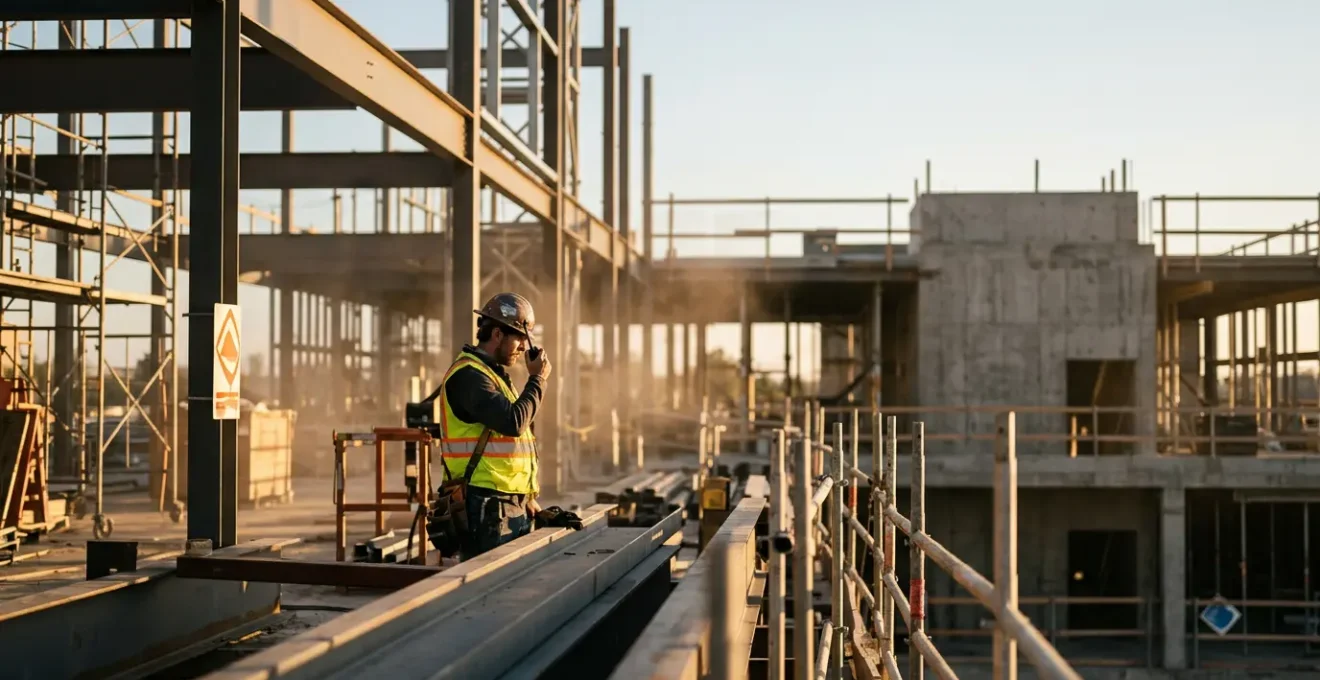
Fixing communication on a loud site isn’t about buying better radios; it’s about shifting away from the overwhelmed auditory channel altogether.
- Auditory-only tools (voice, ringtones) are fundamentally unreliable in high-decibel environments, leading to missed instructions and safety risks.
- The solution is a layered system using haptic (touch) and visual feedback, combined with an understanding of how building materials block signals.
Recommendation: Audit your site’s communication not by brand of equipment, but by which sensory channels you rely on and where your signal integrity fails.
As a foreman, you know the sound. The constant roar of a generator, the piercing whine of a cut-off saw, the percussive rhythm of a jackhammer. You also know the frustration that follows: shouting an instruction to a team member just ten metres away, only to be met with a confused shrug. The standard response is to invest in more powerful two-way radios or mandate a complex system of hand signals. We’re told to simply overpower the noise or work around it. This approach is a constant, exhausting battle against the physics of the site itself, leading to costly errors, project delays, and dangerous misunderstandings.
But what if the problem isn’t the volume of your voice or the quality of your radio? What if the true key to clear communication is to stop fighting the noise and instead bypass it entirely? The core issue is an over-reliance on a single, compromised sensory channel: hearing. Effective site communication in the 21st century isn’t about shouting louder. It’s about understanding the physics of your environment—how sound travels, how steel and concrete kill radio signals, and how human senses react under pressure—to deploy a layered technology system that shifts critical information to more reliable channels like touch and sight.
This guide will walk you through that strategic shift. We will deconstruct the common failure points of traditional communication methods and explore practical, technology-driven solutions that work *with* the realities of a modern UK construction site, not against them. From the subtle power of haptic feedback to the hard reality of signal loss in basements, you will gain a new framework for building a communication system that is resilient, clear, and, above all, safe.
This article provides a comprehensive overview of modern communication strategies for construction sites. Explore the detailed sections below to pinpoint and solve the specific challenges you face on your projects.
Summary: Beyond the Noise: A Foreman’s Guide to Flawless Communication on UK Construction Sites
- Why haptic feedback is more reliable than ringtones near a generator?
- How to use voice assistants to read messages when your hands are dirty?
- Push-to-Talk Apps vs Traditional Radios: which is better for a 5-story site?
- The structural steel problem that kills mobile signal in basements
- How to set up one-touch emergency dialling for gloved hands?
- Active vs Passive Cancellation: which actually blocks out a jackhammer?
- Why composite materials resist humidity better than standard alloys?
- High-Density Composite Materials: Why Texture Matters More Than Looks for Field Workers?
Why haptic feedback is more reliable than ringtones near a generator?
Near a running generator or a demolition zone, the ambient noise floor completely overwhelms the auditory channel. A phone’s ringtone or a radio’s beep, no matter how loud, becomes just another part of the chaos. This is where sensory channel shifting becomes a critical safety strategy. Instead of trying to send an alert to the ears, you send it to the user’s sense of touch. Haptic feedback—a sharp vibration or buzz from a device—cuts through the auditory noise because it uses a completely different, and unoccupied, neural pathway. It’s the difference between someone trying to shout your name at a loud concert versus tapping you on the shoulder. The tap is always noticed.
This isn’t just theory; it has a measurable impact on site safety. For example, when haptic feedback safety systems were implemented in 2021, some construction sites saw a 42% decrease in overall musculoskeletal injuries by alerting workers to poor posture. The principle is the same for communication: a tactile alert for an incoming message is impossible to miss. This reliability is essential for time-sensitive instructions or emergency alerts. As experts in industrial controls note, this technology provides confidence in rugged, sealed designs suitable for the field.
This ensures reliable operation for gloved users or in noisy environments. Feedback switches provide the same confidence as traditional mechanical switches but in a rugged, sealed design.
– APEM Industrial Controls, Haptic Feedback in Industrial Joysticks and Switches
For a foreman, relying on haptics means an instruction is never “unheard.” It is felt. This confirmed delivery is the first step towards building a truly resilient communication system that doesn’t fail when the environment gets loud.
How to use voice assistants to read messages when your hands are dirty?
The promise of hands-free operation via voice assistants like Siri or Google Assistant is incredibly appealing on a construction site, where hands are often gloved, dirty, or holding tools. The ability to say “Read my last message” seems like the perfect solution. However, the reality is that the effectiveness of this technology is severely compromised by the very environment it’s meant to serve. The “signal” in this case is your voice, and the “noise” is everything else. While modern speech recognition systems can reach up to 97% accuracy in quiet conditions, this performance plummets on a live site.
The problem is twofold: the sheer volume of background noise and the specific frequencies of that noise. A consistent, low-rumble from an engine is easier for an algorithm to filter out than the sharp, erratic, high-frequency screech of a metal saw. This is where the concept of the noise profile becomes crucial. The unique acoustic signature of your site directly impacts voice recognition accuracy.
Industrial Voice Recognition Accuracy Under Occupational Background Noise
A 2022 study published in the ASME Journal of Computing and Information Science in Engineering tested voice recognition models under construction site noise conditions. Researchers found that industrial machines producing sound levels higher than 70 dB created significant accuracy challenges for both CNN and ASR denoising models, demonstrating that noise level, noise profile of the environment, and command word selection must all be considered when implementing voice-activated controls in occupational settings.
So, how do you make it work? The key is to embrace asynchronous communication. Instead of trying to issue a command in the middle of a noisy task, you create a brief window of relative quiet. This might mean turning your back to the noise source, stepping behind a column, or waiting for a brief lull in activity. In that moment, you issue your command. The assistant then reads the message back to you through a connected earpiece (ideally one with good passive noise isolation), delivering the information without you needing to touch your device. It’s not perfectly hands-free, but it’s a practical workaround that acknowledges the physical limitations of the technology.
Push-to-Talk Apps vs Traditional Radios: which is better for a 5-story site?
The choice between traditional two-way radios and modern Push-to-Talk over Cellular (PoC) apps is a critical one for a multi-story construction site. It’s a trade-off between infrastructure independence and feature-rich flexibility. Traditional radios operate on their own frequencies, making them incredibly robust and reliable within their range—they don’t need a Wi-Fi or 4G signal to function. For a 5-story building, however, that range can be severely hampered by the very structure you’re building: dense concrete floors and steel frameworks can block or weaken radio waves, creating dead zones, especially in basements or central core areas.
PoC apps, like Zello or Weavix, leverage cellular and Wi-Fi networks. This gives them a massive advantage in coverage; as long as you have a signal, you can communicate across the site or even to someone off-site. This is ideal for a sprawling 5-story project where team members are spread out. You can also create dynamic talk groups on the fly, a level of flexibility impossible with pre-programmed radio channels. However, this network dependency is also their Achilles’ heel. If the cellular signal is weak in the basement or the on-site Wi-Fi drops, your communication link is severed. Furthermore, there’s the issue of latency.
This detailed comparison highlights the core trade-offs. As one industrial communication provider points out, the user experience can be starkly different in critical moments.
Latency is noticeable compared to sub-second push-to-talk. Safety calls don’t override other chatter, since there’s no emergency priority. If the network drops, Zello stops — there’s no offline mode.
– Weavix Industrial Communications, Alternatives to Two-Way Radios for Frontline Teams
A detailed breakdown shows where each solution shines. According to a recent comparative analysis, the choice depends heavily on site conditions.
| Feature | Traditional Two-Way Radios | Push-to-Talk Apps/PoC Devices |
|---|---|---|
| Communication Speed | Zero latency – instant | 1-3 second delay typical |
| Coverage Range | Limited by terrain and interference | Nationwide (anywhere with 4G LTE/WiFi) |
| Monthly Fees | None (one-time purchase) | Subscription-based service |
| FCC Licensing | Required for commercial use | Not required |
| Durability | Built for tough environments | Varies (smartphones fragile, dedicated PoC radios rugged) |
| Network Dependency | Works off-grid (no towers needed) | Requires cellular or WiFi connection |
| Group Management | Pre-programmed channels (fixed) | Dynamic groups (create/dissolve instantly) |
| Emergency Priority | Standard feature | App-dependent (not always available) |
For a 5-story site, a hybrid approach is often best: traditional radios for critical, short-range operations requiring zero latency (e.g., crane operations), and PoC apps for supervisors and logistical teams who need wider coverage and group flexibility. The decision rests on a clear-eyed assessment of your site’s specific signal environment.
The structural steel problem that kills mobile signal in basements
Every foreman has experienced it: you step into a basement or a newly-poured concrete core, and your mobile phone bars instantly vanish. This isn’t a fault with your network provider; it’s a fundamental principle of physics known as a Faraday cage. A Faraday cage is an enclosure made of conductive material (like metal) that blocks electromagnetic fields. On a construction site, the dense web of steel rebar embedded within concrete walls and floors creates a highly effective, if unintentional, Faraday cage. This metal grid absorbs and reflects radio frequency (RF) waves, including the cellular signals your phone or PoC device relies on.

The impact of this environmental attenuation is not trivial. Different materials block signals to varying degrees. While a standard plasterboard wall might cause minimal signal loss, the materials used in modern construction are signal killers. Research shows that modern construction materials create a -10 to -30 dB loss from reinforced concrete, and a staggering -30 to -50 dB loss from metal structures. A 3 dB loss represents a halving of signal strength, so a -30 dB loss means the signal is 1,000 times weaker inside the structure. This is why you can have five bars of 4G on the street and zero signal in the sub-basement.
Understanding this is crucial for planning your communication strategy. It explains why PoC apps will fail in these areas and why even traditional radio signals can be weakened. The solution isn’t a more powerful phone; it’s a dedicated infrastructure solution. This may involve installing cellular repeaters (boosters) or a Distributed Antenna System (DAS) during construction to ensure signal integrity throughout the building, a requirement that is increasingly part of health and safety planning, particularly for ensuring emergency services can communicate within the structure.
How to set up one-touch emergency dialling for gloved hands?
In an emergency, fumbling with a touchscreen while wearing thick work gloves is not an option. Unlocking a phone, finding the dialler app, and typing a number is a sequence doomed to fail under pressure. This is where interface tactility becomes a matter of life and death. A well-configured communication device should have a physical, one-touch emergency button that can be activated instantly, without looking, even with gloved or dirty hands. Many ruggedised phones and PoC devices feature programmable hardware buttons that can be assigned this critical function.
Setting this up is a crucial part of your site’s digital safety protocol. It’s not a feature to be discovered after an incident; it must be configured and tested for every relevant team member beforehand. For devices without a dedicated SOS button, modern smartphone operating systems have built-in accessibility features that can be co-opted for this purpose. For example, the ‘Back Tap’ feature on an iPhone or the ‘Side Button’ sequence on an Android can be programmed to call 999 or a pre-defined site emergency number. The key is that the trigger must be a simple, repeatable physical action.
This setup goes beyond just placing a call. A robust emergency protocol should also transmit crucial data. The one-touch action can be programmed to simultaneously send a pre-written text message to the site safety officer and project manager, including the user’s live GPS coordinates. This ensures that even if the user can’t speak, help is directed to the right location immediately. The final, non-negotiable step is testing the system with the actual gloves used on site to ensure it works reliably.
Your action plan: configuring emergency SOS
- Identify available programmable hardware buttons on your rugged phone or device (PTT button, camera button, or dedicated side keys).
- Access device settings or a remapping app to configure the physical button as an emergency SOS trigger.
- For iOS devices, enable the ‘Back Tap’ accessibility feature (Settings > Accessibility > Touch > Back Tap) and set the triple-tap to Emergency SOS.
- For Android devices, configure ‘Side Button’ press sequences (typically pressing the power button 3-5 times rapidly) to trigger the emergency call.
- Program the SOS action to simultaneously send a pre-written text message with live GPS coordinates to the site safety officer and project manager.
Furthermore, advanced devices with ‘Man Down’ functionality use accelerometers to detect falls and can trigger these alerts automatically, providing an additional layer of protection for lone workers or those in high-risk areas.
Active vs Passive Cancellation: which actually blocks out a jackhammer?
For any worker on a noisy site, hearing protection is non-negotiable. But when you need to receive communications, a standard foam earplug is a barrier. This is where noise-cancelling headphones become essential, but it’s vital to understand the difference between Active Noise Cancellation (ANC) and Passive Noise Reduction (also called noise isolation). They work in fundamentally different ways, and only one is truly effective against the intense, low-frequency noise of something like a jackhammer.
Passive Noise Reduction is simple physical blockage. It uses dense, sound-absorbing materials like foam and sealed earcups to create a physical barrier against sound waves. This is highly effective at blocking high-frequency sounds, like a whistle or a saw’s whine. The effectiveness is measured by a Noise Reduction Rating (NRR) in decibels (dB). Given that typical construction activities produce noise levels between 80 to 90 decibels (dB) on average, a headset with an NRR of at least 25 dB or higher is recommended by safety experts.
Active Noise Cancellation (ANC) is a more sophisticated electronic process. It uses microphones to listen to incoming sound waves and then generates an inverse sound wave (a mirror image) to cancel it out. ANC is brilliant at eliminating constant, low-frequency droning sounds like an engine, a generator, or the hum of an HVAC system. However, it is less effective against sudden, sharp, or irregular sounds. A jackhammer produces both intense low-frequency rumbles and sharp, percussive impacts, making it a challenge for ANC alone.
So, which is better? For a construction site, the answer is always both. The most effective hearing protection for communication will have a high NRR from excellent passive isolation as its foundation. This provides the primary defence against all noise. The ANC is then layered on top to specifically target and reduce the fatiguing, low-frequency background roar, making it easier to hear speech or audio from the device. Look for products that are OSHA or HSE compliant with a certified NRR of 27 dB or more; this is the rating that truly protects against the dangerous noise levels on site, not the marketing claims about ANC.
Why composite materials resist humidity better than standard alloys?
The choice of material for a communication device’s casing might seem like a minor detail, but on a damp, dusty construction site, it has profound implications for both durability and performance. Traditional devices often use metal alloys like aluminium for their casings. While strong, these materials are susceptible to a destructive process called galvanic corrosion, especially in the humid UK climate. This electrochemical reaction occurs when two different metals (like an aluminium case and a steel screw) are in contact in the presence of an electrolyte—which can be something as simple as moisture mixed with dust.
This process accelerates corrosion, weakening the device’s structural integrity and compromising its waterproof seals. High-density composite materials, which are essentially advanced polymers or plastics, are non-conductive and chemically inert. By using a composite housing, you completely eliminate the possibility of galvanic corrosion because there is no metallic circuit to be formed. This makes the device inherently more durable and resistant to the long-term effects of humidity and grime on site.
Composite Materials Preventing Galvanic Corrosion and Antenna Interference
In construction and industrial applications, the use of composite materials in device housings addresses the critical problem of galvanic corrosion. Composites, being non-conductive and inert, eliminate this galvanic reaction entirely. Additionally, wet metal surfaces can detune an antenna’s performance and interfere with radio frequency (RF) signals. A hydrophobic, non-conductive composite material provides a radio-transparent housing that maintains cellular and Wi-Fi signal integrity even in damp construction site conditions, a significant advantage over traditional metal alloy enclosures.
Beyond corrosion, there’s another hidden benefit crucial for communication: signal integrity. Metal casings, especially when wet, can interfere with and detune the device’s internal antennas, weakening cellular and Wi-Fi reception. Composite materials are “radio-transparent,” meaning RF signals can pass through them with minimal obstruction. In a device that relies on a stable connection for Push-to-Talk or data transfer, a composite housing ensures a stronger, more reliable link to the network, providing a clear advantage over its metal-clad counterparts in challenging conditions.
Key takeaways
- Stop fighting auditory noise; shift critical alerts to the haptic (touch) channel for 100% reliability.
- Understand your site’s physics: steel and concrete create Faraday cages that kill signals. Plan for this, don’t be surprised by it.
- Prioritise interface tactility: if a device can’t be operated easily with your work gloves on, it’s the wrong device.
High-Density Composite Materials: Why Texture Matters More Than Looks for Field Workers?
When selecting a rugged device, we often focus on drop-test ratings and waterproof specs. But for the person actually using it in the field, there’s a more immediate and critical feature: its texture. The final piece of the communication puzzle is the physical interface between the user’s hand and the device. This is where high-density composite materials offer a final, crucial advantage over smooth metal or cheap plastic. The focus moves from simple durability to functional interface tactility.
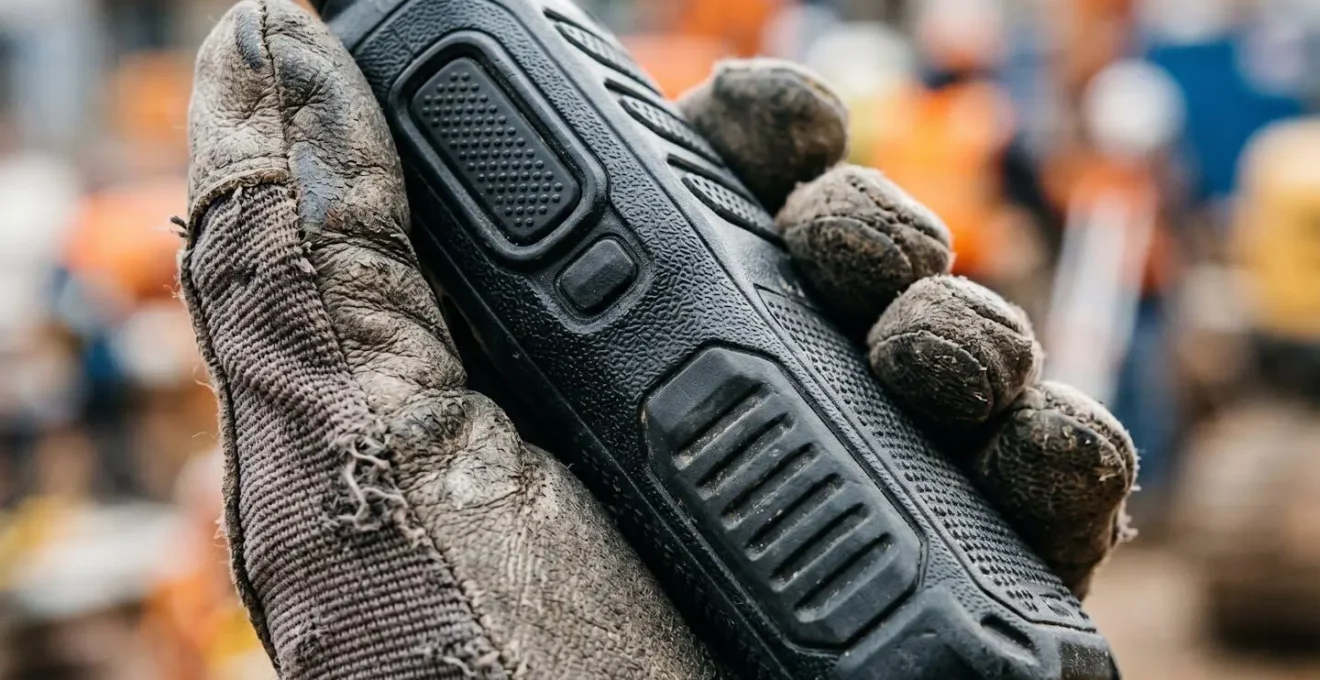
For a worker wearing thick, often wet or dusty gloves, a smooth surface is a liability. It’s difficult to grip securely, increasing the risk of drops. More importantly, it provides no tactile feedback for locating buttons by feel alone. A well-designed composite device will have its texture engineered for function, not just aesthetics. This includes features like: deep knurling patterns, raised rubberised ridges, and specific stippled surfaces. These textures provide a secure grip even in adverse conditions and allow the user to develop muscle memory, finding the Push-to-Talk or emergency button by feel without ever looking down at the device.
This connects back to our core principle of effective site communication: reducing cognitive load. The less a team member has to think about operating their equipment, the more attention they can pay to the task at hand and their environmental safety. A textured, grippy surface that guides the hand to the right control is an integral part of a system designed for human factors in a stressful environment. It’s the subtle design choice that transforms a “rugged” device into a truly functional field tool.
Ultimately, a successful communication system is a holistic one. It considers the physics of the environment, the limitations of human senses, the science of the materials, and the ergonomics of the final interface. By shifting your focus from simply buying “tough” gear to implementing a layered system that addresses all these factors, you can build a communication network that truly eliminates errors and keeps your team safe.
The next logical step is to perform a systematic audit of your current communication tools and protocols. Evaluate them not on what they promise, but on how they perform against the real-world challenges of noise, signal blockage, and gloved operation discussed here. Start building a system that is resilient by design, not by chance.