
In summary:
- Treat your phone’s battery not as a percentage, but as a finite, mission-critical resource.
- Understand the physics: cold is your battery’s biggest enemy, and a searching radio is its fastest drain.
- Adopt a proactive power budget, using saver modes from 100%, not 20%.
- Master “radio silence” and “burst” communication to drastically reduce cellular drain.
- Know how to hunt for signal by understanding how terrain affects different frequency bands.
You’re pitched for the night in a quiet glen, the Highlands silent around you. You pull out your phone—your map, your contact to the outside world, your emergency lifeline—only to find the battery icon flashing red, or worse, the screen completely black. You’d charged it to full before leaving the car, so what happened? For any outdoor enthusiast, this scenario is more than an inconvenience; it’s a critical failure of essential equipment. In environments where self-reliance is paramount, your phone is a tool, and managing its power is a non-negotiable skill.
Many will tell you to simply use airplane mode or bring a hefty power bank. While not incorrect, this advice barely scratches the surface. It treats the symptom, not the cause. It fails to instill the strategic mindset required for genuine autonomy in the wild. The key to ensuring your phone survives a weekend off-grid isn’t about having more power, but about consuming it with intention and discipline, understanding the very physics that drains it.
This guide moves beyond generic tips. We will adopt the mindset of an expedition leader, for whom equipment failure is not an option. This is about establishing a mission-critical discipline for power management. We will explore why your phone dies in the cold, the tactical choice between airplane mode and powering off, and how to schedule your communications like a military operation. By understanding these principles, you will transform your phone from a fragile liability into the reliable safety tool it’s meant to be.
This article provides a complete protocol for managing your mobile power. Below is a summary of the key disciplines we will cover to ensure your device remains operational when you need it most.
Summary: A Protocol for Power Resilience in the Highlands
- Why your fully charged phone turns off at night in the tent?
- How to download maps and guides to save 60% battery usage?
- Airplane mode or Power off: which strategy saves more energy for emergencies?
- The auto-brightness error that consumes 30% of your power outdoors
- How to batch your communications to maximize radio-off time?
- The landscape feature that blocks high-frequency bands but not low ones
- When to activate battery saver mode: the timeline for a full day in the cold
- Multiple Antenna Bands: How to Get Signal in the Scottish Highlands?
Why Your Fully Charged Phone Turns Off at Night in the Tent?
The most jarring power failure is when a phone that was at 80% charge before bed is found dead in the morning. This isn’t a glitch; it’s a predictable encounter with chemistry. Your smartphone runs on a lithium-ion battery, a technology that is fundamentally a chemical reaction. And like most chemical reactions, it is highly sensitive to temperature. As the temperature drops, the electrolyte fluid inside the battery becomes more viscous, drastically increasing internal resistance. This means the battery can’t discharge its stored energy effectively.
Your phone’s operating system sees this drop in available voltage as a critical battery failure and initiates a protective shutdown to prevent damage. In essence, the power is still there, but it’s locked away by the cold. It’s a crucial distinction: your battery isn’t empty, it’s just incapacitated. In fact, research demonstrates that lithium-ion batteries experience up to a 50% loss in effective capacity at 0°F (-18°C). This is the single most important piece of energy physics to understand for winter or high-altitude operations.
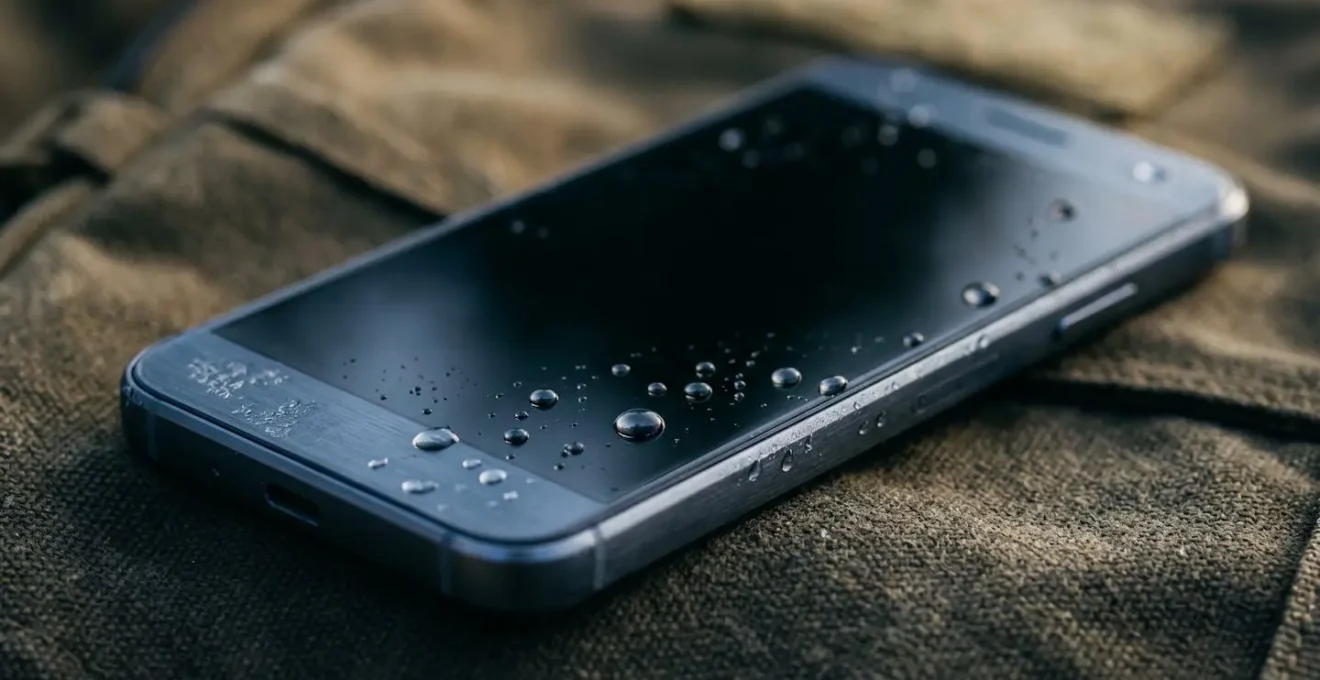
The solution, therefore, is not to charge more, but to manage temperature. The phone must be kept within its operational temperature range, which typically starts to degrade below 32°F (0°C). Preventing this “cold soak” is the first and most important discipline of your power budget. If your phone does shut down, the recovery technique is to warm it gradually against your body for 5-10 minutes before attempting a restart. This allows the internal resistance to decrease naturally, unlocking the trapped energy.
Your Action Plan: Cold Soak Prevention Protocol
- Tier 1 – Basic Protection: Store the phone inside your sleeping bag in a dry sack. This uses your body heat to maintain an operational temperature and protects it from condensation.
- Tier 2 – Enhanced Warmth: For sub-freezing nights, place a chemical hand warmer inside the same dry sack, ensuring it doesn’t directly touch the phone to prevent overheating.
- Tier 3 – The Nalgene Method: Fill a Nalgene bottle with warm (not boiling) water and place it in your sleeping bag. Position the phone in its dry sack next to the bottle for consistent, gentle heat transfer throughout the night.
- Recovery Technique: If the phone shuts down, place it inside your jacket near your chest for 10 minutes before attempting to power it on. Never try to charge a frozen battery.
- Condensation Discipline: When moving a cold phone into a warm tent or bothy, keep it inside its sealed dry sack until it has warmed to room temperature to prevent internal condensation from forming.
How to Download Maps and Guides to Save 60% Battery Usage?
The second greatest power drain after a searching radio is the combination of your phone’s GPS and screen, especially when rendering maps over a data connection. Every time you pan or zoom on a live map, the processor, GPU, and cellular/Wi-Fi radios work overtime. The most effective countermeasure is a pre-expedition discipline: making all necessary information available offline. This single action fundamentally changes your power consumption profile in the field.
By downloading maps and guides before you leave, you eliminate the need for the cellular radio to constantly fetch data. More importantly, you reduce the processing load required to render the map, as offline vector maps are often more efficient. While some studies show modest gains, the real-world savings in low-signal areas are immense, easily exceeding 60% of your navigation-related power budget. This is because you are not just saving the power of data transfer, but also the catastrophic drain of the phone searching for a signal it will never find in a remote glen.
Your protocol should involve a multi-level download strategy. Before your trip, implement this process:
- App Selection: Choose navigation apps optimized for outdoor use in the UK, such as OS Maps or Gaia GPS. Their offline rendering is more efficient than generic map apps.
- Strategic Downloads: Download maps at three different zoom levels: a wide area overview for general orientation, a mid-level route map for active navigation, and high-detail topographic layers for complex junctions or escape routes.
- Offline Verification: Before leaving home, switch your phone to airplane mode and test every downloaded map and guide. Ensure they load and are fully usable without any network connection. This step is critical; “cached” is not the same as “downloaded.”
- Power-Efficient Navigation: In the field, use the ‘point-fix’ technique. Only activate GPS for 30-60 seconds to get a location fix on your pre-downloaded map, then immediately turn it off. This combines the safety of GPS with the efficiency of traditional map and compass work.
Airplane Mode or Power Off: Which Strategy Saves More Energy for Emergencies?
This is the central tactical question for in-field power management. The answer depends entirely on your operational timeline. The common wisdom is to turn the phone off completely to save the most power, but this overlooks the significant energy cost of a full boot cycle. Starting a modern smartphone from cold can consume 1-3% of your total battery capacity. Conversely, airplane mode, while not zero-consumption, is incredibly efficient, sipping only a tiny amount of power to maintain the phone’s system state.
The decision of which to use is a trade-off between absolute preservation and speed of access. Powering off is for long-term storage, while airplane mode is for active operational periods. An expedition leader needs a clear decision-making framework.
Field Test: The Real-World Cost of a Searching Radio
A controlled field test in rural Montana provides a stark illustration. Two identical iPhones were taken on a multi-day trip. The phone left in airplane mode retained an impressive 69% battery after a full weekend. The second phone, with cellular data left on to search for a signal in the low-coverage area, was almost completely depleted, dropping to just 10% battery. This proves that the single greatest source of battery drain in the wilderness is the phone’s constant, futile search for a cellular network.
This data confirms that preventing the radio from searching is the primary goal. Both “Power Off” and “Airplane Mode” achieve this. The choice between them depends on your intended access frequency.
| Strategy | Power Consumption | Boot-up Cost | Best Use Case | Emergency Access |
|---|---|---|---|---|
| Airplane Mode | ~0.2% per hour (~5% overnight) | 0% (instant access) | Periods under 8-10 hours; daytime hiking with periodic checks | Instant – toggle off to make emergency call within seconds |
| Power Off | ~0% per hour | 1-3% per boot cycle | Overnight storage (8+ hours); multi-day preservation when phone not needed | Delayed – requires 30-60 seconds boot time before emergency call possible |
| Hybrid ‘Pulse & Glide’ | ~0.2%/hour + brief spikes | 0% (stays in airplane mode) | Multi-day trips with scheduled communication windows (e.g., 5 min at 8am & 7pm) | Moderate – plan 5-minute ‘pulse’ windows twice daily for check-ins |
The Auto-Brightness Error That Consumes 30% of Your Power Outdoors
While the cellular radio is the number one power drain, the screen is a close and often underestimated second. Specifically, the “auto-brightness” feature, designed for convenience in urban environments, becomes a major liability outdoors. In the constantly changing light of the Highlands—moving between sun, cloud, and the shadow of a ridge—the light sensor works continuously, and the software constantly adjusts the screen, often defaulting to maximum brightness.
Running your screen at full blast is an energy catastrophe. The difference in consumption is not linear; it’s exponential. In the bright, ambient light of the outdoors, your screen will frequently hit 100% brightness, a level that can lead to 30% more battery depletion compared to moderate, manually set levels. The first action of your power-saving protocol upon leaving the car should be to disable auto-brightness entirely.
Instead of allowing the phone to make poor decisions, you must take manual control. This is the Manual Brightness Override Strategy:
- Disable Auto-Brightness: Before your trip, go into your phone’s display settings and turn off “Auto-Brightness” or “Adaptive Brightness”.
- Set a Low Baseline: Manually set the brightness to a fixed, low-but-legible level, around 30-40%. This is your default outdoor mode.
- Use the ‘Turbo Boost’ Technique: For critical tasks in direct sunlight, like a complex map check, briefly increase brightness to 70-80%. As soon as the task is complete (within seconds), immediately throttle it back down to your baseline.
- Leverage Dark Mode: If your phone has an OLED screen (most modern flagships do), using system-wide dark mode is essential. On an OLED display, a black pixel is a pixel that is turned off, consuming almost no power. The combination of manual low brightness and a dark UI offers massive power savings.
How to Batch Your Communications to Maximize Radio-Off Time?
We’ve established that a searching radio is the primary cause of battery drain. The logical conclusion is to keep the radio off for the maximum possible time. This requires a strict discipline known as “communication batching” or “burst” communication. It means shifting from a state of constant, passive connectivity to one of deliberate, scheduled, and brief periods of being online.
This is as much a psychological discipline as it is a technical one. You must fight the urge for constant updates and instead treat communication as a planned task. The goal is to consolidate all your messaging—both sending and receiving—into a few highly compressed time windows. This minimizes the total time your phone’s most power-hungry component is active.

Your mission protocol for communication should be as follows:
- Set Expectations: Before you leave, establish a communications contract with your emergency contacts. Inform them you will only be checking in at specific times (e.g., 8 am and 7 pm) and that “no news is good news.” This relieves the pressure to be constantly available.
- Compose Offline: Keep your phone in airplane mode. Throughout the day, if you need to send a message, write it and save it as a draft. Pre-write all your texts, emails, or social media updates.
- Execute the ‘Burst’: At your scheduled time, and preferably from a high-ground location for better signal, toggle airplane mode off. Immediately send all your pre-written messages. Wait 60-90 seconds for any incoming replies to download.
- Return to Radio Silence: As soon as the burst is complete, immediately return to airplane mode. The entire “radio-on” time should be less than 5 minutes.
The Landscape Feature That Blocks High-Frequency Bands but Not Low Ones
“No signal” is often not an absolute state. More accurately, it means “no signal on the frequency my phone is currently looking for.” Modern phones are programmed to prefer high-frequency 4G and 5G bands because they carry more data. However, these high-frequency signals behave like a laser pointer: they travel in straight lines and are easily blocked by solid objects, such as the side of a Munro or the wall of a glen.
Low-frequency 2G and 3G signals behave differently. Think of them like a foghorn. They carry less data, but their longer wavelengths allow them to travel further and “bend” around and over terrain more effectively. In the complex topography of the Highlands, you may be in a valley with zero 4G reception, but have a perfectly usable (for a text or a call) 2G signal bouncing over a nearby ridge. The phone, left to its own devices, will waste its entire battery searching for the non-existent 4G before it even considers looking for 2G.
Therefore, signal hunting is not about walking around randomly; it’s about understanding terrain physics and taking manual control of your device. Your strategy should be:
- Prioritize Line-of-Sight: Signal is about having an unobstructed path to a distant cell mast. Gain elevation. Move to a ridge, a col, or the shoulder of a hill. Even 50-100 meters of elevation gain from the valley floor can be enough to clear an obstacle and find a signal.
- Force Manual Network Selection: This is a critical, expert-level skill. Go into your phone’s network settings and change the mode from ‘5G/4G/3G/2G (auto)’ to ‘2G only‘ or ‘3G/2G‘. This forces the phone to stop wasting energy on high-frequency bands and search for the more robust, long-range low-frequency bands that are more likely to be present.
- Practice Radio Discipline: Only enable your cellular radio when you are in a strategic location (i.e., high ground). Do not let it search for a signal in the bottom of a valley. Check for signal, then immediately return to airplane mode.
When to Activate Battery Saver Mode: The Timeline for a Full Day in the Cold
Most users make a critical strategic error: they wait for the phone to prompt them at 20% or 10% before activating battery saver mode. This is fundamentally reactive. An expedition-grade power protocol is proactive. You should enable battery saver mode from the moment you leave the trail-head, with a full 100% charge. This is the “Proactive 80% Rule”: your goal is to finish the day with 80% of your power budget untouched, not to scrape by on the last 20%.
Activating battery saver mode at 100% immediately flattens the discharge curve. It throttles the CPU, limits background app refresh, and reduces other non-essential drains from the very start, preserving the top half of your battery—the most stable and efficient part—for significantly longer. You are creating a larger buffer for emergencies.
Here is a sample power budget timeline for a full day’s hike in the Highlands:
- 08:00 (100% Battery): At the car park. Activate standard Battery Saver mode immediately. Execute your first 5-minute communication burst to confirm your start.
- 08:05: Engage Airplane Mode. Begin your hike. The phone is now in its most efficient state: low-power CPU and no active radios.
- 13:00 (Target 75% Battery): Lunch stop. Execute a 1-minute ‘point-fix’ for navigation. Turn on GPS for 30-60 seconds to confirm location on your offline map, then immediately disable it and return to Airplane Mode.
- 18:00 (Target 60% Battery): Approaching your planned camp spot. Execute your second 5-minute communication burst. Send your pre-written “all safe” message. Return to Airplane Mode.
- Overnight (Target >50% Battery): Once in the tent, power the phone off completely. Place it in your sleeping bag to protect it from the cold. For an 8+ hour period, a full power-off is superior to even airplane mode.
Key Takeaways
- Your power management strategy must be proactive, not reactive. Start saving power from 100%, not 20%.
- The two greatest enemies of your battery are cold and a searching radio. All your efforts must be focused on mitigating these two factors.
- Shift your mindset from “using” a phone to “deploying” a tool. Every action that uses power must be deliberate, scheduled, and brief.
Multiple Antenna Bands: How to Get Signal in the Scottish Highlands?
You’ve mastered your phone’s internal settings, but what about the network itself? In the vast and sparsely populated Highlands, cellular coverage is a patchwork quilt. Relying on a single provider is a strategic gamble. A robust communication plan involves building redundancy and intelligence into your strategy before you even pack your bag. The ultimate goal is to maximize your chances of making a call in an emergency, which may require looking beyond your primary device.
True resilience comes from acknowledging that no single network has complete coverage. What appears as a dead zone on your provider’s map might have a weak but usable signal from a competitor. Your job is to know this beforehand and have a plan to exploit it. This involves pre-trip intelligence gathering and carrying a backup.
Your strategic communication plan should include these layers:
- Pre-Trip Coverage Mapping: Use the official Ofcom (the UK regulator) coverage checker website. Compare the 2G, 3G, and 4G coverage maps from all major carriers (EE, O2, Vodafone, Three) along your intended route. Prioritize a route that has consistent, if sparse, 2G/3G coverage from at least one provider.
- Provider Redundancy: If your route is predominantly covered by a provider that isn’t your own, invest in an inexpensive Pay-As-You-Go SIM card from that carrier. A dual-SIM phone is ideal, but simply carrying the backup SIM in a waterproof case in your first-aid kit is a powerful and cheap safety measure.
- Go Beyond Cellular: For true peace of mind on remote or multi-day trips, the gold standard is a dedicated satellite messenger (like a Garmin inReach or ZOLEO). These devices operate independently of cellular networks and provide a guaranteed method of sending an SOS or a check-in message from anywhere on Earth. This frees up your phone’s battery exclusively for navigation.
- Accept Reality: Finally, accept that some areas have zero coverage from any provider. Your planning must account for this. This means having solid traditional navigation skills, leaving a detailed route plan with a trusted contact, and knowing your party’s limits.
By adopting these disciplines—from managing the physics of cold to the strategy of multi-provider coverage—you transform your relationship with your device. It ceases to be a source of anxiety and becomes what it should be: a reliable, mission-ready tool. For your next trip into the Highlands, don’t just pack a phone; implement a power protocol.