Getting a reliable mobile signal in a Highland home often feels like a lottery. But the solution isn’t magic, it’s physics. This guide explains why low-frequency signals like Band 20 are essential for penetrating thick stone walls, how to use your phone’s hidden diagnostic tools to find the best signal, and which networks hold the keys to rural connectivity. Stop guessing and start taking control of your connection.
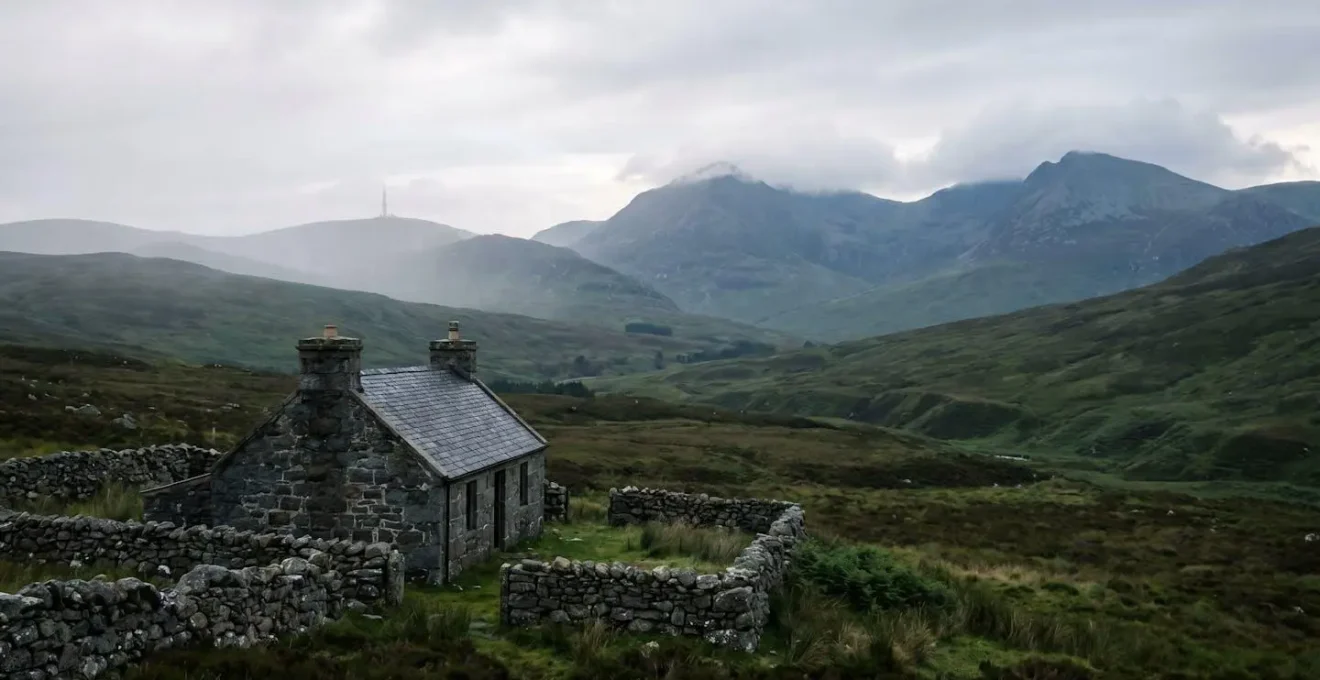
We’ve all been there. You’re in your cosy stone-built cottage, the rain lashing against the window, and the call to your family drops for the third time. The familiar frustration of rural connectivity. For years, the advice has been the same: “stand by a window,” “go upstairs,” or the ever-helpful “have you tried turning it on and off again?”. These are sticking plasters on a problem that requires a more fundamental understanding. The truth is, in the unique landscape of the Scottish Highlands, getting a signal isn’t about luck; it’s about physics.
The battle for a stable connection isn’t just about signal strength; it’s about signal *type*. The airwaves are carved up into different frequency bands, and not all are created equal. While city dwellers benefit from high-capacity, high-frequency bands that don’t travel far, rural life depends on the workhorses of the spectrum: low-frequency bands that can travel for miles and, crucially, get through our thick stone walls. But if the key to our digital liberation lies in understanding the difference between Band 3 and Band 20, how can we, as residents, take back control?
This guide moves beyond the platitudes. It’s born from years of campaigning for better rural broadband and helping neighbours decode the mysteries of their mobile phones. We will stop treating our devices as magical black boxes and start using them as diagnostic tools. We’ll explore the specific frequencies that matter, identify the network providers who actually own them, and learn how to map the signal dead zones inside our own homes. The goal is to empower you with the knowledge to not only improve your own connection but to advocate for the digital infrastructure our communities deserve.
This article provides a detailed breakdown of the technical elements that govern mobile signal in rural areas like the Highlands. The following sections will equip you with the knowledge to diagnose your own connectivity issues and find practical solutions.
Summary: A Campaigner’s Guide to Mobile Signal in the Scottish Highlands
- Why Band 20 (800MHz) is critical for thick stone walls?
- How to use Field Test Mode to see which band your tower is using?
- O2, EE, Three or Vodafone: which provider owns the low-frequency spectrum?
- The landscape feature that blocks high-frequency bands but not low ones
- Where to place your phone in the house to catch the strongest band?
- Why your UK phone might not get 4G signal in rural America?
- The structural steel problem that kills mobile signal in basements
- Global LTE Roaming Support: How to Avoid a £500 Bill When Traveling Outside the EU?
Why Band 20 (800MHz) is critical for thick stone walls?
The fundamental reason mobile signal vanishes inside a traditional Highland house comes down to a simple principle: high-frequency radio waves struggle to pass through dense materials. Think of it like sound. A high-pitched whistle is easily blocked by a wall, while a low-frequency bass rumble can be felt through the floor. Mobile signals work in the same way. The Band 20 (800MHz) frequency is our ‘bass rumble’. Its longer wavelength gives it superior penetration power, making it absolutely essential for reaching devices inside buildings with thick granite or stone walls.
In contrast, higher frequency bands like Band 3 (1800MHz) or Band 7 (2600MHz), which are common in cities for providing high data capacity, are the ‘whistles’. They are easily absorbed and reflected by solid materials. This is why you can have four bars of 4G in your garden and drop to ‘No Service’ the moment you step inside. Your phone is trying to connect to a high-frequency signal that simply cannot get through the stone.
Interestingly, modern building practices can be just as bad, if not worse. While we blame our beautiful old crofts, research measurements demonstrate that some modern, energy-efficient buildings can have 20-25 dB higher penetration loss than older constructions due to materials like foil-backed insulation. The effectiveness of low-frequency bands in overcoming these barriers is not just theoretical. It has been proven in the most challenging parts of Scotland.
Case Study: Transforming Connectivity on the Isle of Colonsay
The Isle of Colonsay in the Inner Hebrides provides a clear example of low-frequency band effectiveness in challenging terrain. After Three installed a new mast as part of the Shared Rural Network, the island achieved 93% 4G network coverage, transforming connectivity for over 150 premises across 41 square kilometres of rugged landscape where high-frequency signals previously failed to penetrate.
Therefore, for anyone living in a rural property, securing a connection on a low-frequency band isn’t just a ‘nice-to-have’; it’s the single most important factor for reliable indoor coverage. The first step to solving our connectivity woes is to identify if we are, in fact, receiving this crucial signal.
How to use Field Test Mode to see which band your tower is using?
You don’t need to be a network engineer to diagnose your own signal problems. Your smartphone has a hidden diagnostic screen called ‘Field Test Mode’. This tool turns your phone from a passive receiver into a powerful signal meter, allowing you to see exactly what network operators see: which frequency band you’re using, and the precise quality and strength of that signal. Accessing this mode is the first step towards taking control.
By using Field Test Mode, you can walk around your property and create a ‘signal map’. You will likely discover that the spot with the most ‘bars’ is not necessarily the one with the best quality signal for a stable data connection or a clear call. The bars on your phone are a very simplified, often misleading, indicator. The real data—RSRP (strength) and RSRQ (quality)—tells the full story. A strong but poor-quality signal is often useless, whereas a moderately strong signal with excellent quality can provide a rock-solid connection.
This empirical approach removes all guesswork. Instead of blindly switching providers or buying expensive equipment, you can gather your own data. Is your phone stubbornly clinging to a weak, high-frequency band on one side of the house, but able to pick up a solid Band 20 signal by an upstairs window on the other? Now you know where to place a 4G router, an external antenna, or simply where to stand to make that important call. It’s about working smart, not just hoping for the best.
Your Action Plan: Becoming a Signal Detective with Field Test Mode
- Access the Mode: For iOS, dial *3001#12345#* and press call. Navigate to ‘LTE’ > ‘Serving Cell Meas’. For Android (Samsung), dial *#0011#. The key information will be displayed immediately.
- Identify the Band: Look for the ‘Band’ number. If you see Band 20 (800MHz) or Band 28 (700MHz), you’re on a crucial low-frequency rural band. Higher numbers like Band 3 or Band 7 are capacity bands with poor penetration.
- Interpret the Metrics: Check RSRP (signal strength) and RSRQ (signal quality). An RSRP between -80dBm and -100dBm is good and usable. Crucially, a better RSRQ (closer to 0) means a cleaner, more stable connection, even with lower RSRP.
- Conduct a ‘Diagnostic Walk’: Take readings at key locations: upstairs windows, near stone walls, by modern extensions, and even in the garden. Note down the Band, RSRP, and RSRQ at each spot to build a signal map of your property.
- Identify the ‘Golden Spot’: Use your map to find the location with the most consistent, best-quality low-frequency signal. This is your strategic point for placing any router, booster, or for making critical calls.
O2, EE, Three or Vodafone: which provider owns the low-frequency spectrum?
Once you know how to check which band you’re on, the next question is: who is broadcasting it? In the UK, the low-frequency spectrum essential for rural coverage—primarily Band 20 (800MHz) and the newer Band 28 (700MHz)—isn’t shared equally. These frequencies were auctioned off by Ofcom, and different providers invested different amounts, leading to a patchwork of ownership that directly impacts who has the best rural coverage.
This is why the generic question “Which network is best?” is flawed. The right question is, “Which network has invested in the low-frequency spectrum that works where I live?”. A provider might offer incredible speeds in central Glasgow but be non-existent in a Highland glen because they lack the low-frequency spectrum to propagate a signal over long distances and through difficult terrain. The providers who hold significant chunks of the 800MHz and 700MHz spectrum are, by definition, better equipped to serve rural communities.
To complicate and, in some ways, improve the situation, the UK government’s Shared Rural Network (SRN) initiative is forcing operators to share their masts and infrastructure in ‘not-spots’. This is a monumental step forward, meaning that a mast built by O2 might now also carry a signal for Vodafone and Three. The goal is to ensure that remote areas get coverage from at least one operator, if not all four. The SRN mandates that coverage from all four operators in Scotland will rise to a minimum of 70%, a huge increase from just 41% in 2020. This shared approach is our best hope for closing the digital divide.
The table below breaks down which operators hold the key low-frequency bands. This, combined with your own Field Test Mode diagnostics, is the most powerful toolset you have for choosing the right provider.
| Operator | Band 20 (800MHz) Allocation | Band 28 (700MHz) Allocation | Rural Coverage Advantage |
|---|---|---|---|
| EE | 5MHz paired (EARFCN 6225) | Not allocated | Smallest 800MHz allocation; relies on Emergency Services Network contract for extensive rural mast deployment |
| O2 | 10MHz paired (EARFCN 6400) | 10MHz paired (758-768 / 703-713 MHz) | Largest 800MHz holder; strong rural penetration with Band 20 + Band 28 combination |
| Three | 10MHz paired (EARFCN 6175/6300 – varies by site) | 10MHz paired (768-778 / 713-723 MHz) | Extensive Band 20 deployment specifically for rural areas; often cited for Highland coverage |
| Vodafone | 10MHz paired (EARFCN 6300/6175 – MOCN with Three) | 10MHz paired (778-788 / 723-733 MHz) | Strong Band 20 presence; increasingly shares infrastructure with Three post-merger approval |
The landscape feature that blocks high-frequency bands but not low ones
Even with a powerful low-frequency signal being broadcast, the unique topography of the Highlands presents another major hurdle: the landscape itself. We often assume signal travels in a perfectly straight line from the mast to our phone. In reality, it travels in a three-dimensional, rugby-ball-shaped area called the Fresnel Zone. If this zone is blocked, the signal quality degrades significantly, even if you have a direct ‘line of sight’ to the mast.
The most common landscape feature that obstructs this zone is the rolling hill or ridge. Your house may be in a slight dip, or there might be a small, tree-covered hill between you and the mast. While you can see the top of the mast over the hill, the ‘belly’ of the Fresnel Zone is being clipped by the ground, trees, or a neighbouring steading. This is particularly problematic for higher-frequency signals, which have a tighter Fresnel Zone and are more susceptible to this kind of obstruction.
This is another area where low-frequency bands like Band 20 have a distinct advantage. Their longer wavelength creates a larger, more forgiving Fresnel Zone, which is more likely to clear these ground-level obstacles. An expert analysis of radio propagation highlights this exact issue. As the VU2NSB Technical Documentation on terrestrial radio signal coverage states:
The ellipsoidal, barrel-shaped Fresnel zone around the path between the two antennas is most often obstructed by the presence of buildings, hills, or other artifacts.
– VU2NSB Technical Documentation, Terrestrial VHF Radio Signal Coverage – BLOS propagation analysis
The importance of keeping this zone clear is not trivial; industry standards establish that at least 60% of the First Fresnel Zone radius must be free of obstructions to avoid significant signal degradation. When you use a tool like the Ofcom Sitefinder map to locate your nearest mast, you must consider not just the direction, but the entire path the signal travels. That benign-looking hill might be the true culprit behind your connectivity problems.
Where to place your phone in the house to catch the strongest band?
Having understood the importance of low-frequency bands and the obstacles they face, the final piece of the puzzle is finding where that precious signal enters your home. It’s rarely where you think. The common advice to “go to an upstairs window” is a good starting point, but it’s a blunt instrument. A more strategic approach, using your phone in Field Test Mode, will reveal the true signal ‘hotspots’ in your property.
The primary goal should always be to minimize the amount of stone the signal has to travel through. This means the single most effective location for any receiving device is often outside the main stone structure. This could be in a modern timber-framed extension, a conservatory with large glass panels, or even a Velux window in the roof. These materials offer far less resistance (attenuation) to radio waves than a two-foot-thick granite wall. The difference can be dramatic, often exceeding 20-30 dB, which is the difference between a usable 4G connection and no service at all.
Your ‘diagnostic walk’ with Field Test Mode is crucial here. Don’t just test the obvious places. Check the signal in the plastic-roofed lean-to, the garden shed (if it’s within Wi-Fi range of the house), or by the modern patio doors. You are hunting for the path of least resistance. Once you identify this entry point, you have a strategic advantage. It might be the perfect spot to install a 4G router with an external antenna, flooding the rest of your home with Wi-Fi generated from a solid mobile connection.
Ultimately, this isn’t just about finding a place to make a call; it’s about engineering a whole-home solution. By identifying the best point of signal ingress, you can deploy technology—whether it’s a simple 4G router or a more complex booster system—in the most effective way possible, turning a single point of good signal into reliable connectivity for your entire household.
Why your UK phone might not get 4G signal in rural America?
The principles of frequency and penetration aren’t just a local issue; they explain why so many UK travellers find their phones useless for calls and data in rural parts of the United States. Just as we rely on Band 20 in the Highlands, the US has its own specific low-frequency bands for rural coverage, primarily Band 12, Band 13, and Band 71. The problem is simple: most phones designed for the UK and European markets do not have the hardware to connect to these US-specific frequencies.
Your phone might be advertised as a ‘global’ 4G device, but this often means it supports the common high-frequency bands used in cities worldwide, not the specific low-frequency bands needed for rural coverage in different regions. It’s the same problem, just with different numbers. You could be standing at the base of a US cell tower broadcasting a powerful Band 13 signal, but if your phone can’t ‘hear’ on that frequency, you will have no service.
This issue has become even more critical recently. As a Mobile Network Technology Analysis highlights, with US carriers shutting down their 2G/3G networks, the ability to make calls depends entirely on VoLTE (Voice over LTE). If your phone isn’t compatible with the local 4G bands *and* the local network’s implementation of VoLTE, you won’t be able to make calls, even for emergencies. This technical incompatibility can leave travellers completely stranded digitally.
The table below starkly illustrates the divergence in rural band strategy between the UK/Europe and the US. Before travelling, checking your phone’s detailed specifications against this is not just a good idea; it’s essential for staying connected.
| Region | Primary Rural Low-Frequency Bands | Frequency Range | Compatibility Challenge |
|---|---|---|---|
| United Kingdom / Europe | Band 20 (primary rural band) Band 28 (newer rural band) Band 8 (900MHz refarmed) |
800MHz (791-821 MHz DL) 700MHz (758-788 MHz DL) 900MHz (925-960 MHz DL) |
UK-optimized phones lack US Band 12, Band 13, and Band 71 support |
| United States | Band 12 (T-Mobile, AT&T) Band 13 (Verizon) Band 71 (T-Mobile 600MHz) Band 14 (FirstNet) |
700MHz (729-746 MHz DL) 700MHz (746-757 MHz DL) 600MHz (617-652 MHz DL) 700MHz (758-763 MHz DL) |
Different channel plans within same spectrum; US phones may lack Band 20 |
The structural steel problem that kills mobile signal in basements
While we in the Highlands primarily battle with thick stone, there’s another, more modern signal killer that’s becoming increasingly common: structural steel and foil-backed insulation. These materials create what is known as a Faraday cage, an enclosure that effectively blocks electromagnetic fields, including mobile phone signals. This is the classic reason for having no signal in a lift or a basement surrounded by reinforced concrete.
The effect is not subtle. While a stone wall might weaken a signal, steel and concrete can obliterate it. According to measurements from the National Institute of Standards and Technology, concrete and steel structures can cause over 40 dB of signal loss. In the world of radio frequencies, this is a catastrophic level of attenuation, creating a near-total RF blockage. A 30dB loss is a 1,000x reduction in signal power; 40dB is a 10,000x reduction.
This isn’t just a problem for urban office blocks or underground car parks. It’s a growing issue in the Highlands, too. Modern, energy-efficient building methods are, ironically, creating connectivity blackspots in brand-new homes. As one study on building materials found, the quest for thermal efficiency has had unintended consequences for mobile signal.
Case Study: The Unintentional Faraday Cages of Modern Highland Construction
Modern Highland timber-frame houses often incorporate foil-backed insulation materials such as Kingspan or Celotex for thermal efficiency. While these materials meet building regulations for energy performance, they create an unintended consequence: the metallic foil backing acts as an RF barrier similar to steel reinforcement. Field testing demonstrates that brand-new Highland properties with foil-backed insulation can exhibit signal attenuation comparable to traditional stone crofts, with penetration loss of 25-35 dB at cellular frequencies, making external antenna solutions essential even in contemporary construction.
This highlights that the problem of signal penetration is not limited to historic buildings. Whether old stone or new-build steel and foil, the solution remains the same: bypass the barrier. This means getting a signal from an external antenna to an internal router or booster is often the only viable strategy for whole-home coverage.
To Remember
- Low-frequency bands (like Band 20) are not just better, they are essential for penetrating the thick stone walls common in the Highlands.
- Your phone’s Field Test Mode is your most powerful tool. Use it to find the actual frequency band and signal quality, not just the misleading ‘bars’.
- Network choice should be based on who owns the low-frequency spectrum in your area, not on urban marketing. The Shared Rural Network is changing this landscape.
Global LTE Roaming Support: How to Avoid a £500 Bill When Traveling Outside the EU?
The knowledge you’ve gained about frequency bands in the Highlands is directly applicable to a major modern headache: international travel. Avoiding exorbitant roaming bills and ensuring you actually have a connection when you land is not about loyalty to your home provider; it’s about adopting a strategic, diagnostic approach to global connectivity.
The principle is universal: use a local SIM for local bands. Just as you wouldn’t expect a London-tuned radio to pick up a local Highland station, you can’t expect a UK-optimised phone to seamlessly connect to every rural network in the US, Canada, or Australia. Before you travel, your first step should be to verify your phone’s hardware compatibility. Use a site like GSMArena to check your exact model’s supported LTE bands and compare them to the bands used by local operators in your destination.
Modern eSIM technology has made this process incredibly simple. Instead of hunting for a physical SIM card at the airport, you can now download and trial plans from multiple local networks digitally. This allows you to test which provider offers the best real-world coverage at your hotel or in the rural area you’re visiting, applying the same testing principles you’d use in your own home with Field Test Mode. This strategy turns you into an empowered consumer, choosing the best local option rather than being a captive customer of your UK provider’s expensive and often limited roaming package. Many UK operators now impose strict data caps and, crucially, VoLTE (Voice over LTE) often fails to work when roaming, leaving you without the ability to make calls even if you have a 4G signal.
For the most remote locations, whether a Scottish glen or the Australian outback, where no terrestrial signal exists, the ultimate solution is to look beyond cellular networks. Satellite communication devices like a Garmin InReach provide a lifeline for emergency messaging, while services like Starlink can deliver true broadband, completely bypassing the limitations of masts and frequency bands.
The fight for rural connectivity is ongoing, but you are not powerless. By using these tools and understanding these principles, you can take immediate, practical steps to improve your own signal. Start today: find your phone’s Field Test Mode, map the signal in your home, and check which provider owns the crucial low-frequency bands in your area. Every piece of data we gather as a community strengthens our case for the digital infrastructure we deserve.