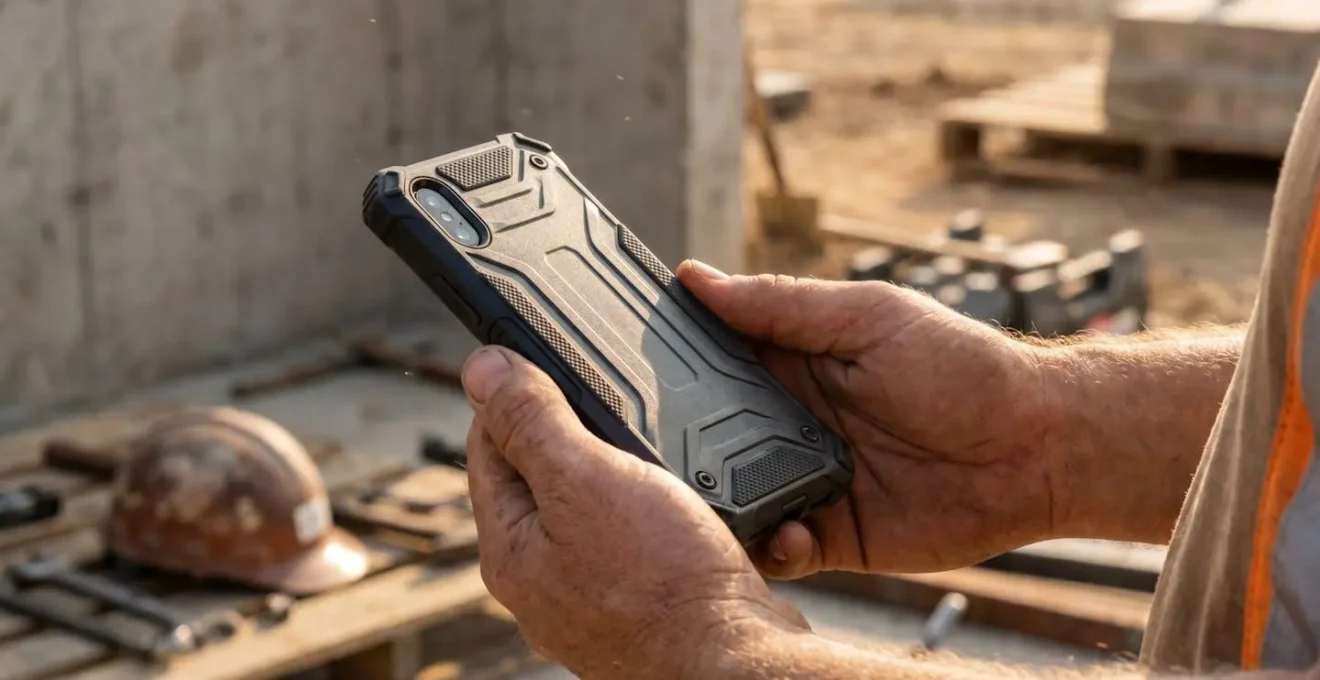
Contrary to marketing, “military-grade” doesn’t guarantee your phone will survive a job site.
- Most “drop tests” are marketing fluff without standardized context like height, surface, and angle.
- Thick, sealed cases can cause your phone’s battery to dangerously overheat during GPS use, shortening its life.
Recommendation: Prioritize cases with specific drop-height certifications, effective (and accessible) port covers, and features for thermal dissipation over generic “tough” labels.
That heart-stopping moment when your phone slips. For a landscape gardener, it’s not a question of if, but when. It’s a fumble from a jacket pocket onto gravel, a slide off the dashboard onto the floor mat caked in mud, or a direct hit on a stone paver. The immediate advice is always the same: “get a rugged, military-grade case.” You see the labels everywhere, promising invincibility with thick layers of rubber and plastic, sealed ports, and aggressive styling.
But this is where most gear advice fails you. The world of rugged cases is filled with marketing terms that are misleading at best and downright deceptive at worst. A case that excels in a lab-controlled drop test might be the very thing that causes your phone to overheat and shut down while you’re navigating to a new site. A port cover that keeps out every speck of dust might be so fiddly that you stop using it after a week, defeating its entire purpose.
The key to true device protection in the field isn’t buying the bulkiest, most expensive case. It’s about understanding the specific physics of failure your phone faces every day—impact, dust ingress, and thermal stress. This guide cuts through the marketing hype. We’ll dissect what “drop tested” actually means, analyze how different materials handle real-world impacts, and expose the hidden risks of seemingly “protective” designs. It’s time to choose your gear like a pro: based on engineering, not advertising.
This article will provide a structured breakdown of the critical factors you need to consider. From the science of impact absorption to the practicalities of daily use, the following sections will equip you to make an informed decision and protect your essential work tool.
Summary: A Pro’s Guide to Rugged Phone Cases
- Why “drop tested” means nothing without a specific height certification?
- How to keep dust out of your charging port without losing accessibility?
- Silicone vs Polycarbonate: which absorbs impact better on tarmac?
- The heavy case risk that causes battery overheating during GPS navigation
- How to install a multi-layer case without trapping dust under the screen protector?
- Metal or Polymer frames: which absorbs shock better on a concrete floor?
- How to cool down an overheating phone during a UK summer heatwave safely?
- Structural Integrity Testing: How to Spot a Phone That Won’t Bend in Your Pocket?
Why “drop tested” means nothing without a specific height certification?
The term “military-grade” is the most overused and misunderstood phrase in the phone case industry. It’s a marketing magnet, designed to evoke images of battlefield durability. In reality, it often means very little. The certification it usually refers to, MIL-STD-810, is a massive document with hundreds of testing procedures for everything from fungus resistance to gunfire shock. For cases, manufacturers typically cherry-pick one procedure: Method 516, for shock.
But here’s the catch they don’t advertise: the standard itself is a guideline, not a pass/fail grade. A manufacturer can claim a case is “tested to military standards” even if it only survived a single drop. The most reputable brands will specify the exact standard and results. For example, the baseline for meaningful protection is often cited as surviving the test’s requirements of 26 drops from a minimum of 4 feet onto various faces, edges, and corners. Without this specific data—the height, the number of drops, and the surface—the claim is just noise.
A phone falling from your hand while standing (about 4-5 feet) is a completely different physical event from it sliding off the roof of your van (7-8 feet). The impact energy quadruples when the drop height doubles. A case certified for four feet might offer zero protection from the higher drop. As an outdoor professional, you must demand specifics. Ignore the vague “drop tested” label and look for a clear, quantified statement of performance, like “certified for 10-foot drops.” This is the first and most important step in filtering out the pretenders.
Action Plan: How to Vet a ‘Drop-Tested’ Case
- Verify the exact MIL-STD version: Look for MIL-STD-810G 516.6 or 810H 516.8 – not just ‘military grade’ claims.
- Check the impact surface specification: Standard is plywood-backed concrete, but real-world surfaces like gravel or steel grating behave differently.
- Confirm drop angle documentation: Corner drops are the most demanding test of energy dispersion.
- Assess cumulative drop capacity: A case certified for one 10-foot drop may fail after multiple 3-foot drops due to material fatigue.
- Request independent third-party verification: Self-reported manufacturer testing lacks oversight and can be inflated.
How to keep dust out of your charging port without losing accessibility?
For a landscape gardener, dust, dirt, and mud are not occasional hazards; they are the daily work environment. Your charging port is the single most vulnerable entry point for this kind of debris. Research shows that even on devices with high IP ratings, contamination from dust particles as small as 50 microns can lead to charging failures, poor connections, and even short circuits.
The traditional solution is a tight-fitting silicone or rubber flap. While effective at sealing the port, these have a major flaw in usability. They are often stiff, difficult to open with dirty or gloved hands, and the constant flexing can cause the hinge to tear and fail over time. When you’re in your truck at the end of a long day and just want to plug your phone in, wrestling with a stubborn port cover is the last thing you need. Many users simply give up and leave them open, negating the protection entirely.
A far more practical solution for outdoor work is to bypass the port issue altogether with modern charging technology. The image below showcases a magnetic charging system. A small magnetic “plug” is inserted once into the port, creating a near-perfect seal against dust and moisture. The charging cable then snaps onto this plug magnetically.
This approach offers the best of both worlds: 24/7 ingress protection for the port itself, combined with effortless, one-handed connection for charging. There’s no flap to pry open or break. It’s a simple, robust solution that aligns with the realities of a tough work environment, where convenience is a key component of effective, long-term protection.
Silicone vs Polycarbonate: which absorbs impact better on tarmac?
When your phone hits a hard, unforgiving surface like tarmac or asphalt, two things happen in a split second: a high-frequency shockwave and a massive amount of abrasive force. The ideal case material must manage both. The debate often boils down to a soft, flexible material like silicone (or its more durable cousin, TPU) versus a hard, rigid material like polycarbonate (PC).
Thinking one is simply “better” than the other is a mistake. They perform two different, but equally critical, jobs. Silicone/TPU is excellent at energy dissipation. Its flexible molecular structure deforms upon impact, converting the shockwave’s kinetic energy into a tiny amount of heat, effectively cushioning the blow. It acts like the crumple zone on a car. However, on its own, it offers little protection against the sharp, abrasive nature of tarmac, which can gouge or even puncture a soft material.
Polycarbonate, on the other hand, is a rigid exoskeleton. It excels at spreading the initial impact force across a wider surface area and resisting punctures. It’s the hard hat that deflects the initial hit. But because it’s so rigid, it doesn’t absorb much energy; it tends to transfer it directly to the phone chassis. This is why the most effective designs for hard-surface drops are almost always hybrids.
Case Study: Hybrid TPU-Polycarbonate Design
Industry analysis reveals that TPU remains the top choice for shock absorption because its flexible molecular structure deforms on impact and dissipates energy as heat. Hybrid designs that pair TPU bumpers with a rigid polycarbonate frame combine this cushioning with structural strength. The co-molded approach addresses tarmac’s unique challenge: a rigid polycarbonate exoskeleton prevents punctures and spreads the initial shock across a wider surface area, while the soft TPU inner layer absorbs the residual vibrations. This dual-layer system outperforms single-material cases on abrasive, unforgiving surfaces like tarmac.
The heavy case risk that causes battery overheating during GPS navigation
You’ve chosen a big, thick, “indestructible” case. It feels solid and safe. But this feeling of security can hide a significant, performance-killing risk: thermal insulation. A phone’s processor and battery generate a tremendous amount of heat, especially during intensive tasks like running GPS navigation on a bright screen—a common scenario for any landscape professional driving between job sites. Phones are designed to dissipate this heat through their chassis into the surrounding air.
A thick, non-ventilated rugged case, particularly one made of dense rubber or plastic, acts like a winter jacket. It traps that heat, preventing it from escaping. As internal temperatures rise, the phone’s operating system will initiate “thermal throttling”—it will deliberately slow down the processor to prevent damage. This is why your phone might suddenly become laggy or unresponsive during navigation on a hot day. More critically, chronic heat exposure is the number one enemy of lithium-ion batteries. It permanently reduces the battery’s life and capacity by accelerating the chemical reactions inside.
To combat this, look for cases that integrate thermal management into their design. This doesn’t mean the case has to be thin and flimsy. Advanced rugged cases incorporate strategic passive cooling features.
Look for ventilation channels, heat-dissipating patterns, or the use of materials with higher thermal conductivity. Some premium cases even use a layer of thermally conductive material to draw heat away from the phone’s “hot spots” and spread it across the case’s surface area to dissipate more efficiently. Independent testing has shown that well-designed, ventilated cases can keep surface temperatures 2-3 degrees Celsius cooler during sustained use. This might not sound like much, but over the lifespan of a device, it makes a significant difference to performance and battery health.
How to install a multi-layer case without trapping dust under the screen protector?
There is nothing more infuriating than perfectly installing a complex, multi-layer rugged case only to spot it: a single speck of dust trapped under the screen protector, creating a permanent, distracting bubble. For cases with built-in protectors, you only get one shot. For separate glass protectors, that speck can ruin a brand-new, expensive accessory. Dust is airborne and statically charged; it’s practically drawn to clean phone screens.
Getting a professional, dust-free installation at home, especially in a non-sterile environment, requires a specific, almost surgical procedure. Wiping the screen with a cloth is not enough; you are simply moving the dust around. You need a strategy to control the environment and the components. The “steamy bathroom” trick is a classic for a reason: the steam in the air weighs down airborne dust particles, pulling them to the floor and effectively creating a temporary cleanroom. This is the single most effective step you can take.
From there, it’s about methodical preparation and having the right tools on hand. Don’t rush the process. Lay everything out, make sure your lighting is bright and angled, and follow a strict sequence of cleaning and assembly. Here is the professional procedure for a flawless installation:
- Create a controlled environment: Run a hot shower for 3-5 minutes to generate steam that pulls airborne dust particles downward. Work in the bathroom once the air has settled.
- Prepare all surfaces: Use isopropyl alcohol wipes on the phone screen, the back of the phone, and all inner surfaces of the case components. Dry everything thoroughly with a new, lint-free microfiber cloth.
- Final dust removal: Immediately before assembly, use short, controlled bursts of compressed air on all surfaces. Work under a bright LED light (like your phone’s flashlight, propped up) to spot any remaining microscopic particles. A dust-removal sticker, often included with screen protectors, is also excellent for this final pass.
- Emergency dust removal: If a particle gets trapped despite your best efforts, don’t panic or try to wipe it. Carefully lift a corner of the screen protector just enough to get access, and use the adhesive side of a piece of Scotch tape or a dust sticker to “dab” the particle off the screen or the protector’s adhesive.
- Built-in protector consideration: For cases with an integrated screen protector, the most critical step is cleaning the *inside* of that protector with an alcohol wipe and compressed air before you seal the phone inside. This surface becomes completely inaccessible once the case is assembled.
Metal or Polymer frames: which absorbs shock better on a concrete floor?
When discussing case frames, the choice often comes down to a lightweight metal, like aluminum, versus advanced polymers like polycarbonate (PC) and thermoplastic polyurethane (TPU). On the surface, a metal frame seems like the obvious choice for strength. It feels more substantial and premium. However, when it comes to surviving a drop on a concrete floor, the physics of impact absorption tells a very different story.
The primary job of a case during an impact is to manage energy. Metal, particularly aluminum, is very poor at this. It’s rigid, but it doesn’t have much “give.” When an aluminum frame hits concrete, it doesn’t flex and return to shape (elastic deformation); it dents and bends permanently (plastic deformation). Because it has very little capacity to absorb the shockwave, it transmits that energy almost directly through to the phone’s own chassis, which is often what you’re trying to protect. A dented metal frame also has its structural integrity compromised, making it less effective for future drops.
Polymers, by contrast, are engineered for this exact task. The Ghostek Materials Engineering Team puts it best:
Polycarbonate is a lightweight, high-strength thermoplastic that absorbs and redistributes the energy from any sudden impact, therefore safeguarding against drops.
– Ghostek Materials Engineering Team, Guide to Finding the Best Rugged Phone Cases
This ability to flex and absorb energy is the crucial difference. The following table breaks down the properties of each material when faced with a hard-surface impact, clearly showing why polymers are the superior choice for primary shock absorption.
| Property | Metal Frame (Aluminum) | Polymer Frame (TPU/PC) |
|---|---|---|
| Impact Behavior | Plastic deformation – permanent bending/denting | Elastic deformation – flexes and returns to shape |
| Energy Dissipation | Poor – transmits shockwave directly to phone chassis | Excellent – absorbs energy through molecular flex |
| Concrete Drop Protection | Low – no ‘give’ to cushion impact force | High – polymer elasticity disperses impact energy |
| Post-Drop Integrity | Compromised – dented frame weakens future protection | Maintained – returns to original protective form |
| Weight | Heavy – adds significant bulk | Lightweight – minimal added weight |
| Best Use Case | Structural reinforcement as sub-frame only | Primary shock-absorbing material for drops |
How to cool down an overheating phone during a UK summer heatwave safely?
During a UK summer heatwave, the inside of your van or the dashboard where your phone sits can reach scorching temperatures. An overheating phone isn’t just an inconvenience; it can cause permanent damage to the battery and internal components. The natural instinct might be to cool it down as quickly as possible, but this is where the most dangerous mistakes are made.
NEVER place an overheating phone in a fridge, freezer, or a cooler full of ice. This creates a rapid temperature change, a phenomenon known as thermal shock. As the hot metal and glass components cool too quickly, condensation can form *inside* the device, even on IP68-rated phones whose seals can be compromised by the extreme temperature differential. This internal moisture can lead to short circuits and corrosion on the motherboard, causing damage that is far worse than the initial overheating.
The correct procedure involves gradual, safe cooling that focuses on stopping heat generation and maximizing airflow. If your phone displays a temperature warning or feels hot to the touch, you need to act immediately but safely. Here is the emergency protocol:
- Step 1 – Immediately stop heat generation: The first priority is to stop the phone from making more heat. Close all intensive apps (especially GPS, camera, or games), stop charging it, and if possible, switch it to airplane mode.
- Step 2 – Remove the thermal barrier: Take the phone out of its case. The case, especially a thick rugged one, is an insulator. Removing it is the quickest way to allow heat to dissipate from the phone’s entire surface.
- Step 3 – Position for passive cooling: Place the phone, screen-down, on a cool, shaded surface that can act as a heat sink. A tile or concrete floor, a metal toolbox, or even a shaded patch of cool grass are all good options. Avoid direct sunlight at all costs.
- Step 4 – Maximize airflow: Moving air is the most effective tool for safe cooling. Position the phone in front of a fan or a car’s A/C vent. Even a natural breeze in a shaded spot will significantly accelerate the cooling process without the risk of thermal shock.
- Prevention strategy: During heatwaves, consider switching to lighter-colored cases (white, grey, yellow) as they absorb significantly less solar radiation than a standard black case.
Key Takeaways
- “Military Grade” is a meaningless marketing term without specific drop height and surface data.
- The best impact protection comes from hybrid cases combining a rigid polycarbonate exterior with a soft, energy-absorbing TPU interior.
- Thick, unventilated cases are a major risk for battery health, causing overheating and thermal throttling during intensive tasks like GPS navigation.
Structural Integrity Testing: How to Spot a Phone That Won’t Bend in Your Pocket?
A rugged case can do a lot, but it can’t perform miracles. It’s designed to protect a phone from drops and impacts, but it’s less effective at preventing damage from torsion or bending forces. This is the kind of slow, steady pressure that occurs when you have your phone in your back pocket and sit down, or when it gets torqued in a tool bag. If the phone’s own chassis is inherently weak, no case can fully prevent it from bending.
This is where the concept of a phone’s internal structural integrity becomes paramount. A case adds rigidity, but it’s reinforcing the phone’s existing frame. As noted in expert durability analysis, the phone’s inherent design is the foundation of its strength.
A ‘sandwich’ design with a strong central frame is inherently more resistant to bending and torsion than phones with plastic frames or less internal reinforcement.
– Mobile Durability Analysis, Phone Structural Engineering Assessment
So, how can you, as a buyer, assess this? You can’t exactly take a phone apart in the store. This is where independent, third-party durability testing becomes an invaluable resource for any professional who depends on their device. Channels like JerryRigEverything have become the gold standard for this kind of real-world analysis.
Case Study: The “JerryRigEverything” Bend Test Methodology
Independent durability testing channels like JerryRigEverything have established a gold standard for assessing phone structural integrity through systematic bend tests and materials analysis. Their methodology examines the internal frame composition (steel vs. aluminum vs. plastic) and documents the precise force required to induce permanent chassis deformation. For outdoor work applications, this independent verification is critical because a rugged case can add rigidity, but cannot compensate for an inherently weak phone chassis. Users should look for phones with reinforced metal mid-frames that pass bend tests without screen separation or significant flex, as these structural qualities determine whether a protective case can effectively prevent damage from torsional stress in back pockets or during outdoor work activities.
Before investing in a new phone for work, take ten minutes to search for its durability or bend test online. It’s the best way to ensure you’re starting with a solid foundation. A strong case on a strong phone is the ultimate combination for surviving the rigors of any job site.
By moving beyond marketing terms and focusing on the engineering principles of drop-height, material science, thermal management, and structural integrity, you can equip yourself with a device and protection system that is truly built for the demands of outdoor work.