A single drop, even one that doesn’t crack the screen, can trigger a delayed but catastrophic hardware failure, wiping out your critical data without warning.
- Modern lead-free solder is inherently brittle and prone to microscopic fractures under the shock of an impact.
- High-frequency vibrations, such as from a motorcycle engine, can permanently damage sensitive components like the camera’s optical image stabilization (OIS) system.
Recommendation: Treat every significant drop as a data emergency: initiate an immediate, full backup and monitor closely for the hidden symptoms of internal damage.
It’s a heart-stopping moment for any business owner: the slow-motion tumble of your phone, followed by the sickening clatter on the pavement. You pick it up, relieved to find the screen intact. It powers on, the apps open, and you breathe a sigh of relief. But from a data recovery specialist’s perspective, this is the most dangerous moment. The absence of visible damage creates a false sense of security, while inside, a countdown to catastrophic failure may have just begun.
The common advice—get a good case, be careful—misses the point entirely. The real threat isn’t the cosmetic damage you can see; it’s the silent, microscopic damage to the internal hardware. These are the component-level injuries that don’t cause an immediate system death but fester over time, leading to a phone that suddenly refuses to power on, taking your critical business data with it. This isn’t about preventing a cracked screen; it’s about understanding the physics of failure to implement a data-first survival strategy.
This guide moves beyond the surface-level fixes. We will dissect the hidden failure points within your device, exploring why connections break, what those strange rattling sounds mean, and how to create a digital fortress for your data that can withstand not just physical shocks, but other modern threats like ransomware. It’s time to stop reacting to data disasters and start proactively engineering your data’s survival.
To navigate this complex topic, we’ve structured this guide to walk you through the causes, symptoms, and ultimate solutions for protecting your device’s internal hardware and the priceless data it holds. Below is a summary of the critical areas we will cover.
Summary: A Specialist’s Guide to Internal Hardware Failure and Data Survival
- Why a phone might turn on but lose signal permanently after a drop?
- How to mount your phone on a motorcycle without destroying the camera sensor?
- Lead-free solder vs durability: why some connections crack easier than others?
- The rattling sound that indicates a loose battery or component
- How to automate cloud backups instantly when hardware failure is imminent?
- How to set up auto-wipe protocols that trigger before a thief accesses data?
- What order to test components to rule out motherboard failure?
- Encrypted Cloud Backup Systems: How to Survive Ransomware on Your Mobile Device?
Why a Phone Might Turn On but Lose Signal Permanently After a Drop?
This is a classic and terrifying scenario: the phone appears fully functional after a drop, but it can no longer make calls or connect to cellular data. The Wi-Fi might even work, but the connection to the outside world is severed. This isn’t a software glitch; it’s a textbook case of a targeted hardware failure. The culprit is almost always the physical detachment of the baseband modem chip from the motherboard.
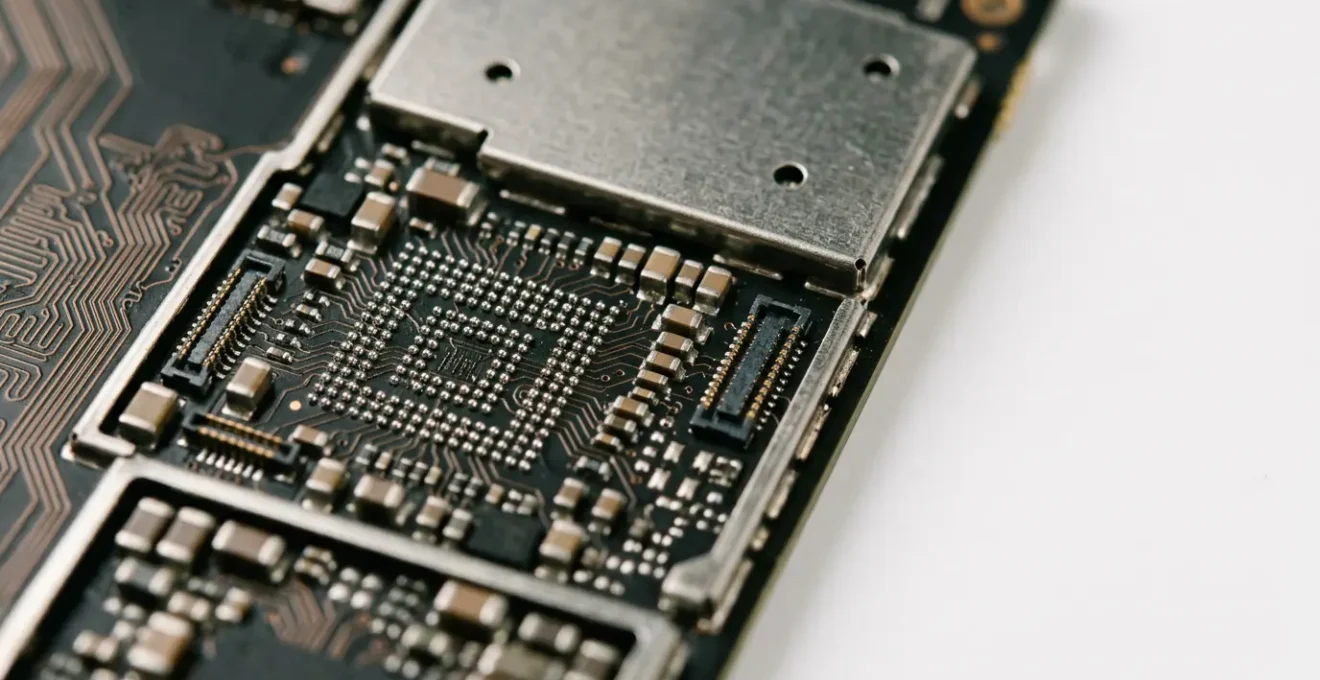
Modern chips are not soldered on with legs; they are connected via a Ball Grid Array (BGA)—a matrix of hundreds of tiny solder balls. A sharp impact sends a shockwave through the device’s rigid frame. This force is transferred directly to these delicate solder joints. In fact, research on BGA package drop impacts reveals that the corner-most solder balls can experience peel stress up to 162.12 MPa, causing micro-fractures.
Even a single fractured connection on a critical chip like the baseband modem is enough to render it useless. The phone’s main processor doesn’t know the modem is disconnected—it only knows it’s not getting a response. So, the phone boots up, the screen works, but the “No Service” message is permanent. This is a perfect example of a silent killer: an invisible, internal injury that cripples a core function without affecting the device’s apparent operation.
How to Mount Your Phone on a Motorcycle Without Destroying the Camera Sensor?
While a single, hard drop is a well-understood threat, a less obvious but equally destructive force is high-frequency vibration. For motorcycle riders who use their phone for navigation, this is a critical concern. Mounting a modern smartphone directly to the handlebars of a high-power motorcycle is a recipe for destroying its advanced camera system, specifically the Optical Image Stabilization (OIS) and autofocus (AF) mechanisms.
These systems use tiny, free-floating lenses and gyroscopic sensors to counteract the natural shake of your hands when taking a photo. They are engineering marvels of miniaturization, but they are not designed to withstand sustained, high-amplitude vibrations. As Apple explicitly warns in a support document, this exposure can lead to permanent damage. This is not a theoretical risk; it’s a known mechanical limitation.
Exposing your iPhone to high amplitude vibrations within certain frequency ranges, specifically those generated by high-power motorcycle engines, can degrade the performance of the camera system.
– Apple Inc., Apple Support Document on Vibration Exposure
The solution lies in decoupling the phone from the source of the vibration. Specialized motorcycle mounts incorporate a vibration dampening system, typically using elastomer layers or silicone grommets, to absorb and dissipate the engine’s harmonic frequencies before they reach the phone’s delicate internals. This effectively isolates the device from the destructive energy.

The consequences of ignoring this are severe, as many users have discovered. One user on an official support forum reported that after a motorcycle trip, their iPhone 12 Pro Max’s camera began shaking uncontrollably and making a “sizzling noise,” a classic symptom of a destroyed OIS motor. The only fix was a costly full camera replacement. This demonstrates that continuous vibration fatigue can be just as destructive as a single, catastrophic impact.
Lead-free Solder vs Durability: Why Some Connections Crack Easier Than Others?
At the heart of almost every sudden hardware failure is a tiny, fractured piece of metal: a solder joint. These connections are the electrical and physical backbone of the motherboard, but not all solder is created equal. The reason modern phones are paradoxically more susceptible to certain types of drop damage lies in a well-intentioned environmental regulation that changed the very chemistry of electronics manufacturing.
For decades, tin-lead solder (Sn-Pb) was the industry standard. Lead provided ductility, allowing the solder to flex slightly under stress and resist the formation of cracks. However, due to its toxicity, the European Union’s Restriction of Hazardous Substances (RoHS) directive, enforced since 2006, banned lead in most consumer electronics. This forced a massive industry shift to lead-free solder alloys, most commonly SAC (tin-silver-copper).
Case Study: The Unintended Consequences of the RoHS Directive
The transition to lead-free solder, driven by the EU’s RoHS directive, was a major environmental victory but a significant engineering challenge. Lead-free alloys like SAC have a higher melting point, which can stress components during manufacturing. More importantly, they are mechanically different: harder, more brittle, and less resistant to fatigue from physical shock and thermal cycling. This inherent brittleness means that an impact that a tin-lead solder joint might have survived can cause a catastrophic micro-fracture in a lead-free joint, leading to component failure.
This single material change is a major contributing factor to modern device fragility. The connections that hold everything together are simply less forgiving. When you consider that approximately 70% of failure in electronic devices originates during the packaging process, mostly due to the failure of solder joints, the importance of this material property becomes clear. The very substance holding your phone’s brain together is more prone to cracking under pressure than it was 20 years ago.
The Rattling Sound That Indicates a Loose Battery or Component
After a drop, your first instinct is to check the screen. But your ears can provide a far more critical diagnostic clue. If you gently shake your phone and hear a distinct rattling or clicking sound that wasn’t there before, you have an immediate and urgent problem. This is the audible confirmation of component decoupling—something inside has broken loose from the motherboard or chassis.
While a loose screw is a possibility, the most common culprits are heavier components or delicate assemblies. A frequent source is the camera module itself. As the RHINOSHIELD Technical Team notes, the complex OIS systems are susceptible to being dislodged.
Modern phones feature advanced cameras with complex internal structures, especially optical image stabilization (OIS) and delicate mini motors. Even a drop that doesn’t break the lens or shatter the glass might shift the internal camera assembly slightly.
– RHINOSHIELD Technical Team, RHINOSHIELD Blog on Hidden Drop Damage
A loose component is a ticking time bomb for two reasons. First, its continued movement can damage other components or scratch the motherboard. Second, and more critically, if the loose part is conductive (like a metal shield or even the battery connector), it can cause a catastrophic short circuit at any moment, instantly destroying the logic board and all hope of data recovery. A rattling sound transforms the situation from a potential problem into a data-triage emergency. Your immediate actions in the next few moments are critical.
- Power down the phone immediately to minimize the risk of a short circuit from the loose component.
- Gently tilt the phone. A heavy, dull thud suggests a larger component like the battery, while a light, high-pitched tick may indicate a smaller screw or camera part.
- If you must power it on, check core functionalities like Wi-Fi and Bluetooth. Their operation can help a technician later determine the extent of the damage.
- Most importantly: If the phone still powers on, back up all critical data immediately. This may be your last chance before the loose part causes a fatal short.
How to Automate Cloud Backups Instantly When Hardware Failure Is Imminent?
The stark reality is that you cannot trigger a backup *after* a catastrophic hardware failure. The motherboard is dead, the data is inaccessible. The title of this section is, from a specialist’s view, a trick question. The real strategy isn’t about reacting to imminent failure; it’s about creating a system so robust and automated that your data is already safe *before* the moment of impact.
The goal is to shrink the window of potential data loss to near zero. This means moving away from manual, weekly backups and embracing automated, high-frequency backups. The cost of inaction is enormous; a repair cost analysis demonstrates that what could be a minor fix for an early symptom can quickly escalate into a full board replacement, where data recovery becomes the only, and much more expensive, option. Your data survival strategy should be built on three pillars of automation:
- Automated Network-Based Backups: Configure your device’s native cloud service (iCloud for iOS, Google One for Android) to back up automatically every single time it is connected to power and a Wi-Fi network. This should be a non-negotiable, set-it-and-forget-it default for any business user. This covers the most common scenario: your phone backing up overnight while you sleep.
- Automated Photo/File Syncing: Go beyond device backups. Use services like Google Photos, Dropbox, or OneDrive to sync photos, videos, and critical files in real-time. The moment you take a photo or save a document, it should be automatically uploaded to the cloud, completely independent of the device backup schedule.
- Manual “Triage” Trigger: After any significant drop, shock, or exposure to liquid, you must assume failure is imminent. This is your manual trigger. Don’t wait for the overnight backup. Immediately connect to Wi-Fi and manually initiate a full cloud backup. This is your “data triage” moment—securing the “patient” before the system crashes.
The ultimate goal is to make the physical device irrelevant. A catastrophic hardware failure should be an inconvenience that requires a new phone, not a business-ending disaster that destroys your data. True automation ensures that the latest version of your data lives in the cloud, not on the fragile device in your pocket.
How to Set Up Auto-Wipe Protocols That Trigger Before a Thief Accesses Data?
While physical damage is a primary threat to your data’s existence, theft is a threat to its confidentiality. A business owner’s phone contains sensitive emails, client lists, financial information, and proprietary documents. In the hands of a thief, the device becomes a master key to your business. Setting up an auto-wipe protocol is the digital equivalent of a self-destruct sequence, designed to protect your data as a last resort.
Modern operating systems have this functionality built-in, though it needs to be enabled and understood. The goal is to make brute-force password attempts impossible by erasing the device after a set number of failures.
For iOS Devices:
Apple provides a very clear and powerful option. In Settings > Face ID & Passcode (or Touch ID & Passcode), scroll to the very bottom. There is a toggle for “Erase Data”. When enabled, the iPhone will automatically and completely erase all data after 10 consecutive failed passcode attempts. For a thief, this means they have only 10 guesses before the device becomes a useless, factory-reset brick. Given the time delays iOS imposes between failed attempts, this is a highly effective deterrent against anything but the most sophisticated attacks.
For Android Devices:
The native Android approach is slightly different and focuses on remote action. You must ensure that Google’s “Find My Device” is enabled (Settings > Security > Find My Device). This service does not automatically wipe the phone after failed local attempts. Instead, as soon as you realize the device is stolen, you must use another device (a computer or another phone) to log into your Google account and access the Find My Device dashboard. From there, you have the option to remotely trigger a full device wipe. The command is sent over the internet; as soon as the stolen phone connects to a network, it will receive the command and erase itself. Some manufacturer-specific versions of Android (like Samsung’s) offer more advanced features, including remote data backups before a wipe.
It’s crucial to understand that auto-wipe is a destructive, final-resort action. It prioritizes data confidentiality over device recovery. This is only a viable strategy if you have a robust, automated cloud backup system in place. Without a reliable backup, triggering an auto-wipe means you lose your data just as surely as the thief does.
What Order to Test Components to Rule Out Motherboard Failure?
When a phone is dead or malfunctioning after a drop, the critical question is: is it a simple, fixable peripheral failure or a catastrophic motherboard failure? A professional technician doesn’t guess; they follow a systematic process of elimination, moving from the simplest and most likely issues to the most complex. This diagnostic sequence is designed to isolate the fault efficiently and accurately.
The process starts from the outside and moves progressively deeper into the device’s core. By swapping known-good parts and measuring electrical values, a technician can pinpoint the exact point of failure. This methodical approach is essential to avoid replacing a complex logic board when the real problem was merely a faulty battery or charging port.
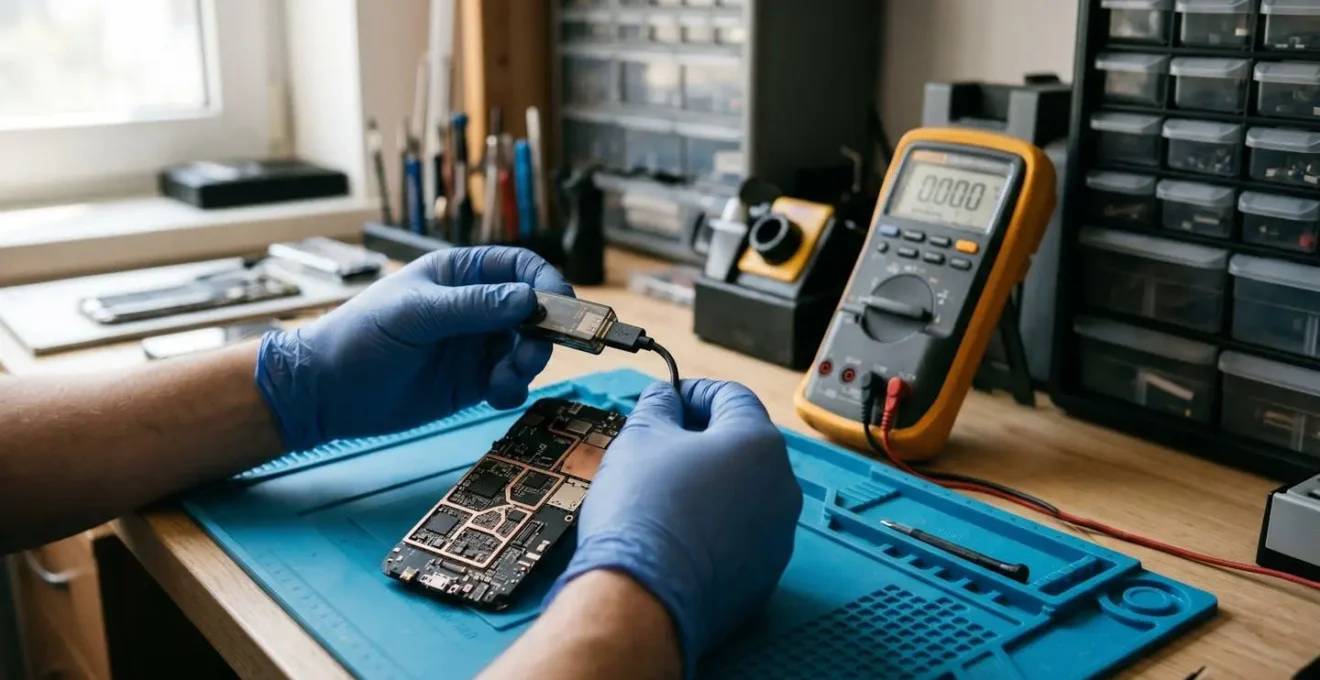
This diagnostic flow is the key to understanding the difference between a recoverable situation and a true data recovery emergency. If the phone powers on with a new battery and screen, the data is safe. If all external components are ruled out and the fault lies with the motherboard itself, then the focus shifts from repair to data salvage.
Action Plan: A Technician’s Diagnostic Sequence for Dead Devices
- Visual Inspection: Before applying any power, the motherboard is examined under a microscope. Technicians look for obvious signs of damage: burnt or cracked components, liquid corrosion indicators, broken connectors, or visible damage to the circuit traces.
- Cold Testing with Multimeter: With the device powered off, a multimeter is used to check for short circuits on critical voltage lines. It’s also used to test continuity on fuses and filters to ensure paths are not broken.
- Hot Testing with DC Power Supply: The motherboard is connected to a DC power supply. The amount of current it draws when the power button is pressed is a vital clue. Too little current, too much current (a short), or a fluctuating current can point a technician toward a specific faulty chip (e.g., Power Management IC, CPU).
- External Hardware Swap: This is a crucial step. The motherboard is tested with a known-good battery, a known-good display, and a known-good charging cable. This definitively rules out whether the problem is with the board or a faulty peripheral.
- Component-Level Testing: If all the above steps point to a motherboard fault, the final stage is testing individual Integrated Circuits (ICs). This can involve advanced techniques like thermal imaging to find shorted components or, in severe cases, reballing (resoldering) the CPU or baseband chip to fix fractured BGA joints.
Key Takeaways
- The shift to brittle, lead-free solder is a primary reason for increased vulnerability to drop damage in modern electronics.
- Sustained, high-frequency vibration is as dangerous as a direct impact for sensitive components like a camera’s OIS system.
- A rattling sound after a drop is a red alert indicating a loose internal component and an immediate risk of a catastrophic short circuit; back up data instantly.
Encrypted Cloud Backup Systems: How to Survive Ransomware on Your Mobile Device?
We’ve focused heavily on the physical threats to your data—drops, vibrations, and theft. However, a complete data survival strategy must also account for digital threats, with mobile ransomware being a particularly nasty example. Ransomware on a mobile device works just like on a PC: it encrypts your personal files (photos, documents, videos) and demands payment for the decryption key. Paying the ransom is never a guarantee, and it funds criminal enterprises. Your only true defense is a pristine, uninfected copy of your data.
This is where standard cloud backups can fall short. If your cloud service simply syncs files, it might dutifully sync the newly encrypted (and therefore useless) files over your good ones. To survive a ransomware attack, your backup system must have two crucial features: end-to-end encryption and file versioning.
Sometimes internal damage from a phone drop doesn’t show symptoms right away. If you’re not sure whether a dropped phone is safe, it’s a good idea to take precautions to prevent data loss or future costs. Back up your data immediately, including photos, videos, and important files.
– RHINOSHIELD Technical Team, RHINOSHIELD Guide on Post-Drop Precautions
Just as the RHINOSHIELD team advises an immediate backup after a physical shock, the same principle applies to digital threats. An encrypted, versioned backup is your “fall back” position. End-to-end encryption ensures that not even the cloud provider can access your data, protecting it from breaches on their end. File versioning is the killer feature for ransomware: it allows you to restore your files to a state *before* they were encrypted. If your phone gets hit by ransomware today, you can simply wipe the device, reinstall the OS, and restore your entire dataset from yesterday’s clean backup. The attack is reduced to a temporary inconvenience.
Your data’s survival should not be left to chance. Stop reacting to disasters after they happen; build your digital fortress now. The essential first step is to implement a robust, encrypted, and automated backup strategy that protects you from every eventuality, from a cracked solder joint to a ransomware attack.