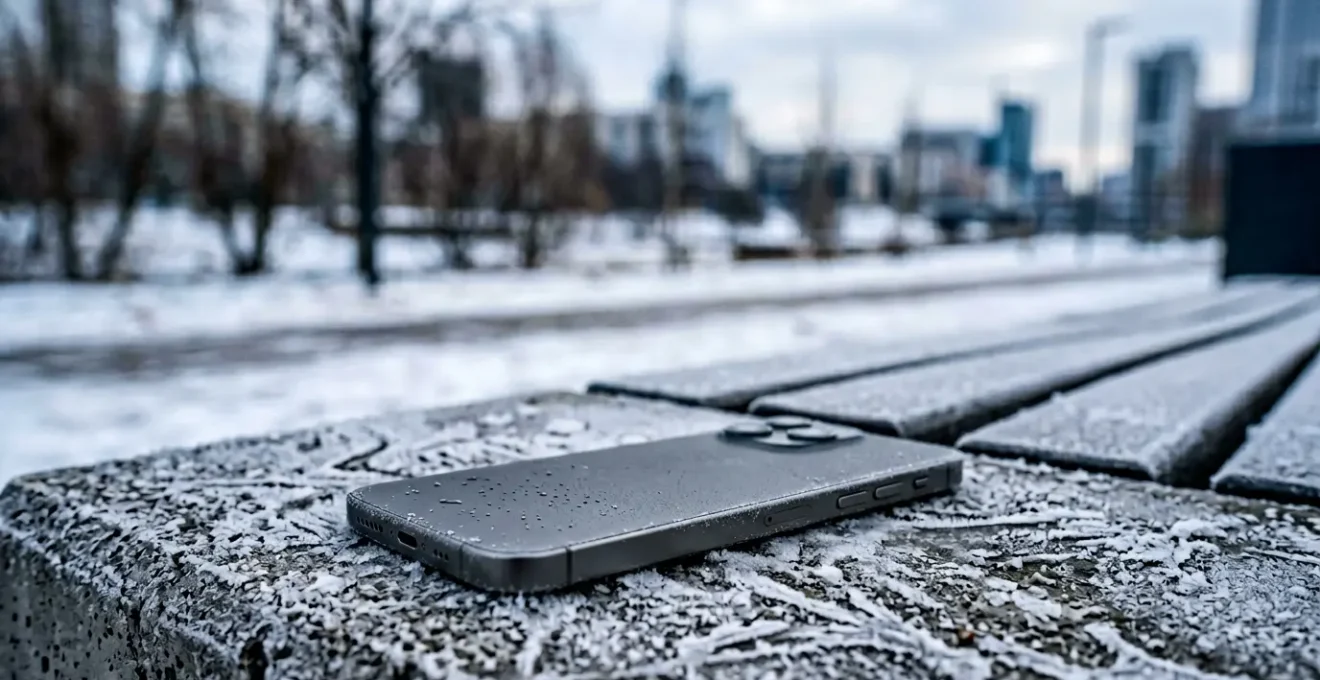
For an outdoor professional like a delivery driver, a dead phone isn’t an inconvenience—it’s a critical operational failure. Standard advice to ‘keep it warm’ is inadequate. This guide treats your phone as essential equipment, providing the protocols to maintain its operational reliability across the full thermal envelope of UK weather. It focuses on preventing permanent damage from cold-weather charging and processor degradation from heat, ensuring your device is a dependable tool, not a liability.
It’s 7 AM at a depot in the Scottish Highlands. Your van is loaded, but your phone—your route, your proof-of-delivery scanner, your communication line—is dead. The screen is black, despite being fully charged last night. Extreme cold has crippled your most essential piece of kit. For professionals working outdoors, from delivery drivers to field engineers, temperature isn’t a weather footnote; it’s a primary operational risk that can derail a whole day’s work. This scenario is just as likely during a summer heatwave, when a device left on the dashboard overheats, shuts down, and suffers long-term damage.
Common advice often revolves around generic tips like “keep it in an inside pocket” or “take it out of the sun.” But for a professional, this isn’t a strategy; it’s a gamble. When your GPS is non-negotiable for the next drop-off, you need procedures, not suggestions. The real key to all-weather reliability isn’t just reacting to a phone that’s too hot or cold; it’s implementing a set of preventative protocols that treat the device like the critical fleet equipment it is.
This guide moves beyond consumer-level tips. We will dissect the science behind these failures in practical terms. We’ll establish the correct procedures for charging in freezing conditions to avoid permanent cell damage, the proper way to cool an overheating device without causing thermal shock, and the proactive steps to ensure your device survives a full shift, no matter the weather. It’s about instilling the energy discipline required to guarantee your phone works when you need it most.
The following sections provide a complete operational manual for managing your device’s thermal performance, ensuring you stay connected and efficient from the coldest winter morning to the peak of a summer heatwave.
Summary: Using Your Mobile in Extreme Temperatures: How to Prevent Battery Failure at -5°C?
- Why does your battery percentage drop suddenly when waiting for the bus in winter?
- How to cool down an overheating phone during a UK summer heatwave safely?
- Active cooling vs passive dissipation: what do you need for outdoor work?
- The charging mistake in freezing conditions that permanently damages cells
- When to activate battery saver mode: the timeline for a full day in the cold
- Why your fully charged phone turns off at night in the tent?
- The dashboard habit that ages your phone’s processor by 2 years
- Nokia Extended Battery Life Performance: How to Go 3 Days Without a Charger on a Business Trip?
Why does your battery percentage drop suddenly when waiting for the bus in winter?
That sudden plunge from 40% to 5% on a cold platform isn’t a glitch; it’s a predictable chemical reaction. Your phone’s lithium-ion battery works by moving lithium ions between an anode and a cathode through a liquid electrolyte. As the temperature drops towards freezing, this electrolyte starts to thicken, increasing its internal resistance. This is like trying to run through treacle—the ions struggle to move, and the battery simply can’t deliver the power the phone is demanding. The device’s sensor misinterprets this power delivery failure as an empty battery and can initiate a shutdown to protect its components.
The voltage of the battery drops significantly in the cold, even if the stored energy is still there. Think of it as a full fuel tank with a frozen fuel line. Research shows a lithium-ion battery can lose up to a fifth of its available capacity at 0°C. For a driver in the UK, this means a phone that was reliable at room temperature becomes a liability outdoors. The phone isn’t truly empty; its ability to access the stored power is just temporarily crippled by the cold. Warming the device up slowly and safely will often “magically” restore the lost battery percentage as the chemical processes return to normal speed.
This is why keeping the phone in an insulated pocket close to your body is a critical field procedure. It’s not just about comfort; it’s about maintaining the battery’s core temperature within its optimal thermal envelope, ensuring the electrolyte remains fluid and the power remains accessible. Ignoring this can lead to an unexpected shutdown right when you need to confirm a delivery or check your next stop.
How to cool down an overheating phone during a UK summer heatwave safely?
When your phone displays a temperature warning during a summer heatwave, the immediate instinct might be to cool it down fast. However, rapid temperature changes can be as damaging as the heat itself. Putting a hot phone in a fridge or in front of an air conditioning vent is a critical error. This can cause thermal shock, leading to component damage and condensation forming inside the device, which is a fast track to water damage and corrosion. The correct procedure is always gradual and safe passive dissipation.
The first step is to stop the heat generation. Cease all intensive tasks immediately: stop charging, close GPS navigation, and exit any demanding apps. Turn the phone off completely if possible. Remove it from its case, as this acts as an insulator, trapping heat. Most importantly, move it out of direct sunlight. A car’s dashboard can act like an oven, and leaving a phone there is the single fastest way to cause it to overheat and sustain permanent damage.
To actively cool it, use passive methods that allow for gentle heat transfer. Placing the phone screen-up on a cool, shaded surface like a stone floor, a marble countertop, or even a cool ceramic tile works exceptionally well. These materials act as a natural heatsink, drawing warmth out of the device’s chassis safely and gradually. Natural airflow is also your ally; simply leaving it in a shaded, well-ventilated area will help it return to its normal operating temperature.

As the image demonstrates, the principle is about maximising surface contact with a cooler material to allow for natural heat transfer. Never resort to extreme methods. A patient, passive approach protects the device’s delicate internal components from the stress of rapid contraction and potential moisture, ensuring the device recovers without sustaining secondary damage. This discipline is essential for maintaining long-term equipment health.
Active cooling vs passive dissipation: what do you need for outdoor work?
Managing your phone’s temperature in the field isn’t a one-size-fits-all problem. The right strategy depends on your specific workflow and environment. The two primary methods are passive dissipation and active cooling, and for a professional, knowing which to rely on is key. Passive dissipation is the device’s built-in ability to shed heat into the surrounding air, primarily through its metal frame and back panel. It requires no power and is completely silent.
For many outdoor users, like a hill-walker or a site surveyor who uses their phone intermittently, passive dissipation is sufficient. The device has downtime between uses to cool naturally. However, for a delivery driver running GPS and a logistics app for hours on end, especially in a warm vehicle, the phone generates heat faster than its passive systems can cope with. This is where active cooling becomes a necessary piece of professional equipment. This typically involves an accessory, like a fan-based phone mount, that uses forced air to dramatically increase the rate of heat dissipation. It prevents the processor from thermal throttling, which can slow down your critical apps and drain the battery faster.
There is also a third, often overlooked method: behavioral cooling. This involves proactively managing the device’s workload to reduce heat generation in the first place. This is a non-negotiable discipline for any outdoor professional. Simple actions like pre-loading map data on Wi-Fi before leaving the depot, using ‘lite’ versions of apps (like Maps Go), and crucially, avoiding charging the phone while simultaneously running GPS, can significantly reduce the thermal load on the processor and battery.
The choice between these methods depends entirely on your job’s intensity. As a logistics coordinator, equipping drivers with active cooling mounts for summer is a direct investment in operational reliability. The following table breaks down the right tool for the job, based on analysis of device performance under thermal stress.
| Cooling Method | Best For | Mechanism | Limitations |
|---|---|---|---|
| Passive Dissipation (Metal Frame) | Hill-walkers, casual outdoor users | Heat conduction through chassis to atmosphere | Limited by surface area and ambient temperature |
| Active Cooling (Fan-based accessory) | Delivery drivers, GPS-intensive outdoor workers | Forced air circulation over device | Requires external power, bulkier setup |
| Behavioral Cooling | All outdoor professionals | Using lite apps (Maps Go), pre-loading data on Wi-Fi, avoiding charging during GPS use | Requires planning and discipline |
The charging mistake in freezing conditions that permanently damages cells
Of all the temperature-related mistakes, charging a frozen battery is the most insidious and damaging. It might seem logical to plug your phone into a power bank when it dies in the cold, but doing so while the battery is below 0°C (32°F) causes irreversible harm. While the phone may appear to be charging normally, a destructive process called lithium plating is occurring on the battery’s anode. This is a permanent degradation of the battery’s structure and capacity.
Think of it like this: in a warm battery, lithium ions are absorbed into the anode smoothly, like a sponge soaking up water. In a frozen battery, the ions can’t be absorbed quickly enough. Instead, they pile up on the anode’s surface and form a layer of metallic lithium. This plated lithium is no longer part of the battery’s active chemistry, resulting in a permanent loss of capacity. As the experts at Battery University warn in their guide to temperature effects:
Although the pack appears to be charging normally, plating of metallic lithium occurs on the anode during a sub-freezing charge that leads to a permanent degradation in performance and safety.
– Battery University, BU-410: Charging at High and Low Temperatures
This isn’t a minor issue. The damage is cumulative and severe. Laboratory tests show that charging at low temperatures can be catastrophic for a battery’s lifespan, with some studies demonstrating over 35% capacity loss after just 132 cycles when charged at 0°C. The absolute rule for any professional in the field is simple: never charge a cold device. You must bring the phone into a warm environment (like a heated vehicle cabin or indoors) and allow it to return to room temperature *before* connecting any charger or power bank. Ignoring this protocol is actively destroying your essential equipment.
When to activate battery saver mode: the timeline for a full day in the cold
For an outdoor professional, using Battery Saver Mode isn’t a last-ditch effort when the battery is at 5%. It’s a proactive measure to be deployed strategically throughout the day to manage energy consumption in a hostile environment. Activating it only when the battery is critical is a reactive approach that fails to account for the performance drop caused by cold. A professional’s timeline for battery management should be part of their pre-departure and in-field discipline.
The goal is to reduce the electrical load on the battery, which in turn reduces the speed at which it drains, especially when its chemical processes are already slowed by the cold. By enabling Battery Saver Mode early, you are extending the operational window of the device before it even faces the harshest conditions. This involves a simple but effective timeline that should be considered standard operating procedure for any winter work.
Here is a practical timeline for a full day of work in cold weather:
- 8 AM (Pre-departure): While the phone is still warm and ideally at 100% charge, activate the standard Battery Saver Mode. This is also the time to download any offline maps or job sheets for the day over Wi-Fi, minimizing the need for power-hungry cellular data later.
- 11 AM (Mid-shift Outdoor Exposure): The device should be kept in an insulated inner pocket, close to your body. Use it only for essential tasks. The pre-activated saver mode will already be limiting background activity and syncs, conserving energy.
- 1 PM (Midday Check): Resist the temptation to charge the phone with a cold power bank. If you need to charge, do it inside a warm vehicle cabin. Wait until you return to a consistently warm environment to perform any significant charging.
- 4 PM (Return or Critical Low): If the battery level becomes critical despite these precautions, this is the time to escalate to the Extreme/Ultra Battery Saver Mode. This is an emergency measure that will disable most smart features, like high-refresh-rate displays, background data, and location services, but will keep the device alive for essential calls or texts.
Adopting this proactive timeline shifts the mindset from ‘rescuing a dead battery’ to ‘managing an energy resource’. It’s a core component of professional energy discipline that ensures the device remains a reliable tool for the entire duration of the shift.
Why your fully charged phone turns off at night in the tent?
Waking up to a dead phone in a tent, despite charging it to 100% before bed, is a common and frustrating experience for campers and outdoor professionals. The cause is the same chemical slowdown we see during the day, but amplified by a prolonged period of deep cold. A fully charged battery at 20°C does not have the same *accessible* capacity at 0°C. In freezing conditions, the battery’s internal resistance skyrockets, and its effective capacity can be dramatically reduced. Field testing reveals that a phone battery’s usable energy in freezing conditions can effectively be halved. That 100% charge you had in the warmth behaves like a 50% charge in the cold.
Overnight, as the ambient temperature in the tent drops, the phone’s battery gets colder and colder. Even in standby mode, the phone is performing tiny background tasks: checking for network signals, maintaining the clock, and listening for notifications. Each of these tasks requires a small amount of power. In the cold, drawing this power puts a much higher strain on the battery. Eventually, the voltage drops below the minimum threshold required for the phone to operate, and the device’s protective circuits force a shutdown to prevent damage, even though significant energy is technically still stored in the cell.
To prevent this, you must implement a “deep sleep” protocol for your device before turning in for the night. This protocol is designed to minimise all possible power draws and, crucially, to keep the device as warm as possible.
- Pre-Sleep Prep: Ensure the phone is charged to 100% in a warm environment before you head into the cold for the night.
- Step 1: Go Offline. Enable Airplane Mode. This is the single most effective step, as it stops the phone from constantly searching for a cellular or Wi-Fi signal, which is a major source of passive battery drain.
- Step 2: Conserve Power. Enable Battery Saver Mode on top of Airplane Mode. This will further reduce background processes and CPU activity.
- Step 3: Insulate. The most critical step is to prevent the phone from reaching the ambient temperature. Turn the phone off completely and store it deep inside your sleeping bag with you. Your body heat will be enough to keep it well above freezing, preserving its charge for the morning.
The dashboard habit that ages your phone’s processor by 2 years
While cold is a threat to battery performance, heat is a far more dangerous, long-term enemy to the phone’s core components, particularly its processor (SoC). The common habit of leaving a phone on a car’s dashboard in the sun, even on a moderately warm day in the UK, is one of the most destructive things you can do to it. The direct sunlight and greenhouse effect inside the car can raise the device’s temperature to well over 50°C, causing not just temporary shutdowns but permanent physical degradation of the chip itself.
The primary culprit is a phenomenon called electromigration. In simple terms, think of the microscopic metal pathways inside a processor as tiny rivers. The electricity flowing through them is the water. When the processor gets extremely hot, it’s like a raging flood. The intense heat and high electrical current can physically dislodge metal atoms from these pathways, gradually eroding and thinning them out. Over time, this erosion can lead to broken connections within the chip, causing permanent errors, instability, and eventual failure.
This isn’t a theoretical risk; it’s a fundamental principle of semiconductor physics. As Kristof Croes, a scientific director for reliability at the renowned research hub imec, states, the effect is exponential. In an article on chip degradation, he notes:
Electromigration becomes exponentially worse with increasing temperature.
– Kristof Croes, Scientific Director for Reliability at imec, 3D-IC Reliability Degrades With Increasing Temperature
For a professional, this means that every time a phone overheats on the dashboard, its operational lifespan is being measurably shortened. A few months of this abuse can inflict the equivalent of years of normal wear on the processor. The proper protocol is absolute: the dashboard is not a phone holder. A phone used for navigation must be in a proper vent mount, which keeps it out of direct sunlight and benefits from the car’s air conditioning. This simple discipline prevents catastrophic thermal stress and preserves the long-term reliability of your equipment.
Key Takeaways
- Cold doesn’t just drain batteries; it slows down the underlying chemistry, giving a false ’empty’ reading while the energy is still there but inaccessible.
- Charging a frozen battery (below 0°C) is the most critical mistake, causing irreversible physical damage known as lithium plating and permanent capacity loss.
- Dashboard heat is more than a temporary issue; it causes a process called electromigration, which permanently erodes the phone’s processor and shortens its lifespan.
Nokia Extended Battery Life Performance: How to Go 3 Days Without a Charger on a Business Trip?
While the title might reference a specific brand known for longevity, the principle of achieving multi-day autonomy without a charger applies to any modern smartphone. It’s not about a “magic” battery; it’s about a rigorous and proactive power discipline. For a professional on a multi-day trip, whether for business or field operations, relying on finding a power outlet is a failed strategy. The goal is to make your device self-sufficient through a combination of preparation, system optimization, and behavioral changes.
The foundation of this discipline is minimizing the device’s workload. Before you even leave, your focus should be on reducing the need for power-hungry components like the cellular radio and the screen. This means shifting from ‘on-demand’ data access to ‘pre-loaded’ information. By downloading everything you might need—presentations, tickets, offline maps, documents—over a stable Wi-Fi connection beforehand, you drastically reduce the number of times the phone needs to fetch data over a cellular network, which is a significant power drain.
During travel, the strategy continues. On a flight, instead of browsing online, use the device as a single-task e-reader in Airplane Mode. In a hotel or between meetings, don’t just let notifications run wild. Set up a ‘Focus’ or ‘Work’ mode that ruthlessly culls all non-essential alerts. Every notification that lights up the screen is a small but cumulative drain on your power budget. Finally, be aware of your network environment. Spending time in an area with a weak or non-existent signal forces the phone’s radio to work overtime, constantly searching for a connection. This generates heat and is one of the fastest ways to drain a battery. If you know you’ll be in such an area, switch to Airplane Mode proactively.
This level of energy management requires a shift in thinking, treating your battery percentage not as a resource to be consumed, but as a critical asset to be preserved. Completing a power discipline audit is the first step towards achieving true multi-day independence from a charger.
Your Power Discipline Audit
- Mission Analysis: Before the trip, list the absolute critical functions your phone must perform (e.g., GPS, receiving calls). All other apps are non-essential and their background activity should be restricted.
- Pre-load Data: Have you downloaded all necessary maps for offline use? Are all tickets, documents, and presentations saved locally to the device?
- Hardware Check: Are your charging cables and power bank in good working order? Is the power bank fully charged and kept in a warm pocket if you’re heading into the cold?
- System Triage: Have you disabled non-critical settings like background app refresh for social media, automatic email fetching (switch to manual), and high-refresh-rate (120Hz) displays?
- Behavioral Plan: Define your charging windows. Plan to charge only in stable, warm environments. Decide in advance to use Airplane Mode during periods of transit or low signal.
By implementing these operational protocols, you transform your smartphone from a fragile consumer gadget into a robust and reliable piece of professional equipment. This discipline is the difference between a successful day in the field and a critical failure. Evaluate your daily routines now and integrate these thermal management strategies to ensure your device works as hard as you do.