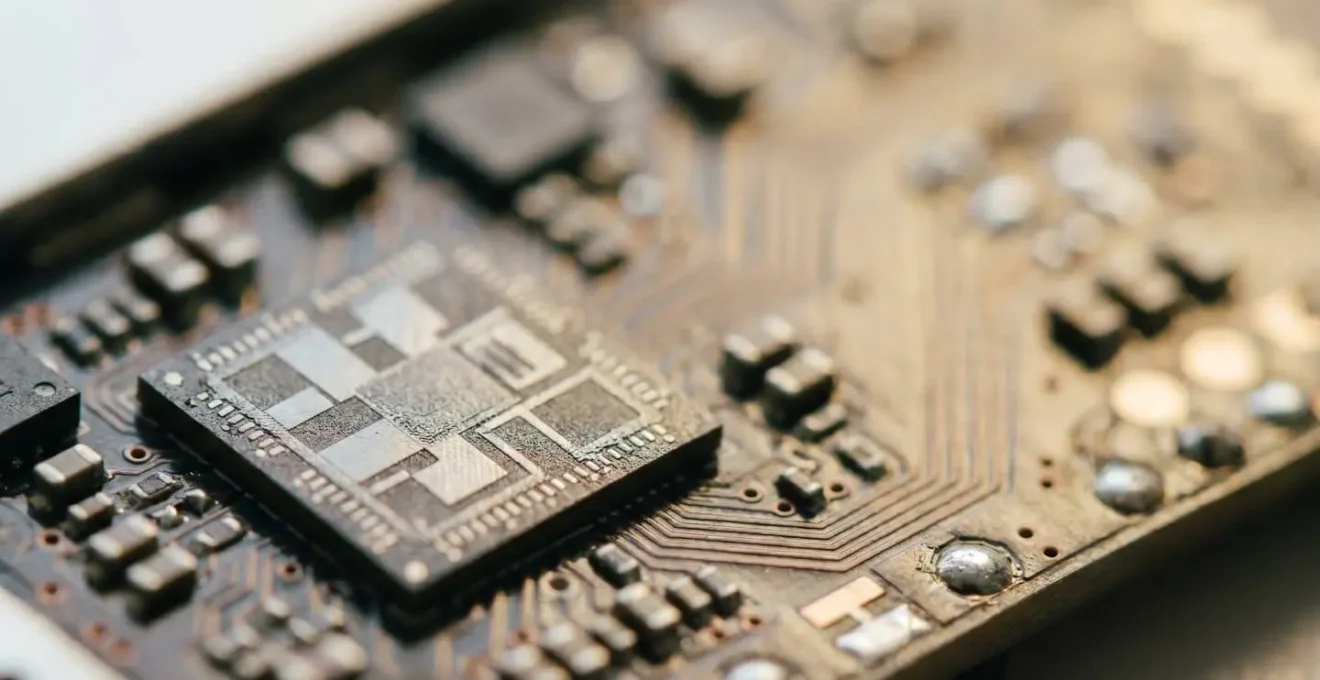
Hardware-backed encryption is not merely a feature; it is the cornerstone of a legally defensible mobile security strategy for protecting privileged client information.
- Software-based security measures, like simple PINs and passwords, are demonstrably insufficient against determined, modern cyber threats.
- Modern mobile devices use File-Based Encryption (FBE), which offers superior, granular protection for individual files compared to older Full-Disk Encryption, especially if a device is lost while powered on.
Recommendation: To meet professional obligations, legal practitioners must mandate the use of devices with a dedicated hardware security module (e.g., Apple’s Secure Enclave, Google’s Titan M) and enforce the use of complex alphanumeric passcodes.
As a solicitor or barrister, your mobile phone is an indispensable tool. It holds case files, client communications, and privileged information, often accessed between court appearances or during transit. The professional duty to maintain client confidentiality is absolute, yet the digital environment is fraught with risk. You likely already use a passcode and believe your device is “encrypted,” but this is a dangerously simplistic view of security.
The standard advice—use a strong password, be wary of public Wi-Fi—is necessary but fundamentally inadequate for the level of risk you carry. It fails to address the sophisticated threats targeting high-value data. The critical question is not *if* your data is encrypted, but *how*. Relying on software-level protection alone is akin to locking a bank vault door but leaving the key taped to the front. It creates an illusion of security that can be shattered by a determined adversary.
This guide moves beyond generic advice to build a robust, defensible security posture. We will dissect the crucial difference between software convenience and hardware-backed cryptographic isolation. Understanding this distinction is the dividing line between exercising professional due diligence and unknowingly flirting with malpractice in the digital age. We will explore why not all encryption is created equal, how to verify your device’s security level, and what practical steps are required to truly secure client data and comply with regulations like GDPR.
This article provides a detailed breakdown of the essential security layers for your mobile device. The following table of contents will guide you through each critical aspect, from the weaknesses of basic passwords to the specifics of GDPR compliance.
Table of Contents: A Guide to Defensible Mobile Security
- Why Software Passwords Aren’t Enough to Stop a Determined Hacker?
- Why Hardware-Backed Encryption is Harder to Crack Than Software Locks?
- How to Check if Your Device’s Storage is Fully Encrypted by Default?
- File-Based vs Full-Disk Encryption: Which is Safer for Lost Devices?
- The “Cold Boot” Vulnerability That Threatens Data Even When the Phone is Locked
- When to Require a Complex Alphanumeric Password Instead of a PIN?
- Why Mixing Personal Photos and Client Contracts is a Compliance Nightmare?
- GDPR Compliance: How to Secure Client Contacts on Your Personal Mobile?
Why Software Passwords Aren’t Enough to Stop a Determined Hacker?
The first line of defense for most mobile users is a password, PIN, or biometric scan. These are software-level authenticators, acting as a gatekeeper to the operating system. However, they are a fragile barrier against a determined attacker, especially when they are the *only* barrier. Software locks are vulnerable to a variety of attacks that bypass the user interface, such as brute-force attacks, where automated tools try thousands of password combinations per second.
Furthermore, the entire security model relies on a secret that can be stolen or guessed. The reuse of passwords across different services creates a significant vulnerability. An attacker can use credentials leaked from a breach on an unrelated website to attempt to access your device or associated cloud accounts—a technique known as credential stuffing. Research consistently shows that stolen credentials are a primary vector for data breaches.
In fact, the landscape of threats is unambiguous. Bitdefender’s security research highlights a stark reality, noting that stolen credentials were implicated in 31% of breaches reported in 2024. When the password is the only thing protecting sensitive client files, you are relying on a single, often compromised, point of failure. This is not a defensible security posture for a legal professional. The objective is not just to deter a casual opportunist but to withstand a targeted attack, which requires a fundamentally more robust approach where the encryption keys themselves are protected from the main operating system.
Why Hardware-Backed Encryption is Harder to Crack Than Software Locks?
The critical weakness of software-only encryption is that the cryptographic keys—the secret codes used to lock and unlock data—reside in the device’s main memory alongside the operating system and apps. An attacker who compromises the operating system can potentially access these keys and decrypt your data. Hardware-backed encryption fundamentally changes this dynamic by creating cryptographic isolation. It moves the storage and processing of cryptographic keys to a separate, dedicated, and tamper-resistant piece of hardware.
This specialized chip, known as a Secure Element or part of a Trusted Execution Environment (TEE), acts as a secure vault within your phone. Examples include Apple’s Secure Enclave and Google’s Titan M chip. The main processor can request that the Secure Element perform an operation (like decrypting a file), but it can never directly access the keys themselves. This physical and architectural separation means that even if the main operating system is completely compromised by malware or an attacker with root access, the encryption keys remain inaccessible.
Academic Analysis of Hardware Keystore Security
A large-scale analysis of Android’s secure key storage confirms this security advantage. The research, published in “KeyDroid: A Large-Scale Analysis of Secure Key Storage in Android Apps,” demonstrates that modern devices offering hardware-backed credential storage can effectively protect keys even against an adversary with root permissions. The study clarifies that while a TEE provides strong protection, dedicated Secure Elements offer the highest level of physical isolation from the main processor, creating a formidable barrier against forensic extraction attempts.
This is why hardware-backed encryption is the gold standard. It’s not just a stronger lock; it’s a completely different security architecture that assumes the main system can be hostile. For a legal professional, this provides a defensible argument that you have taken the most robust technical measures available to protect client data from even sophisticated attacks.
How to Check if Your Device’s Storage is Fully Encrypted by Default?
For legal professionals, “assuming” your device is secure is not an option; verification is a crucial step of due diligence. Fortunately, on modern mobile devices, robust encryption is often enabled by default, but confirming this and understanding the underlying technology is essential. All modern iPhones and a vast majority of Android devices launched in recent years come with encryption turned on out of the box, directly linked to your passcode.
However, simply being “encrypted” is not the full story. The real measure of security is whether this encryption is hardware-backed. The presence of a Secure Enclave (on iPhones) or a Titan M / Knox security platform (on high-end Androids) is what provides the cryptographic isolation discussed previously. Verifying your device’s status is a straightforward process that should be part of any security audit.
If your device is an older model that reports as “Not Encrypted,” it must be considered fundamentally insecure for holding any privileged client information. In such a case, an immediate upgrade to a modern device with mandatory, hardware-backed encryption is not just a recommendation; it is a professional necessity to uphold your duty of confidentiality.
Your Checklist: Verifying Device Encryption Status
- For iOS devices: Navigate to Settings > Face ID & Passcode (or Touch ID & Passcode). Scroll to the very bottom of the page. You should see a message stating, “Data protection is enabled.” This confirms that encryption is active and managed by the Secure Enclave hardware.
- For Android devices: Go to Settings > Security > Encryption & credentials. The device should report its status as “Encrypted.” Devices launched with Android 7.0 or later use File-Based Encryption by default.
- Verify Android hardware security: Check your device manufacturer’s official specifications to confirm the presence of a hardware security module like the Titan M chip (on Google Pixel phones) or the Samsung Knox platform.
- Action for older devices: If an older Android device shows “Not Encrypted” or lacks a hardware security module, it is unsuitable for storing sensitive data. You must upgrade to a modern device where encryption is mandatory and hardware-backed.
File-Based vs Full-Disk Encryption: Which is Safer for Lost Devices?
For years, the standard for device security was Full-Disk Encryption (FDE). In this model, the entire storage partition of the phone is encrypted as a single, monolithic block. When you turn on your phone and enter your password, the entire disk is unlocked, and all data becomes accessible to the operating system until the device is powered off again. While this protects a powered-off device, it creates a significant vulnerability if the device is lost, stolen, or seized while it is still running—a state known as “after first unlock.”
Modern mobile operating systems have transitioned to a far more secure model: File-Based Encryption (FBE). As confirmed by the Android Open Source Project documentation, FBE is mandatory for all new devices running Android 10 and higher. Instead of treating the storage as one block, FBE encrypts individual files and directories with different keys. Some keys are available as soon as the device boots (“Device Encrypted” storage), while the most sensitive data is protected by keys that are only unlocked when you enter your passcode (“Credential Encrypted” storage).
The FBE Advantage in a Device Compromise Scenario
The superiority of FBE becomes clear when a device is compromised after being unlocked. With FDE, once the main password is provided, all data is “in the clear” from the operating system’s perspective. With FBE, even when the phone is unlocked and you are using it, sensitive files (like those in a secure work profile) remain individually encrypted. An attacker who manages to exploit a software vulnerability on the unlocked device would still be unable to access these files because they cannot access the specific, file-level keys which are protected by the hardware security module. Each file is its own locked container.
For a legal professional, this granular protection is paramount. It means that even if your phone is snatched from your hand while you are reading an email, the case files stored in your secure work container remain cryptographically sealed, a level of protection that FDE simply cannot offer.
The “Cold Boot” Vulnerability That Threatens Data Even When the Phone is Locked
Even with advanced encryption, determined adversaries seek out esoteric weaknesses. One of the most well-known advanced threats is the “cold boot” attack. This technique exploits a physical property of computer memory (DRAM), where data does not disappear instantly when power is cut. For a brief period, sensitive information—including encryption keys—can remain in memory, allowing a physically present attacker to extract it.
As security researchers explain, this is not a theoretical threat. A foundational paper in the EURASIP Journal on Information Security describes how “the cold boot attack exploits the remanence effect that causes data in DRAM modules not to lose the content immediately in case of a power cut-off.” An attacker with physical possession of a device could force a reboot into a custom operating system and quickly dump the memory contents to a separate computer to search for encryption keys.
While this sounds alarming, it is a prime example of why a multi-layered, hardware-backed defense is so critical. Modern mobile operating systems are specifically designed with countermeasures to thwart this very attack vector. The risk is highest on devices using older encryption models like FDE, where keys might remain in memory longer.
Countermeasures on Modern Android Devices
On modern Android smartphones, the threat of a cold boot attack is significantly mitigated. When you lock your phone, the operating system is designed to securely erase the sensitive, credential-protected encryption keys from memory as quickly as possible. This dramatically shrinks the window of opportunity for an attacker. If they cannot execute the memory dump within seconds of the device being locked, the keys are gone. This proactive key erasure is a core component of the hardware-backed security model, turning a viable threat into a highly impractical one for most scenarios.
This ongoing cat-and-mouse game between attackers and defenders underscores a vital point: security is not a single feature but an entire ecosystem of interacting defenses. Relying on devices with modern, hardware-enforced countermeasures is the only way to build a truly defensible security posture against such advanced threats.
When to Require a Complex Alphanumeric Password Instead of a PIN?
The choice between a simple 4 or 6-digit PIN and a complex alphanumeric password is a critical decision in balancing convenience and security. For a legal professional, the answer must be dictated by risk and the principle of due diligence. A PIN is designed for quick access and is statistically sufficient to deter an opportunistic thief from guessing their way into your holiday photos. It is, however, wholly inadequate for protecting privileged client information against a targeted attack.
The mathematical difference in complexity is staggering. A 6-digit PIN has one million possible combinations. A 12-character password using upper/lower case letters, numbers, and symbols has a possibility space so vast that it would take current computing technology millennia to brute-force. When your professional reputation and client confidentiality are at stake, relying on a PIN is an unjustifiable risk. It fails to demonstrate the “standard of care” expected of a legal professional handling sensitive data.
Furthermore, setting the device to require the passcode immediately upon the screen locking is non-negotiable. Many users set a delay of 5 or 15 minutes for convenience, but this creates a massive vulnerability. If the device is lost or stolen during this window, the attacker has full access without needing any passcode at all. Immediate lock enforcement is a simple setting that eliminates this entire class of risk.
Your Action Plan: When to Enforce Complex Passwords
- For devices storing privileged client information: Mandate a complex alphanumeric password with a minimum of 12 characters, including mixed case letters, numbers, and symbols. This is the baseline for protecting against targeted attacks.
- Configure immediate passcode requirement: In your device’s security settings, set the “Require Passcode” option to “Immediately” after the screen locks. Do not use delays like “15 minutes” or “1 hour.”
- Leverage “Before First Unlock” (BFU) protection: A complex password is most critical for the first unlock after a device reboots. This is when the hardware-backed encryption is at its strongest, as no file-level keys have been loaded into memory.
- Consider professional obligation: In the event of a data breach, being able to demonstrate that you mandated complex passwords can be a key part of a defensible position in any subsequent malpractice or negligence claim. A simple PIN could be viewed as insufficient diligence.
Why Mixing Personal Photos and Client Contracts is a Compliance Nightmare?
One of the most common and dangerous security oversights is data commingling—using a single device for both personal life and professional work without any logical separation. This practice dramatically expands the attack surface and creates a compliance minefield. When your personal photos, social media apps, and games share the same digital space as confidential client contracts and privileged communications, you are introducing countless, unvetted risks.
Every app installed on a device is a potential vector for attack. A seemingly harmless game could have overly broad permissions to access your files or contacts, or it could contain a hidden vulnerability that an attacker could exploit to gain a foothold on your device. From there, they could pivot to access sensitive work documents. Without strict separation, the security of your client’s data is reduced to the security of the least secure app on your phone.
The risk extends beyond direct attacks to data management and compliance. Many consumer-grade apps and services, particularly for photo management and cloud storage, are configured to automatically back up data to the cloud. This creates a severe risk of data exfiltration and breaches of client confidentiality and GDPR.
The Backup Disaster Scenario
Consider a device containing both personal photos and a PDF of a client’s sensitive M&A documents. The user has a consumer cloud service (like Google Photos or Apple’s iCloud Photos) set to automatically back up all images and videos. If the user takes a screenshot of a crucial page from the M&A document for quick reference, that screenshot—containing highly confidential data—could be automatically uploaded to a consumer cloud service. These services are not designed for legal compliance, may store data outside the UK/EU, and would likely violate client data handling agreements. Even though the data is encrypted on the device, the act of backing it up to an unauthorized service constitutes a serious data breach and a violation of professional ethics.
To prevent this, it is imperative to use containerization technologies like Android’s Work Profile or iOS’s Managed App Data separation. These tools create a distinct, separately encrypted “work” space on your device, ensuring that work apps and data are completely isolated from your personal life, preventing both cross-contamination and accidental data leakage to non-compliant services.
Key Takeaways
- Hardware-backed encryption via a Secure Element is the non-negotiable standard for protecting legal data on mobile devices.
- File-Based Encryption (FBE) combined with a complex alphanumeric password provides a layered, robust defense against physical and remote threats.
- Strict separation of work and personal data through containerization is essential for security, compliance, and upholding professional ethics.
GDPR Compliance: How to Secure Client Contacts on Your Personal Mobile?
For legal professionals in the UK, compliance with the General Data Protection Regulation (GDPR) is a paramount concern. The principles of GDPR apply just as strictly to the data on your mobile device as they do to the files on your firm’s servers. This includes personal data such as client names, email addresses, and phone numbers stored in your contacts, as well as any data within case files.
Simply having this data on a personal device creates significant compliance challenges. Under GDPR, you must be able to account for how data is processed, where it is stored, who has access to it, and ensure it is protected by appropriate technical measures. The average cost of a data breach is a powerful motivator for compliance. According to IBM’s 2024 Cost of a Data Breach report, breaches originating from stolen or compromised credentials cost businesses an average of $4.81 million, a cost that includes regulatory fines, legal fees, and reputational damage.
To ensure GDPR compliance on a mobile device, a proactive and documented strategy is essential. This strategy must be built upon the principles of cryptographic isolation and data separation we have discussed. Using enterprise-grade Mobile Device Management (MDM) or Unified Endpoint Management (UEM) solutions is the most effective way to enforce these policies and demonstrate compliance to regulators.
A robust, GDPR-compliant mobile strategy should include the following key actions:
- Implement Work Profiles or Managed App Data: Use containerization to create a separately-keyed encryption zone for all work-related data. This ensures EU client data is isolated from personal apps and consumer cloud services, preventing unauthorized processing.
- Audit App Permissions Rigorously: Regularly review which applications have permission to access your contacts, calendar, and call logs. Revoke all non-essential permissions for apps outside the work container to prevent third-party data leakage.
- Control International Data Transfers: Configure your device’s EMM/UEM policy to block automatic synchronization of work data to consumer cloud services. This ensures that EU client data remains within GDPR-compliant infrastructure and does not get transferred to servers in other jurisdictions without a proper legal basis.
- Maintain Real-Time Compliance Dashboards: Utilize a UEM platform to continuously monitor the encryption status, security posture, and data location of all managed devices. This provides the evidence needed to demonstrate ongoing compliance and to respond efficiently to Data Subject Access Requests (DSARs).
Ultimately, securing client data on your mobile device is a fundamental aspect of modern legal practice. Moving beyond basic software passwords to a multi-layered, hardware-backed security architecture is not a matter of technical preference but of professional responsibility. By implementing these strategies, you are not just protecting data; you are protecting your clients, your reputation, and your practice. The next logical step is to conduct an immediate audit of your current devices and practices against the standards outlined in this guide.